Why SSL Affects Website Credibility: A Clear Guide
By Nick Phillips, Founder
Why SSL Affects Website Credibility: A Clear Guide
TL;DR:
- SSL certificates verify website identity and encrypt connections, building user trust and enabling search engine rewards. Misconfigurations or expirations trigger browser warnings that reduce conversions and harm credibility. Regular monitoring ensures SSL keeps users confident and maintains search rankings.
SSL certificates define website credibility by proving to browsers, users, and search engines that a site is authenticated, encrypted, and safe to use. The technical term is TLS (Transport Layer Security), though “SSL” remains the common shorthand everyone uses. Understanding why SSL affects website credibility means understanding three things at once: what browsers check, how users react, and how Google weighs it. Get any one of those wrong and you lose trust fast, sometimes overnight when a certificate quietly expires.
Why SSL affects website credibility at the technical level
SSL credibility starts with what happens during the TLS handshake before a single byte of your page loads. Browsers use TLS certificates to authenticate websites and encrypt connections, then display trust indicators like padlocks when everything checks out and warnings when it does not. That padlock is not decoration. It is the browser’s way of telling your visitor: “We verified this server is who it claims to be.”
Three functions make this work:
- Encryption scrambles data in transit so no one between the user and your server can read it. Passwords, credit card numbers, and form submissions all travel protected.
- Authentication uses certificate chains and trusted Certificate Authorities (CAs) like DigiCert, Let’s Encrypt, and Sectigo to confirm your server’s identity. SSL certificates prove site identity and prevent impersonation attacks, though the padlock does not guarantee business quality, only a verified connection.
- Integrity ensures data has not been tampered with in transit, blocking man-in-the-middle attacks that silently modify page content.
When any of these fail, browsers do not stay quiet. Chrome shows ERR_CERT_AUTHORITY_INVALID. Firefox shows SEC_ERROR_UNKNOWN_ISSUER. Safari blocks the page entirely. These are not subtle nudges. They are full-screen red warnings that tell your visitor to turn back. Most of them do.
How SSL certificate warnings destroy user trust

User trust breaks the moment a browser flags your site as “Not Secure.” Browsers label non-HTTPS pages as “Not Secure” in the address bar, which creates an immediate psychological barrier that causes hesitation and lower conversion. Visitors do not read the fine print on a security warning. They close the tab.
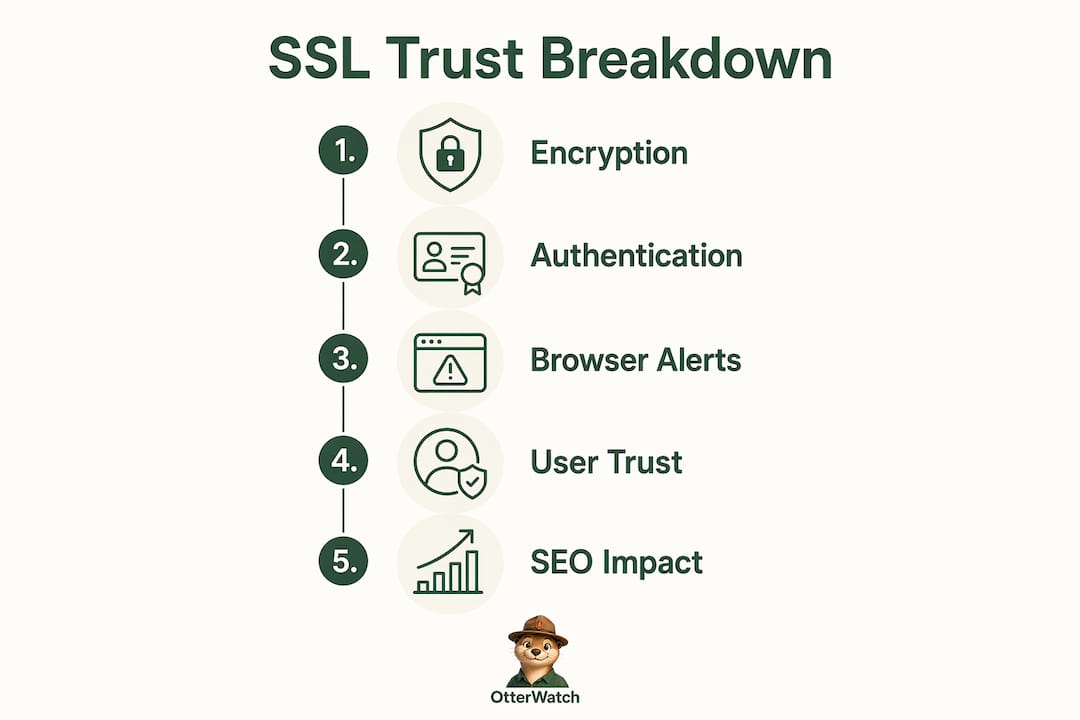
The numbers back this up. About 18% of online shoppers abandon their carts specifically because of security concerns tied to certificate issues. That is not a rounding error. For an e-commerce site doing $50,000 a month, that figure represents real, recoverable revenue walking out the door.
The impact hits hardest at the moments that matter most:
- Login pages. Users entering credentials on an HTTP page or a page with a certificate warning will hesitate. Many will not complete the login.
- Checkout flows. Payment forms without a valid SSL certificate trigger browser warnings that kill conversions at the worst possible moment.
- Contact and lead forms. Even non-transactional forms suffer. Users sharing personal information want to see HTTPS before they hit submit.
- First-time visits. A new visitor has no prior trust in your brand. A security warning on their first impression is almost impossible to recover from.
Misconfigurations cause the same damage as a missing certificate. Mixed content (loading HTTP images or scripts on an HTTPS page) strips the padlock and can trigger “Not Secure” labels even when your main certificate is valid. An expired cert on a subdomain you forgot about creates the same user-facing error as having no SSL at all.
Pro Tip: Run your site through a free SSL checker after any deployment or content update. Mixed content errors often sneak in through third-party embeds, image uploads, or CMS plugins that hardcode HTTP URLs.
Does SSL improve your website’s SEO reputation?
Google made HTTPS an official ranking signal in 2014. HTTPS affects fewer than 1% of global queries and functions as a tiebreaker among otherwise similar sites. That framing matters. SSL alone will not rescue a site with thin content or poor backlinks. But when two pages are otherwise equal, the HTTPS version ranks higher.
The indirect SEO benefits are where SSL really earns its keep. Lower bounce rates, longer session times, and higher conversion rates all send positive engagement signals to Google. A site that users trust and stay on performs better in search, not because of the certificate itself, but because of the behavior it enables.
HTTPS also unlocks modern web protocols. Sites using HTTPS can use HTTP/2 and HTTP/3, which load pages faster through multiplexing and reduced latency. Faster pages rank better and convert better. The SSL certificate is the prerequisite for all of it.
| Factor | HTTP | HTTPS |
|---|---|---|
| Google ranking signal | No | Yes (tiebreaker) |
| Browser trust indicator | “Not Secure” label | Padlock shown |
| HTTP/2 and HTTP/3 support | No | Yes |
| User abandonment risk | High | Low |
| Mixed content warnings | N/A | Possible if misconfigured |
Pro Tip: Full HTTPS coverage means every page, every asset, every subdomain. A single HTTP image on an otherwise secure page can strip the padlock in Chrome and Firefox. Audit your entire domain, not just the homepage.
Google’s HTTPS ranking signal is designed to encourage safer internet practices broadly, not to hand out ranking boosts. Think of it as a floor requirement. You do not get extra credit for having SSL. You get penalized for not having it.
Common SSL pitfalls that quietly damage credibility
Simply installing SSL is not enough. Misconfigurations cause the same browser warnings and user distrust as having no certificate at all. These are the failures that trip up site owners most often:
- Expired certificates. Certificates have a validity period, and browsers enforce it hard. One day past expiration and your site shows a full-screen warning. Many trust outages come from expiration or renewal gaps that users experience instantly.
- Hostname mismatches. Your certificate covers
www.example.combut notexample.com, or vice versa. Browsers flag this as a SAN (Subject Alternative Name) mismatch and block the page. - Broken certificate chains. The most frequent SSL trust failures come from chain or hostname mismatch errors, not from weak cryptography. A missing intermediate certificate causes
ERR_CERT_AUTHORITY_INVALIDeven when your root cert is perfectly valid. - Mixed content. HTTP resources loaded on an HTTPS page strip the padlock. Legacy HTTP URLs or partial HTTPS coverage create mixed content warnings that undermine perceived security even when the main certificate is fine.
- Untrusted Certificate Authorities. Self-signed certificates or certs from CAs not recognized by major browsers trigger the same warnings as no certificate at all. Stick to publicly trusted CAs.
The SSL certificate installation process is where many of these problems start. A cert installed without the full chain, or on only one server in a load-balanced setup, will fail intermittently and confuse both users and support teams.
Practical steps to keep your SSL credibility solid
Maintaining SSL credibility is an ongoing practice, not a one-time setup task. The certificate you installed last year will expire. The chain your CA issued may change. Your CMS plugin may start loading HTTP assets tomorrow. Here is what to do about it.
Set up proactive monitoring. Certificate monitoring should include expiration alerts and confirmation that the served certificate chain remains valid after renewal. Knowing 30 days out that a cert is expiring gives you time to renew without a trust outage.
Use automated renewal where possible. Let’s Encrypt with Certbot, or any hosting provider that handles renewal automatically, removes the human error from the equation. If you are on a 90-day certificate cycle (which Google is pushing toward), automation is not optional.
Audit for mixed content regularly. After every major site update, check that no HTTP assets crept in. Browser developer tools flag mixed content in the console. So does any decent SSL checker.
Validate your full certificate chain. After renewal, confirm that the intermediate certificates are being served correctly. A renewed cert with a broken chain is just as broken as an expired one.
Pro Tip: Expiration alerts sent 30 days, 14 days, and 7 days before a cert expires give you three chances to act before users see a warning. Otterwatch sends those alerts automatically, in plain language, without the noise. You can monitor certificate expiration for up to five sites at no cost.
Key Takeaways
SSL affects website credibility because it provides the encryption, authentication, and browser-visible trust signals that users and search engines rely on to judge whether a site is safe.
| Point | Details |
|---|---|
| SSL is authentication, not just encryption | Browsers verify certificate chains to confirm server identity before showing the padlock. |
| Security warnings kill conversions | About 18% of shoppers abandon carts due to certificate-related security concerns. |
| HTTPS is a Google ranking tiebreaker | Google uses HTTPS as a lightweight signal that favors secure sites when content is otherwise equal. |
| Misconfigurations cause the same damage as no SSL | Expired certs, mixed content, and broken chains all trigger browser warnings that users see. |
| Monitoring prevents trust outages | Proactive expiration alerts and chain validation stop warnings before users encounter them. |
The part most site owners skip
Nick Phillips here. After watching a lot of sites handle SSL, the pattern I keep seeing is this: owners install the certificate, check the padlock once, and consider it done. That works right up until it does not.
The certificate expires on a Sunday. The renewal fails silently because the DNS record changed three months ago. By monday morning, your checkout page is showing a full-screen red warning to every visitor. Your analytics show a bounce rate spike. Your support inbox fills up. And the fix, once you track it down, takes 20 minutes.
What I have found is that SSL credibility is less about the certificate itself and more about the gap between installation and the next time anyone looks at it. That gap is where trust dies. The padlock is not a set-it-and-forget-it signal. It is a live status that needs watching.
The other thing worth saying: SSL is foundational, but it is not the whole story. A site can have a perfect certificate and still feel untrustworthy because of slow load times, outdated design, or broken pages. SSL removes one major reason for users to distrust you. The rest is still your job. Think of it as the minimum viable trust signal, not the finish line.
If you are a digital marketer, SSL status belongs in your site health checklist alongside Core Web Vitals and crawl errors. If you are a site owner, it belongs on your calendar as a recurring check, not a one-time task. The consequences of an expired SSL certificate are immediate and visible to every single visitor.
— Nick Phillips
Keep your SSL credibility on autopilot with Otterwatch
Otterwatch watches your SSL certificates so you do not have to think about them until there is something worth thinking about. It checks expiration dates, validates your certificate chain, and sends you a calm, plain-language heads-up well before anything goes wrong. No dashboards to dig through. No alarm-language alerts at 2 a.m.

Otis, the park ranger otter behind Otterwatch, keeps things simple: you get a friendly warning with enough lead time to act, and your visitors never see a red screen. Start monitoring your SSL certificates for free, with up to five sites covered at no cost. If you want to check a certificate right now, the free SSL checker gives you an instant read on expiration and chain validity.
FAQ
What does SSL actually do for website credibility?
SSL provides encryption, server authentication, and data integrity. Browsers verify these through certificate chains and display the padlock when everything is valid, which signals to users that the site is safe to interact with.
Does having SSL improve Google rankings?
Google uses HTTPS as a lightweight ranking tiebreaker. It affects fewer than 1% of global queries, so it will not rescue a weak site, but it does favor HTTPS pages when content quality is otherwise equal.
What happens when an SSL certificate expires?
Browsers immediately show a full-screen security warning that blocks visitors from reaching your site. This causes instant bounce rate spikes and conversion loss until the certificate is renewed and the chain is validated.
Can a site have SSL and still show security warnings?
Yes. Mixed content (HTTP assets on an HTTPS page), hostname mismatches, and broken certificate chains all trigger browser warnings even when a valid certificate is installed. Full HTTPS coverage and correct chain configuration are both required.
How often should I check my SSL certificate status?
Check your certificate status at least monthly, and after every major site update or deployment. Automated monitoring with expiration alerts at 30, 14, and 7 days before expiration is the most reliable way to avoid unexpected trust outages.
Recommended
- SSL Expiration Consequences Explained for Site Managers · Otterwatch
- What Is an SSL Certificate? A Small Business Guide · Otterwatch
- SSL Certificate Types Explained for Website Owners · Otterwatch
- What actually happens when your SSL certificate expires · Otterwatch
Catch the next cert expiry before your users do.
Otterwatch checks your SSL certificates daily and emails you 30 days before they expire. Five sites free.
Start watching →