Certificate Expiration Notification Explained for Site Owners
By Nick Phillips, Founder

A certificate expiration notification is an automated alert sent to administrators before an SSL/TLS certificate expires, giving them time to renew and redeploy before visitors see browser errors. Without these alerts, a certificate can quietly lapse while your site appears to run normally. The industry term for this process is certificate lifecycle management, and the expiration alert is its most time-sensitive component. Services like Let’s Encrypt, ZeroSSL, and Microsoft Entra ID all build notification workflows into their platforms because a missed renewal is not a minor inconvenience. It is a site outage, a broken checkout, or a failed API handshake.
Certificate expiration notification explained: how it works
A certificate expiration notification is triggered by a monitoring system or certificate authority that compares the current date against the certificate’s "notAfter` field and fires an alert when the gap falls below a defined threshold. That threshold is configurable, and most well-run setups use several of them in sequence rather than a single warning.
The most common delivery channels are:
- Email alerts sent to one or more administrator addresses
- Dashboard warnings inside a certificate management platform or hosting control panel
- Webhook or API calls that push alerts into Slack, PagerDuty, or a ticketing system
- Monitoring tool alerts from tools like PRTG Network Monitor or custom cron scripts that poll certificate metadata
Microsoft Entra ID sends administrators email alerts at 60, 30, and 7 days before a SAML certificate expires and supports multiple notification recipients. That three-stage cadence is a good baseline because it gives you a planning window, a preparation window, and a final warning before anything breaks.
One thing that trips people up: the notification pipeline itself can fail silently. Notification emails may not send if the admin center email address field was never populated or was cleared by a programmatic change. This means you can have a perfectly configured certificate and a completely broken alert system at the same time. Always verify your alert configuration after any admin change.

Pro Tip: Add at least two recipients to every certificate alert: a personal inbox and a shared team address. If one account goes stale or someone leaves the company, the other address still catches the warning.
What are the 2026 SSL validity changes and why do they matter?
Starting March 15, 2026, SSL/TLS certificates carry a maximum validity of 200 days, down from the previous 398-day limit and far shorter than the one-to-three-year certificates that were common before 2020. Existing certificates issued before that date remain valid until their original expiration, but every new certificate issued from March 15 onward must comply with the six-month cap.
For website administrators, this change roughly doubles the number of renewals you handle each year per domain. A site that previously renewed once annually now renews at least twice, and any domain with multiple SANs or wildcard certificates multiplies that workload further. The practical result is that your notification system needs to be reliable and repeatable, not something you set up once and forget.
| Validity period | Renewals per year | Alert frequency needed |
|---|---|---|
| 398 days (pre-2026) | ~1 per domain | Annually |
| 200 days (from March 2026) | ~2 per domain | Every 5-6 months |
| 90 days (Let’s Encrypt) | ~4 per domain | Quarterly |
The 90-day certificates from Let’s Encrypt are already pushing administrators toward automation. The impact of shrinking certificate lifetimes is that manual renewal workflows break down fast when you are tracking dozens of domains across different registrars and hosting providers.
Pro Tip: If you manage more than five domains, treat the 200-day limit as your trigger to set up automated renewal with a tool like Certbot or ACME.sh. Manual tracking at that scale is where things start to slip.
What are the best practices for managing certificate expiration notifications?
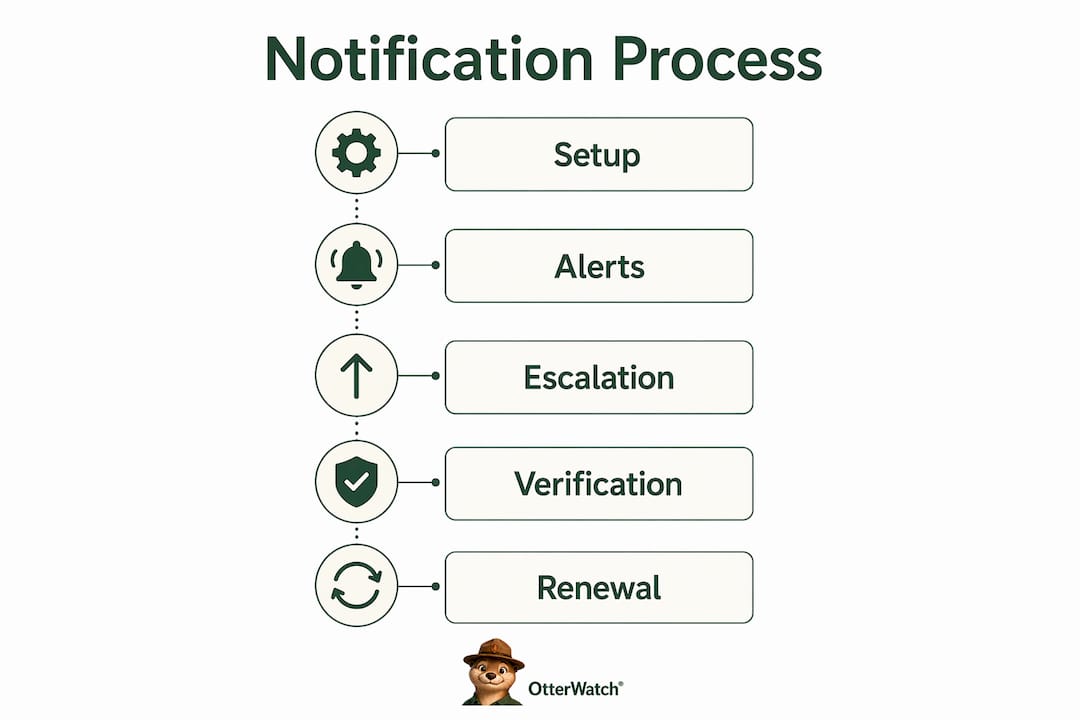
Good certificate management best practices start with alert cadence. A recommended alert schedule runs at 30, 14, 7, 3, and 1 day before expiration. Each threshold serves a different purpose: the 30-day alert triggers a renewal ticket, the 7-day alert confirms the renewal is in progress, and the 1-day alert is your last chance to catch a deployment failure before the certificate actually lapses.
Here is a practical workflow to build around those thresholds:
- Inventory your certificates. List every domain, subdomain, and internal service that uses a TLS certificate. Include backend APIs, staging environments, and any microservices that authenticate over HTTPS. Forgotten internal certificates cause just as many outages as public-facing ones.
- Set escalation rules based on criticality. Production edge certificates require immediate paging; internal or staging certificates may only need a ticket. Routing alerts based on environment prevents alert fatigue while keeping critical paths protected.
- Verify the full certificate chain after renewal. Renewing a certificate only replaces the signed file; you still need to deploy it, reload the web server or load balancer, and confirm the intermediate chain is intact. A renewed certificate that was never deployed causes the same outage as an expired one.
- Test your notification pipeline quarterly. Temporarily set a test certificate’s expiration threshold to trigger an alert and confirm it arrives in every configured inbox and channel. Silent failures in the alert system are more dangerous than a certificate you know is expiring.
- Check domain ownership and DNS records. If the domain tied to a certificate has lapsed or the DNS record has changed, the renewal validation will fail even if your alert fired on time.
The comparison below shows the difference between a reactive and a proactive notification setup:
| Approach | Alert timing | Escalation | Verification step |
|---|---|---|---|
| Reactive | Single alert at 7 days | None | Manual check after renewal |
| Proactive | 30, 14, 7, 3, 1 day alerts | Role-based routing | Automated chain verification |
The proactive setup takes more time to configure once, but it removes the human memory requirement from the renewal cycle entirely.
What happens when you miss a certificate expiration notification?
Expired SSL certificates cause browser security errors that block visitors before they ever reach your content. Chrome, Firefox, and Safari all display full-page warnings for expired certificates, and most users do not click through. The damage is immediate and visible.
What is less obvious is the backend damage. An expired certificate caused an 87-minute checkout failure at one e-commerce site while the HTTP status code remained 200 the entire time. Standard uptime monitoring saw a healthy site. Customers saw a broken payment form. This is the core problem with relying on a single monitoring layer: HTTP checks confirm a server is responding, not that the TLS handshake is completing successfully.
“The server was up. The site was down. HTTP 200 is not the same as ‘everything is working.’”
The downstream effects of a missed expiration extend beyond the browser:
- API integrations break when a partner service rejects your expired certificate during a mutual TLS handshake
- Microservices fail internally when service-to-service calls use certificate-based authentication
- Search engine crawlers may flag or de-index pages served over an expired certificate
- User trust erodes even after renewal, because visitors who saw the security warning remember it
Understanding what actually happens when a certificate expires goes beyond the browser warning. The TLS handshake fails at the protocol level, and every system that depends on that handshake stops working. Proper TLS certificate renewal requires generating a new CSR, re-validating domain ownership, deploying the new file, and reloading services. Missing any step produces a silent failure that looks identical to a missed notification.
Key takeaways
Effective certificate expiration notification requires a multi-threshold alert cadence, verified delivery pipelines, and post-renewal deployment checks to prevent outages that standard uptime monitoring will not catch.
| Point | Details |
|---|---|
| Alert cadence matters | Use 30, 14, 7, 3, and 1 day thresholds rather than a single warning to give your team time to act. |
| 2026 validity changes double workload | The 200-day maximum means most domains now renew at least twice per year, requiring more frequent tracking. |
| Pipelines can fail silently | Verify your notification email settings after any admin change; a missing address field breaks the entire alert chain. |
| Renewal is not enough | Deploying the new certificate and reloading services is required; a renewed but undeployed cert causes the same outage. |
| HTTP 200 does not mean TLS is healthy | Standard uptime checks miss certificate failures; use dedicated SSL monitoring alongside basic uptime checks. |
Why I think most notification setups are one config change away from failing
I have looked at a lot of certificate alert setups, and the most common gap is not the alert threshold. It is the assumption that because alerts were configured once, they are still working. Notification pipelines break quietly. An admin account gets deprovisioned, a shared inbox stops being monitored, or a programmatic API call clears the notification email field without anyone noticing. The certificate keeps ticking toward expiration, and nobody gets the warning.
The second gap I see constantly is treating renewal as the finish line. You get the alert, you generate the new certificate, and you check it off the list. But deployment and service reload are separate steps, and skipping them means your renewed certificate is sitting in a folder while the expired one is still serving traffic. Automated deployment solves this, but only if you have set it up and tested it.
My honest recommendation: build three layers of monitoring. First, watch the certificate’s expiration date directly. Second, monitor the TLS handshake from an external vantage point to confirm the certificate being served is valid. Third, check that your application layer is actually functioning, not just responding with HTTP 200. Each layer catches failures the others miss. If that sounds like a lot to set up from scratch, configuring SSL expiry notifications does not have to be complicated. Start with the certificate layer and build from there.
— Otis
Keep your certificates on Otterwatch’s radar

Otterwatch watches your SSL certificates and sends you a plain, friendly heads up well before anything expires. No dashboards to learn, no alert storms to sort through. Otis checks your certificates continuously, flags expiration dates early, and quietly monitors uptime at the same time. You can check any certificate’s expiration date right now for free, and monitor up to five sites at no cost. If you are managing more sites or want alerts routed to your team, Otterwatch’s monitoring service scales without adding complexity. The goal is simple: you never find out a certificate expired from a customer complaint.
FAQ
What is a certificate expiration notification?
A certificate expiration notification is an automated alert sent to administrators before an SSL/TLS certificate’s validity period ends, giving them time to renew and redeploy the certificate before visitors encounter browser errors or service failures.
How far in advance should I receive certificate expiry alerts?
A recommended alert cadence runs at 30, 14, 7, 3, and 1 day before expiration. Each threshold serves a different purpose, from opening a renewal ticket to confirming deployment is complete before the deadline.
Why would my certificate expiration alert not send?
Notification emails can fail silently if the admin center email address field is empty or was cleared by a programmatic change. After any configuration update in platforms like Microsoft Entra ID, verify that the notification address is still populated and test the pipeline.
How do the 2026 SSL validity changes affect my notification schedule?
Starting March 15, 2026, new SSL/TLS certificates carry a maximum validity of 200 days. Most domains will now require at least two renewals per year, so your alert schedule needs to run more frequently than it did under the previous 398-day limit.
Does renewing a certificate automatically fix an expiration problem?
No. Renewing a certificate only replaces the signed file. You must deploy the new certificate to your server, reload the relevant services, and verify the full certificate chain is intact before the renewal actually takes effect for visitors and connected systems.
Recommended
- Blog · Otterwatch
- Otterwatch — SSL & uptime monitoring, kept boring on purpose
- SSL Certificate Installation Explained for Small Sites · Otterwatch
- SSL Expiry Notification Setup: A Practical Guide · Otterwatch
Catch the next cert expiry before your users do.
Otterwatch checks your SSL certificates daily and emails you 30 days before they expire. Five sites free.
Start watching →