SSL Expiry Notification Setup: A Practical Guide
By Nick Phillips, Founder

SSL expiry notification setup is the process of configuring automated alerts that warn you before your SSL/TLS certificate expires, preventing browser security warnings, lost visitor trust, and unexpected downtime. The industry standard term for this practice is TLS certificate expiry monitoring, though “SSL” remains the phrase most website owners search for and use day to day. Whether you run a freelance portfolio, a small business storefront, or a client’s WordPress site, a missed certificate renewal can take your site offline in minutes. Tools like OpenSSL scripts, Let’s Encrypt’s Certbot, and monitoring services like Dynatrace all offer ways to catch expiring certificates before they become a problem.
What tools do you need for SSL expiry notification setup?
The right tool depends on your skill level, your server access, and your budget. Here is a quick breakdown of the main options.
Command-line utilities work well if you have Linux server access and are comfortable with a terminal. OpenSSL is the core tool: the "openssl s_clientandopenssl x509commands let you connect to a live endpoint and read the certificate's expiry date directly. Pair OpenSSL withcronorsystemd` timers and you have a fully self-hosted SSL certificate alert setup at zero cost.

Managed monitoring services are the better fit if you want alerts without writing a single line of code. Options in this category include TrackSSL, SSLreminder, and UptimeRobot, each of which checks your domain on a schedule and sends SSL expiry email notifications when a threshold is crossed. Dynatrace’s SSL Certificate Monitor extension sits at the enterprise end of this spectrum, offering configurable severity levels and multi-alert thresholds for teams managing dozens of domains.
Here is a side-by-side comparison to help you choose:
| Tool | Skill level | Cost | Alert method |
|---|---|---|---|
| OpenSSL + systemd | Intermediate | Free | Email, webhook |
| UptimeRobot | Beginner | Free tier available | Email, SMS, Slack |
| TrackSSL | Beginner | Paid | |
| SSLreminder | Beginner | Free tier available | |
| Dynatrace extension | Advanced | Enterprise pricing | Multi-channel |
| Otterwatch | Beginner | Free for 5 sites |
Before you start, confirm you have these prerequisites in place:
-
Domain name and access to its DNS records
-
Server or hosting panel access (for script-based approaches)
-
A working email address or webhook URL to receive alerts
-
Basic familiarity with your server’s operating system (for Linux scripts)
Pro Tip: If you manage fewer than ten domains and do not have a dedicated ops team, a lightweight managed service will save you more time than a custom script. Reserve the OpenSSL route for situations where you need full control or are already running Linux infrastructure.
How to set up an automated SSL expiry notification script on Linux
This approach uses OpenSSL and a systemd timer to check the live certificate served on port 443 and send an alert when expiry is within a set number of days. Monitoring the live TLS endpoint on port 443 with proper SNI parsing is more reliable than checking a local certificate file, because it catches deployment failures that a file check would miss entirely.
Follow these steps:
-
Write the check script. Create
/usr/local/bin/check-ssl.sh. The core command is:echo | openssl s_client -servername DOMAIN -connect DOMAIN:443 2>/dev/null \ | openssl x509 -noout -checkend $((WARN_DAYS * 86400))The
-servernameflag passes the SNI header. Without SNI, a multi-tenant host may return a default certificate instead of the one for your domain, giving you a false “all clear.” -
Set your warning threshold. A
WARN_DAYSvalue of 21 gives you three weeks to act. For tighter schedules, 14 days is reasonable. Store this as a variable at the top of the script so you can adjust it without hunting through the code. -
Add an alert mechanism. For email, pipe the output to
mail -s "SSL expiry warning: DOMAIN" [email protected]. For Slack or a webhook, usecurl -X POSTwith your webhook URL and a JSON payload. Keep the message short: domain name, expiry date, and days remaining. -
Create a systemd service unit. Save the following to
/etc/systemd/system/check-ssl.service:[Unit] Description=SSL certificate expiry check [Service] Type=oneshot ExecStart=/usr/local/bin/check-ssl.sh -
Create a systemd timer unit. Save this to
/etc/systemd/system/check-ssl.timer:[Unit] Description=Run SSL check daily [Timer] OnCalendar=daily Persistent=true [Install] WantedBy=timers.targetThen run
systemctl enable --now check-ssl.timerto activate it. -
Test the script manually. Run
bash /usr/local/bin/check-ssl.shand confirm you receive an alert. Temporarily lowerWARN_DAYSto a number larger than your cert’s remaining days to force a test alert.
A few notes that trip people up:
-
Always add a connection timeout (
-connect DOMAIN:443 -timeout 10) to prevent the script from hanging on unreachable hosts. -
If you use Certbot for renewals, add a deploy hook that sends a ping to a heartbeat URL after a successful renewal. A deploy-hook ping lets you monitor whether the renewed certificate is actually being served, not just renewed on disk.
-
Run
systemctl list-timersto confirm your timer is active and shows a sensible next-run time.
Pro Tip: Set two thresholds in the same script: one at 30 days that sends a low-priority email, and one at 7 days that fires a webhook to your team’s chat channel. You get an early heads-up without the urgency, and a hard reminder when time is genuinely short.
How do monitoring tools simplify SSL expiry notifications?
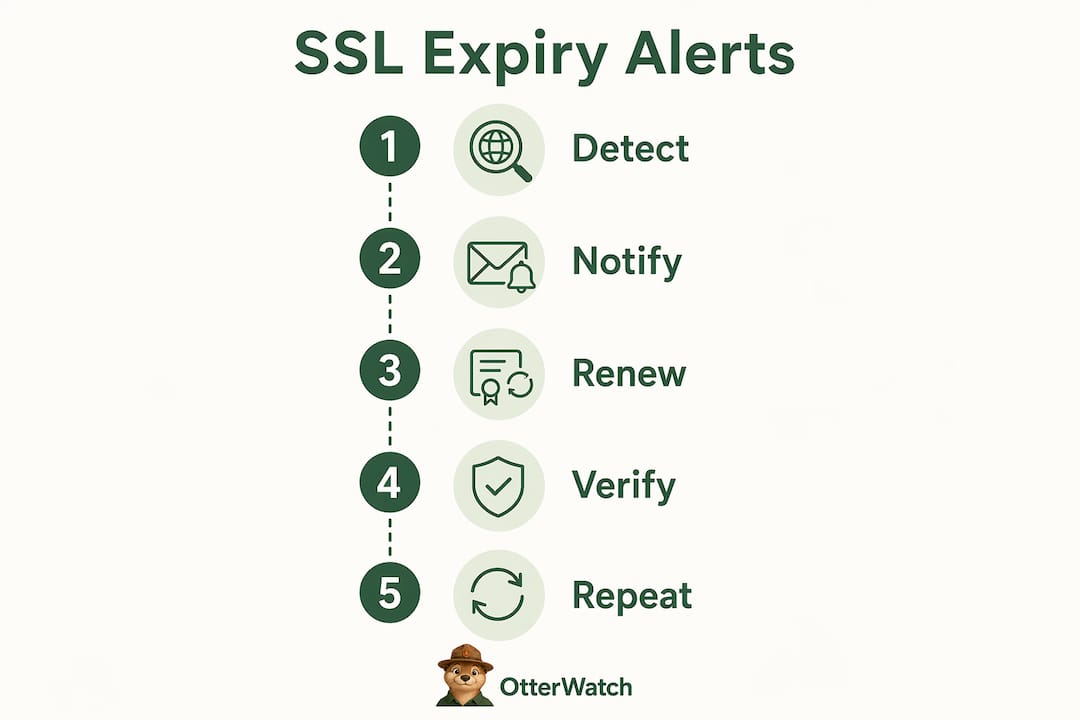
Managed monitoring services handle the scheduling, the connection logic, and the alert routing for you. You add a domain, set a threshold, and the service does the rest. This is the fastest path to notify on SSL expiration without maintaining any infrastructure.
The Dynatrace SSL Certificate Monitor extension is a good example of how enterprise tools handle this. It keeps a problem open until a successful check confirms the renewed certificate is live, which prevents the common situation where an alert clears prematurely because the check ran before the server reloaded the new cert. The recommended update interval is every 8 hours, which balances freshness against unnecessary load.
For smaller operations, lighter services work just as well:
-
UptimeRobot monitors SSL certificate status alongside uptime checks and sends alerts via email, SMS, or Slack when a cert is within a configurable number of days of expiry.
-
TrackSSL focuses exclusively on certificate monitoring and supports SAN (Subject Alternative Name) certificates, so one entry covers all the domains on a multi-domain cert.
-
SSLreminder is a no-frills option that sends SSL expiry email notifications on a fixed schedule with no dashboard to manage.
One important distinction: monitoring services that check the live certificate served during the TLS handshake are more reliable than those that only check the certificate file on disk. Full chain validation catches intermediate certificate issues that would cause browser errors even if the leaf certificate itself is still valid. Always confirm your chosen service validates the full cert chain, not just the end-entity certificate.
Pro Tip: Connect your SSL alerts to wherever your team already pays attention. If you use Slack for daily communication, route alerts there. An email that sits unread in a shared inbox is not a monitoring system.
Common mistakes that break SSL expiry notification setups
Even a well-designed notification setup can fail in predictable ways. Knowing the failure modes in advance saves you from a six-hour outage at the worst possible time.
The biggest change to be aware of: Let’s Encrypt stopped sending certificate expiration emails in mid-2025. If you were relying on those emails as your primary alert, you no longer have any notification at all. This affects a large number of small business and freelance sites that use Let’s Encrypt for free certificates.
Other common failure points include:
-
Checking local files instead of the live endpoint. A script that reads
/etc/letsencrypt/live/domain/cert.pemwill show the renewed certificate even if the web server never reloaded it. The visitor’s browser sees the old, expired cert. Always check port 443 directly. -
Missing SNI in monitoring scripts. On shared hosting or any server with multiple virtual hosts, omitting the
-servernameflag causes OpenSSL to return the server’s default certificate, not yours. The check passes, your cert expires, and you never got a warning. -
Renewed certs that never reload. Certbot can renew a certificate successfully while the web server (Nginx or Apache) fails to reload due to a config error. The cert on disk is valid; the cert being served is expired. A Certbot deploy-hook that pings a heartbeat URL after renewal catches this gap.
-
Infrequent alert schedules. A weekly check with a 7-day warning threshold gives you almost no reaction time. Daily checks with a 30-day threshold give you a month to sort out any renewal issues.
One real-world case: an e-commerce checkout went down for six hours because the monitoring script checked a local file, the server reload failed silently after renewal, and the 7-day alert threshold left no buffer. The fix was straightforward: monitor port 443, validate the full chain, and set the first alert at 30 days.
Looking ahead, Let’s Encrypt plans to reduce certificate validity from 90 days to 45 days by 2028. Shorter lifetimes mean more frequent renewals and a tighter window between a missed renewal and an expired cert. If your current setup checks weekly and alerts at 14 days, that margin shrinks considerably. Start planning for daily checks and earlier alert thresholds now.
Key takeaways
Effective SSL expiry notification setup requires monitoring the live certificate on port 443, not just local files, with alert thresholds set at 30 and 7 days to give yourself enough time to act.
| Point | Details |
|---|---|
| Monitor the live endpoint | Check port 443 with SNI to catch deployment failures that file-based checks miss. |
| Set two alert thresholds | Use 30 days for early warning and 7 days for urgent action to avoid last-minute scrambles. |
| Don’t rely on CA emails | Let’s Encrypt stopped sending expiry emails in mid-2025; you need your own monitoring in place. |
| Validate the full cert chain | Intermediate certificate failures cause browser errors even when the leaf cert is valid. |
| Plan for shorter cert lifetimes | Let’s Encrypt is moving to 45-day certificates by 2028, which requires more frequent checks. |
Why I trust live monitoring over everything else
I’ve seen the same failure pattern repeat itself more times than I’d like to admit. Someone sets up a cron job that checks a local cert file, it runs fine for months, and then a server reload fails silently after a Certbot renewal. The script keeps reporting “all good” because the file on disk is valid. The browser disagrees, because it’s doing the TLS handshake with the old cert.
The lesson I keep coming back to is this: the only check that matters is the one that replicates what your visitor’s browser actually does. That means connecting to port 443, passing the correct SNI header, and reading the certificate from the live handshake. Everything else is an approximation.
For alert thresholds, I’ve settled on 30 days and 7 days for any site that matters. The 30-day alert is calm and informational. The 7-day alert is the one that gets routed to a chat channel where someone will actually see it. Two thresholds, two different urgency levels, zero ambiguity about what needs to happen.
For small teams and solo operators, I genuinely think a managed monitoring service is the smarter call. Not because scripting is hard, but because a managed service checks your cert even when your server is down, your cron daemon has a problem, or you’ve just changed hosting providers and forgotten to update the script. The monitoring lives outside your infrastructure, which is exactly where it should be.
If you do go the script route, please add a deploy hook to your Certbot setup. It takes ten minutes and it’s the single most effective way to catch the “renewed but not reloaded” failure that causes most real-world outages.
— Otis
Keep your SSL certificates watched without the setup headache
If the script route sounds like more work than you want to take on right now, Otterwatch was built for exactly this situation. It watches your SSL certificates and checks that your sites are up, sending you a plain, friendly heads-up well before anything expires. No dashboards to configure, no scripts to maintain, and no alarm language when something needs attention.

Otterwatch monitors up to five sites for free, sends SSL expiry email notifications at sensible thresholds, and quietly checks uptime at the same time. It’s the kind of SSL and uptime monitoring that runs in the background and only speaks up when you actually need to know something. Add your first domain in under two minutes at Otterwatch.
FAQ
What is SSL expiry notification setup?
SSL expiry notification setup is the process of configuring alerts that warn you before your SSL/TLS certificate expires. Alerts can be delivered via email, SMS, or webhook, triggered by a monitoring script or a managed service checking your live domain.
Why can’t I just rely on Let’s Encrypt expiry emails?
Let’s Encrypt discontinued certificate expiration email notifications in mid-2025. You need to set up your own monitoring or use a managed service to receive expiry alerts.
How far in advance should I set SSL expiry alerts?
Set your first alert at 30 days and a second at 7 days before expiry. The 30-day alert gives you time to investigate renewal issues without urgency; the 7-day alert signals that action is needed immediately.
What is SNI and why does it matter for SSL monitoring?
SNI (Server Name Indication) is the part of the TLS handshake that tells the server which certificate to present when multiple domains share one IP address. Without SNI in your monitoring script, the server may return the wrong certificate, causing your check to pass even when your actual domain cert is expiring.
Will shorter certificate lifetimes affect my notification setup?
Yes. Let’s Encrypt plans to move to 45-day certificate validity by 2028, cutting the current 90-day window in half. Daily monitoring checks and earlier alert thresholds will become more important as the renewal window tightens.
Recommended
Catch the next cert expiry before your users do.
Otterwatch checks your SSL certificates daily and emails you 30 days before they expire. Five sites free.
Start watching →