What Is an SSL Certificate? A Small Business Guide
By Nick Phillips, Founder

An SSL certificate is a digital certificate that authenticates a website’s identity and enables encrypted connections between browsers and web servers. Every time you see the padlock icon in your browser’s address bar, an SSL certificate made that possible. For small business owners and individuals running websites, understanding what an SSL certificate does, how it works, and why the rules around it are changing fast is no longer optional. Your visitors’ trust, your search rankings, and your users’ data all depend on getting this right.
What is an SSL certificate and what does it actually contain?
An SSL certificate is a standardized X.509 digital credential that proves your website is who it claims to be. The certificate bundles together four critical pieces of information: your domain name, a public key, a digital signature from a Certificate Authority (CA), and an expiration date. Browsers read all four during every connection to decide whether to trust your site.
One thing that trips people up: the term “SSL” is technically outdated. SSL (Secure Sockets Layer) was replaced by TLS (Transport Layer Security) years ago, but the name stuck in everyday usage. When someone says “SSL certificate,” they mean a TLS certificate used by the modern HTTPS protocol. The underlying technology is TLS, not SSL, and that distinction matters when you’re troubleshooting connection errors.
The certificate itself does not encrypt your data directly. What it does is provide the trusted cryptographic identity needed to establish session keys that then encrypt the actual communications. Think of it as the ID check at the door, not the lock on the safe.

How does an SSL certificate work to secure communications?
The process that makes HTTPS secure is called the TLS handshake, and your SSL certificate sits at the center of it. Here is what happens in sequence every time a visitor loads your site:
- Client hello. Your visitor’s browser connects to your server on port 443 and announces which TLS versions and cipher suites it supports.
- Server hello. Your server responds and sends its SSL certificate to the browser.
- Certificate verification. The browser checks the certificate’s CA signature against a list of trusted Certificate Authorities built into the operating system or browser. It also verifies the domain name matches and that the certificate has not expired.
- Key exchange. Using public-key cryptography, the browser and server negotiate a shared session key without ever transmitting it directly.
- Encrypted session begins. All data exchanged from this point forward is encrypted using that session key.
The certificate validation step in stage three is what prevents man-in-the-middle attacks. Without it, an attacker could intercept traffic and impersonate your server. HTTPS secures identity, not just the data stream, and the certificate is what makes identity verification possible.
Pro Tip: If your browser shows a “certificate not trusted” warning, the most common causes are an expired certificate, a mismatched domain name, or a broken certificate chain where an intermediate CA certificate is missing from your server configuration.
What are the different SSL certificate types?
All SSL certificate types provide the same encryption strength. Where they differ is in how thoroughly the issuing CA verifies your identity before signing the certificate. That verification level is what determines user trust and what your certificate visually communicates to visitors.
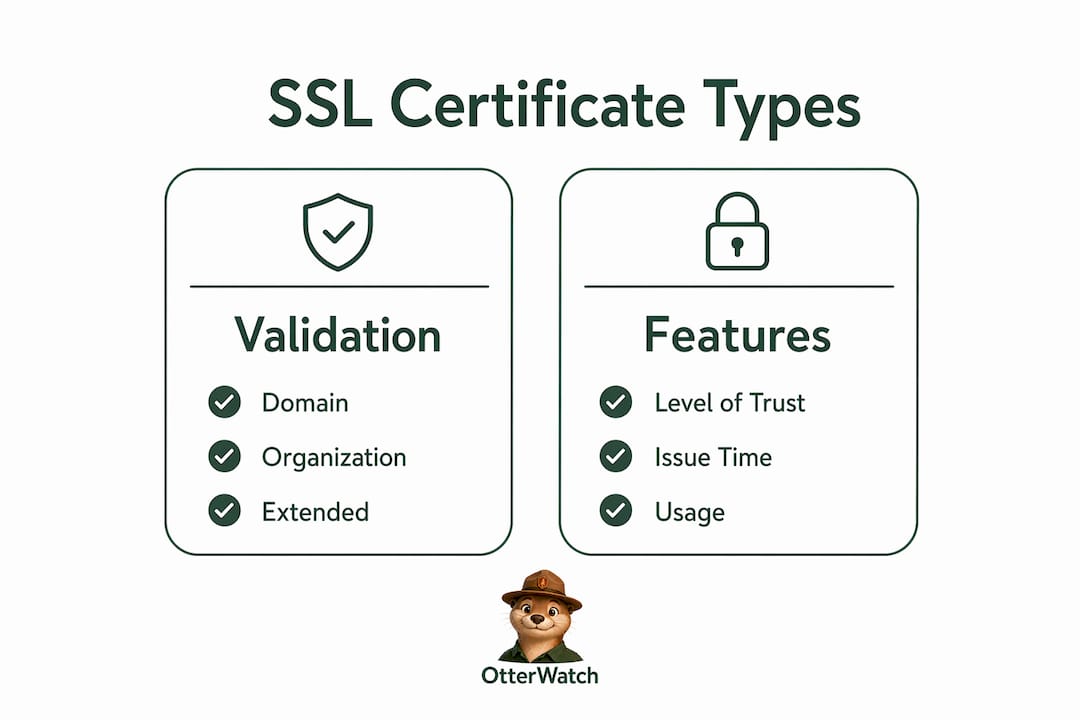
| Certificate type | Validation level | Who it’s for | Typical issuance time |
|---|---|---|---|
| Domain Validation (DV) | Proves domain control only | Personal sites, blogs, small projects | Minutes |
| Organization Validation (OV) | Confirms business legitimacy | Small to mid-size businesses | 1 to 3 days |
| Extended Validation (EV) | Rigorous legal and operational checks | E-commerce, financial services | 1 to 2 weeks |
The three certificate types differ primarily by validation rigor, not encryption strength. A DV certificate issued in minutes encrypts data just as strongly as an EV certificate that took two weeks to issue. What changes is the level of identity assurance your visitors get.
Here is a practical breakdown of when each type makes sense:
- DV certificates are fine for personal blogs, portfolio sites, and internal tools where users are not submitting sensitive data. Let’s Encrypt issues DV certificates for free, which is why most small sites now have HTTPS at no cost.
- OV certificates are a solid choice for small business websites that collect contact forms, account logins, or basic customer data. They show your business name has been verified.
- EV certificates are worth the extra effort for online stores and any site processing payments or handling sensitive personal information. The additional identity verification builds measurable trust with cautious shoppers.
Pro Tip: If you run a WooCommerce or Shopify store on a custom domain, an OV or EV certificate signals to customers that a real, verified business stands behind the checkout page. That reassurance reduces cart abandonment.
What are the benefits of SSL certificates for small businesses?
The benefits of using an SSL certificate go well beyond the padlock icon. Here is what you actually get:
- Data encryption. Passwords, credit card numbers, and contact form submissions travel encrypted between your visitor’s browser and your server. Without a certificate, that data moves in plain text and can be intercepted on public Wi-Fi networks.
- Identity verification. Your certificate confirms to visitors that they are talking to your actual server, not an impersonator. This is the core HTTPS security model that browsers enforce.
- Search engine ranking. Google has used HTTPS as a ranking signal since 2014. Sites without a valid certificate are flagged with “Not Secure” warnings in Chrome, which drives visitors away before they read a single word.
- Payment processor compliance. PCI DSS, the security standard for handling card payments, requires HTTPS on any page that touches cardholder data. No SSL certificate means no compliant checkout.
- User trust signals. The padlock icon is a recognized trust indicator. Visitors who see it are more likely to complete a purchase or submit a contact form than those who see a security warning.
For e-commerce specifically, HTTPS is vital for both security and customer confidence. A missing or expired certificate on a checkout page is one of the fastest ways to lose a sale permanently.
How are SSL certificate lifespans changing and what does it mean for you?
This is the part most small business owners do not know about yet, and it has real consequences. Certificate lifespans are being shortened significantly over the next few years. The CA/Browser Forum has approved a schedule that works like this:
- March 15, 2026: Maximum certificate validity drops to 200 days.
- 2027: Maximum validity drops to 100 days.
- 2029: Maximum validity drops to 47 days.
Previously, certificates could be valid for up to 398 days. By 2029, you will need to renew roughly every six weeks. The reasoning behind this change is sound: shorter certificate lifetimes reduce the window during which a compromised or mis-issued certificate can cause harm. If a certificate is stolen or incorrectly issued, a 47-day lifespan limits the damage compared to a year-long one.
The practical implication is straightforward. Manual renewal, which many small site owners still do by logging into a hosting panel once a year, becomes untenable. Missing a renewal on a 47-day certificate is far easier than missing one on a 398-day certificate. An expired certificate triggers browser security warnings that block visitors from reaching your site entirely, not just a polite nudge.
The answer is automated renewal and monitoring. Tools like Certbot handle automated renewal for Let’s Encrypt certificates. For everything else, you need a monitoring layer that watches your certificates and alerts you well before expiration, not after your site goes down. Understanding why certificates expire in the first place helps you build the right habits around renewal before the 2027 and 2029 deadlines hit.
Key takeaways
An SSL certificate authenticates your website’s identity and enables TLS encryption, and the industry is moving fast toward shorter lifespans that make automated monitoring a necessity, not a nice-to-have.
| Point | Details |
|---|---|
| SSL certificate meaning | A digital credential that verifies domain identity and enables encrypted HTTPS connections. |
| Certificate types differ by trust, not encryption | DV, OV, and EV certificates all encrypt equally; validation level determines identity assurance. |
| Lifespan reductions are coming fast | Certificates drop to 200 days in 2026, 100 days in 2027, and 47 days by 2029. |
| Automation is no longer optional | Manual renewal fails at 47-day cycles; automated tools and monitoring are the only reliable approach. |
| Benefits extend beyond security | HTTPS improves Google rankings, enables payment compliance, and builds measurable visitor trust. |
Why I think most small sites are one forgotten renewal away from a bad day
I have watched a lot of small business websites go down because of an expired certificate, and the pattern is almost always the same. The owner set up HTTPS once, assumed it was handled, and then got a panicked call from a customer saying the site looked “hacked.” It was not hacked. The certificate just expired. But to a visitor staring at a red warning screen in Chrome, the effect is identical.
The thing that concerns me about the upcoming lifespan reductions is not the technical side. Automated renewal tools like Certbot and ACME-based clients handle that well. What concerns me is the monitoring gap. Automation can fail silently. A misconfigured renewal job, a DNS change that breaks domain validation, a hosting migration that orphans the old certificate setup. None of these failures announce themselves. You find out when a visitor tells you, or when you check your own site and see the warning.
My honest advice: treat your SSL certificate the same way you treat your domain registration. You would not let your domain expire without a reminder. Your certificate deserves the same attention, and with lifespans heading toward 47 days, it deserves it more often. The SSL certificate installation is the easy part. The ongoing watch is where most people drop the ball.
— Otis
Keep your certificates from catching you off guard
Otterwatch was built for exactly this situation. It watches your SSL certificates around the clock and sends you a plain, friendly heads-up well before anything expires, so you are never the last to know your site has a problem.

You can check any certificate for free right now, no account needed. Paste your domain and Otterwatch tells you what it finds: expiration date, issuer, and whether the cert chain looks healthy. If you want ongoing monitoring for up to five sites at no cost, Otterwatch’s free plan has you covered. As certificate lifespans shorten toward 47 days, having a calm, reliable watcher in your corner is the kind of thing you will be glad you set up before you needed it.
FAQ
What does SSL stand for?
SSL stands for Secure Sockets Layer, the original encryption protocol developed in the 1990s. TLS (Transport Layer Security) replaced SSL as the actual protocol standard, but the term “SSL certificate” remains in common use to describe the digital credentials used by HTTPS.
Do I need an SSL certificate for my website?
Yes. Without a valid SSL certificate, browsers like Chrome display a “Not Secure” warning that discourages visitors and blocks form submissions in some configurations. Google also uses HTTPS as a ranking signal, so sites without a certificate rank lower in search results.
How long does an SSL certificate last?
As of March 2026, SSL certificates are valid for a maximum of 200 days. That limit drops to 100 days in 2027 and 47 days by 2029, per the CA/Browser Forum’s approved schedule. Automated renewal tools are the practical solution for keeping up with these shorter cycles.
What happens if my SSL certificate expires?
An expired certificate causes browsers to block visitors with a full-page security warning before they can reach your site. The warning cannot be dismissed without a manual override, which most users will not do. Expired certificates also break payment processor integrations and can trigger compliance violations.
Is a free SSL certificate good enough for a small business?
A free DV certificate from Let’s Encrypt provides the same encryption strength as a paid certificate and is sufficient for most small business websites. If you run an online store or handle sensitive customer data, an OV or EV certificate from a paid CA adds verified business identity, which builds additional trust with cautious buyers.
Recommended
- SSL Certificate Installation Explained for Small Sites · Otterwatch
- Blog · Otterwatch
- 90-day SSL certificates are coming — here’s what that actually means for you · Otterwatch
- SSL vs TLS — what’s actually different, and which one are you using? · Otterwatch
Catch the next cert expiry before your users do.
Otterwatch checks your SSL certificates daily and emails you 30 days before they expire. Five sites free.
Start watching →