What Is a Certificate Bundle? SSL Trust Explained
By Nick Phillips, Founder
What Is a Certificate Bundle? SSL Trust Explained
TL;DR:
- A certificate bundle contains intermediate and root certificates that complete the trust chain between your server certificate and trusted authorities. Browsers rely on it during SSL/TLS handshakes to verify your site’s identity and avoid security warnings. Proper management, correct ordering, and regular verification of the bundle ensure secure and trusted website connections.
A certificate bundle is a file containing the intermediate and root certificates that complete the chain of trust between your server certificate and trusted Certificate Authorities. Without it, browsers cannot verify your site’s identity and will show a security warning to every visitor. The bundle sits alongside your server certificate during the SSL/TLS handshake, giving browsers the full path they need to confirm your site is legitimate. If you manage a website or deploy SSL certificates, understanding what a certificate bundle is and how it works is the difference between a green padlock and a red warning page.
What is a certificate bundle and what does it contain?
A certificate bundle includes intermediate and root certificates that complete the chain of trust between your server certificate and trusted Certificate Authorities, enabling browsers to verify your SSL certificate. The bundle is also called a CA bundle, short for Certificate Authority bundle. These two terms refer to the same file and are used interchangeably across hosting panels, web servers, and SSL documentation.
The bundle contains three types of certificates, each with a distinct role:
- Your server certificate (leaf certificate). This is the certificate issued directly to your domain. It proves your site’s identity but cannot stand alone because browsers do not automatically trust it.
- Intermediate certificates. These link your server certificate to the root CA. Certificate Authorities issue intermediates to avoid exposing their root keys directly. One or more intermediates may appear in a bundle depending on the CA’s chain structure.
- Root certificate. This sits at the top of the chain. Browsers and operating systems ship with a pre-installed list of trusted root certificates. When the chain leads to one of those roots, the browser accepts your certificate as valid.
One detail that trips up a lot of developers: your private key is never included in the bundle. The bundle provides the chain of trust, not the private cryptographic key. Storing your private key inside a bundle file is a serious security risk. Keep it separate, protected, and off any public-facing server path.
Most SSL certificates require a CA bundle, with the exception of PKCS#7 (.p7b) certificates, which embed intermediates internally. That exception is narrow. For the vast majority of certificates issued by standard CAs, the bundle is not optional.

How does a certificate bundle work during the SSL/TLS handshake?
The SSL/TLS handshake is the process that happens every time a browser connects to your site over HTTPS. It takes milliseconds, but a lot happens inside it. Here is the sequence that involves your certificate bundle:
- The browser initiates a connection. It sends a “hello” message to your server, advertising the TLS versions and cipher suites it supports.
- The server responds with its certificate and the CA bundle. During the handshake, the server sends its certificate plus the CA bundle, allowing the browser to verify authenticity by following the chain to a trusted root stored locally. Without the bundle, the browser only receives the leaf certificate and has no way to trace it back to a trusted root.
- The browser walks the chain. It reads the intermediate certificates in the bundle, verifies each signature, and traces the path up to a root certificate it already trusts. This process uses Public Key Infrastructure (PKI) principles to establish a secure HTTPS connection.
- The browser confirms trust and the connection proceeds. If every link in the chain checks out, the padlock appears and the session is encrypted. If any link is missing or invalid, the browser throws a warning.
- Data flows over the encrypted session. From this point, all traffic between the browser and server is encrypted using the negotiated cipher.
The chain of trust is the core security mechanism here. Your server certificate asserts your site’s identity. The certificate bundle demonstrates the trusted path to a pre-installed root CA. Both pieces are required for the handshake to succeed.
Pro Tip: Use an online SSL checker to verify your full chain after installation. These tools show exactly which certificates your server is presenting and flag any gaps in the bundle before your visitors encounter them.
Understanding the handshake also explains why some visitors on older devices see warnings even when your certificate looks fine in a modern browser. Older clients carry different root stores. A bundle that works for Chrome on Windows may fail on an older Android device if the intermediate it relies on is not recognized by that device’s root store.
Which bundling methodology is right for your site?
Not all bundles are assembled the same way. The methodology you choose affects both compatibility and performance. There are three main approaches:
| Methodology | Best for | Trade-off |
|---|---|---|
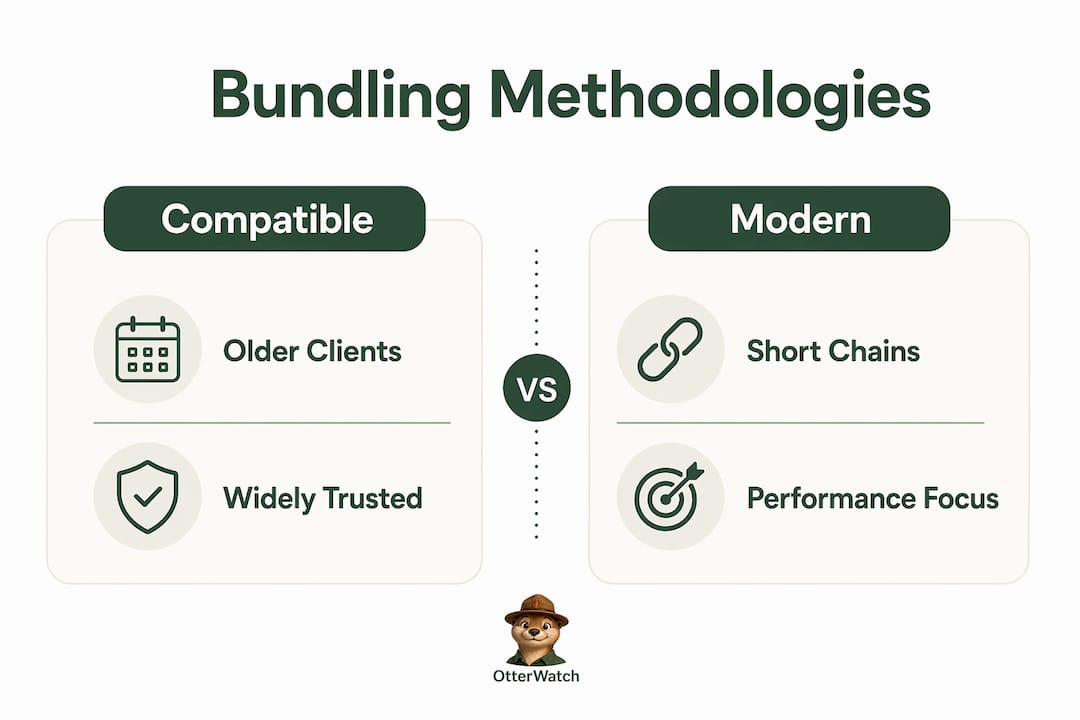
| Compatible (ubiquitous) | Sites with diverse or older client bases | Longer chain, slightly larger handshake |
| Modern (optimal) | Sites targeting current browsers and devices | Shorter chain, faster handshake, less broad compatibility |
| User-defined | Special configurations or custom CA setups | Requires manual management and deep PKI knowledge |
Compatible bundling uses widely trusted intermediary certificates to maximize compatibility with older clients. If your site serves a broad audience that includes older Android versions, legacy enterprise browsers, or embedded devices, this is the safer choice. The chain is longer, but it reaches more clients.
Modern bundling prioritizes shorter certificate chains using newer intermediates for efficiency and performance with modern clients. A shorter chain means fewer bytes sent during the handshake and slightly faster connection setup. For sites that serve a technically current audience, this is a reasonable trade.
Choosing between compatible and modern bundling depends on balancing client compatibility needs and cryptographic efficiency. If you run an e-commerce site with a wide demographic, lean compatible. If you run a developer tool or SaaS product where your users are on current browsers, modern bundling is worth considering.
User-defined bundles are for edge cases: custom internal CAs, private networks, or environments where you control both the client and server. Most public-facing websites never need this option.
How to create, install, and troubleshoot a certificate bundle
Creating a bundle file
Creating a bundle is straightforward. You concatenate your intermediate and root certificates into a single .pem or .crt file. Proper ordering is critical: a correctly ordered certificate bundle starts with intermediate certificates followed by the root certificate, with the server certificate kept separate but combined in the full chain for some server configurations.
A typical bundle file looks like this in order:
- Intermediate certificate (closest to your server cert)
- Additional intermediate certificate (if the CA uses two)
- Root certificate
Your CA will usually provide these files when you download your certificate. Look for files named ca-bundle.crt, intermediate.crt, or similar. Paste them together in the correct order using a plain text editor or a terminal command.
Installing the bundle on your server
Installation varies by server software. On Apache, you reference the bundle file with the SSLCertificateChainFile directive (Apache 2.4.8 and earlier) or include it directly in SSLCertificateFile (Apache 2.4.8 and later, which accepts a combined file). On Nginx, you concatenate your server certificate and the bundle into a single file and point ssl_certificate at it. On cPanel or Plesk, there is usually a dedicated field labeled “CA Bundle” or “Certificate Authority Bundle” in the SSL installation screen.
Common errors and how to fix them
A few misconfigurations cause the majority of bundle-related SSL errors:
- “Certificate not trusted” warning. The bundle is missing or incomplete. Check that all intermediate certificates are present and in the correct order. Use an SSL chain checker to confirm what your server is actually sending.
- Incorrect certificate order. Placing the root before the intermediate causes validation failures on some clients. Reorder the file so intermediates come first.
- Wrong file included. Some developers accidentally paste the server certificate into the bundle file instead of the intermediates. The bundle should contain only CA-issued certificates, not your domain certificate.
- Mixed line endings. Concatenating files from different sources can introduce Windows-style line endings (
\r) that break PEM parsing. Convert to Unix line endings before saving.
Pro Tip: After any certificate installation or renewal, run your domain through a certificate deployment check to catch bundle errors before they affect real visitors. A five-minute check saves hours of support tickets.
Bundling systems may automatically fetch missing intermediates and optimize chain length depending on requirements. Some hosting platforms and CDNs handle bundle assembly for you. If yours does, verify it is working correctly rather than assuming it is.
Key takeaways
A certificate bundle is the file that completes your SSL chain of trust, and a missing or misconfigured bundle is the most common cause of browser security warnings on otherwise valid certificates.
| Point | Details |
|---|---|
| Bundle definition | A CA bundle contains intermediate and root certificates that link your server cert to a trusted CA. |
| Private key exclusion | Never include your private key in a bundle file; keep it stored separately and securely. |
| Handshake role | The server sends the bundle during the TLS handshake so browsers can verify the full certificate chain. |
| Methodology choice | Choose compatible bundling for broad audiences and modern bundling for performance with current clients. |
| Correct ordering | Place intermediate certificates before the root in your bundle file to avoid validation failures. |
Why bundle management deserves more attention than it gets
Most SSL conversations focus on expiration dates. That makes sense because an expired certificate kills your site’s trust instantly. But in my experience, misconfigured bundles cause just as many visitor-facing errors, and they are far harder to diagnose because the certificate itself is technically valid.
I have seen sites where the server certificate was renewed correctly, the expiration date was fine, but the bundle from the old CA was still in place. Visitors on older Android devices saw warnings. The site owner had no idea because their own browser, running a current root store, showed a green padlock. That gap between what you see and what your visitors see is where bundle errors hide.
The compatible versus modern bundling decision also gets skipped more than it should. Developers often accept whatever default their hosting panel sets and move on. That works until you have a client on a legacy device filing a support ticket about a security warning. Knowing your audience’s device profile and matching your bundling methodology to it is a small decision with real consequences.
My honest recommendation: treat your bundle as part of your certificate, not an afterthought. Verify it after every renewal. Check it when you migrate servers. And if you are managing more than a handful of sites, set up monitoring that watches the full chain, not just the expiration date.
— Nick Phillips
Otterwatch keeps an eye on your full certificate chain
SSL certificate management is easier when you have something watching your back. Otterwatch monitors your SSL certificates and alerts you well before they expire, while also checking that your sites are up and running.

The free SSL certificate checker at Otterwatch lets you validate your certificate chain and confirm your bundle is correctly configured right now, no account needed. Paste in your domain and you will see exactly what your server is presenting to browsers. For ongoing peace of mind, Otterwatch’s monitoring watches up to five sites at no cost, catching chain errors and expiration risks before your visitors do. Otis, the park ranger otter behind Otterwatch, keeps things calm and sends plain, friendly alerts instead of walls of red alarms.
FAQ
What is a certificate bundle in SSL?
A certificate bundle is a file containing the intermediate and root certificates that complete the chain of trust between your server certificate and a trusted Certificate Authority. Browsers use it during the TLS handshake to verify your site’s identity.
Does a certificate bundle include my private key?
No. The bundle contains only CA-issued certificates, not your private key. Your private key must be stored separately and securely, never included in any bundle file.
What happens if my certificate bundle is missing or wrong?
Browsers cannot verify your certificate’s chain of trust and will display a “certificate not trusted” security warning to visitors. The warning appears even if your server certificate itself is valid and not expired.
What is the difference between compatible and modern bundling?
Compatible bundling uses widely trusted intermediates for maximum compatibility with older clients and devices. Modern bundling uses shorter chains with newer intermediates for faster handshakes with current browsers.
How do I check if my certificate bundle is correctly installed?
Run your domain through an SSL chain checker tool, which shows every certificate your server is presenting and flags any gaps or ordering errors in the bundle.
Recommended
- What Is a Certificate Chain? SSL Trust Explained · Otterwatch
- What Is an SSL Certificate? A Small Business Guide · Otterwatch
- Why SSL Matters for Trust on Your Website · Otterwatch
- SSL Certificate Types Explained for Website Owners · Otterwatch
Catch the next cert expiry before your users do.
Otterwatch checks your SSL certificates daily and emails you 30 days before they expire. Five sites free.
Start watching →