What Is a Certificate Chain? SSL Trust Explained
By Nick Phillips, Founder

A certificate chain is the ordered sequence of X.509 certificates that links a server’s SSL/TLS leaf certificate back to a trusted root CA, establishing the cryptographic proof that a website is who it claims to be. Without a complete, valid chain, browsers and API clients refuse the connection entirely. Certificate Authorities like DigiCert and Let’s Encrypt issue certificates within this hierarchy every day, and understanding how the chain works is the difference between a site that loads securely and one that throws a wall of trust errors at your visitors.
What is a certificate chain and how is it structured?
A certificate chain, also called a certification path or cert chain, is defined as an ordered set of certificates connecting a server’s leaf certificate to a root Certificate Authority that clients already trust. The chain answers one question: can the client trace an unbroken path of verified signatures from your server all the way up to a root it recognizes?
Most chains follow a three-level structure. At the bottom sits the leaf certificate, which is the domain-specific cert your server presents. Above it are one or more intermediate certificates. At the top is the root certificate, a self-signed trust anchor pre-installed in browsers and operating systems by vendors like Microsoft, Apple, and Mozilla.

Here is how each layer differs in role and responsibility:
| Certificate type | Issued by | Signed by | Stored where |
|---|---|---|---|
| Leaf (end-entity) | CA or reseller | Intermediate CA | Your web server |
| Intermediate CA | Root CA | Root CA or another intermediate | Your web server (bundled) |
| Root CA | Itself (self-signed) | Itself | Browser / OS trust store |
The intermediate layer exists for a practical security reason. Root CA private keys are kept offline in heavily protected facilities. Issuing every leaf certificate directly from the root would require bringing that key online constantly, which creates unacceptable risk. Intermediates act as authorized delegates, signing leaf certificates on the root’s behalf while the root stays safely offline.
Pro Tip: When you download a certificate from DigiCert, Sectigo, or Let’s Encrypt, the CA almost always provides a separate intermediate bundle file. That file belongs on your server alongside your leaf cert, not in a drawer.
How does a certificate chain work during a TLS handshake?
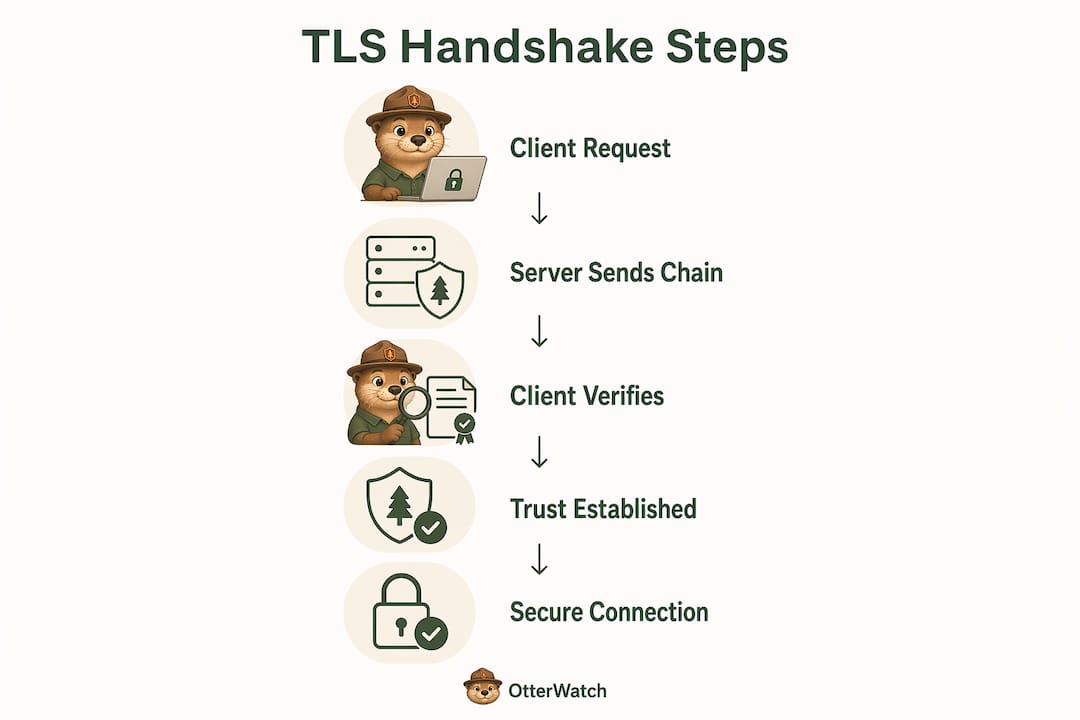
When a browser or API client connects to your site over HTTPS, the TLS handshake kicks off immediately. The server sends its leaf certificate and all required intermediate certificates to the client. The root is not sent because the client already has it pre-installed in its trust store. Sending the root adds no value and can occasionally confuse certain validation implementations.
The client then works through a series of validation steps:
- Chain building: The client assembles the certificate path from leaf to root, matching each certificate’s issuer field to the subject field of the next certificate up.
- Signature verification: Each certificate’s digital signature is verified using the public key of the certificate above it in the chain.
- Validity dates: Every certificate in the chain must be within its valid-from and valid-to date range at the moment of the connection.
- Hostname matching: The leaf certificate’s Common Name or Subject Alternative Name (SAN) must match the domain the client is connecting to.
- Chain completeness: The entire path must be unbroken from leaf to a root in the client’s trust store, with no gaps.
The key insight from Java’s PKIX validation model is that the client does not just check whether your leaf certificate looks valid. It validates the complete certification path before trusting your server’s public key. A leaf cert from a reputable CA means nothing if the intermediate is missing.
Pro Tip: Chrome on desktop sometimes fetches missing intermediates automatically using the Authority Information Access (AIA) extension embedded in the leaf cert. This masks misconfiguration during your own testing. Always test your chain from a mobile device or with a raw OpenSSL command before declaring it good.
Why do certificate chains break?
Missing intermediate certificates are the single most frequent SSL/TLS chain misconfiguration causing production failures. The failure mode is particularly frustrating because it is invisible during desktop browser testing. Chrome and Firefox cache intermediates they have seen before and quietly fill in the gap. Mobile browsers and API clients do not have that cache, so they fail the handshake outright.
Here are the most common reasons certificate chains break in production:
- Missing intermediate bundle. The server was configured with only the leaf certificate. The intermediate file from the CA was never uploaded or was accidentally omitted during deployment.
- Wrong intermediate file. The CA issued a certificate under one intermediate, but the server is serving a different intermediate from an older or unrelated chain. The signatures do not match.
- Expired intermediate. Intermediates have their own expiry dates, typically two to five years. A leaf renewal does not automatically renew the intermediate.
- Incorrect certificate order. Some server configurations require the leaf certificate to appear first in the bundle file, followed by intermediates in order. Reversing this order breaks validation on strict clients.
- Root included in the bundle. Including the root certificate in the server’s bundle is unnecessary and can cause confusion in certain programmatic validation contexts.
Misconfigurations often stem from incomplete intermediate bundles supplied by some CAs or from server configuration steps that get skipped during a rushed deployment. The fix is almost always straightforward once you know where to look.
Pro Tip: If your site works fine in Chrome but your mobile app or a payment gateway webhook keeps throwing SSL errors, a missing intermediate is the first thing to check. Run "openssl s_client -connect yourdomain.com:443 -showcerts` and count the certificates returned. You should see at least two.
How to verify and fix your SSL certificate chain
Verifying your chain takes about two minutes with the right tools. The table below covers the most practical options:
| Tool | Type | What it checks | Best for |
|---|---|---|---|
openssl s_client |
CLI | Full chain, expiry, cipher | Developers and sysadmins |
| SSL Labs (Qualys) | Web UI | Chain, protocol, vulnerabilities | Thorough public audits |
| Otterwatch SSL checker | Web UI | Chain completeness, expiry | Quick ongoing checks |
curl -v |
CLI | Handshake errors, cert info | Fast spot checks |
Once you have identified a broken chain, the fix follows a predictable path. First, download the intermediate certificate bundle directly from your CA’s documentation page. DigiCert, Let’s Encrypt, and Sectigo all publish their intermediate certificates publicly. Second, concatenate your leaf certificate and the intermediate bundle into a single PEM file, with the leaf first. Third, update your server configuration to point to this combined file. For Apache, this is the SSLCertificateChainFile directive (or combined into SSLCertificateFile in newer versions). For Nginx, you concatenate directly into the cert file. For Caddy, the chain is handled automatically.
After updating, test immediately with OpenSSL from a machine that is not your server. You want to confirm the chain as an external client sees it, not as your server thinks it looks. Then test from a real mobile device. Finally, use an SSL certificate checker to get a clean third-party confirmation before closing the ticket.
For Let’s Encrypt users, the fullchain.pem file that Certbot generates already includes the leaf and intermediate together. Point your server at fullchain.pem, not cert.pem, and you avoid the missing intermediate problem entirely.
How understanding certificate chains improves security and trust
A properly configured certificate chain does more than prevent browser warnings. It prevents man-in-the-middle attacks by cryptographically proving your server’s identity before any data is exchanged. An attacker cannot forge a valid chain without access to a CA’s private key, which is why the chain of trust in certificates is the backbone of HTTPS security.
Beyond security, there are practical business reasons to keep your chain clean:
- SEO rankings. Google confirmed HTTPS as a ranking signal, and a broken chain that triggers browser warnings effectively takes your site offline for most users.
- Compliance requirements. PCI DSS, HIPAA, and SOC 2 all require properly configured TLS. A broken chain is a finding in any serious security audit.
- API and webhook reliability. Third-party services calling your API validate the chain strictly. A missing intermediate breaks integrations silently and is notoriously hard to diagnose from the receiving end.
- User trust. A “Your connection is not private” warning in Chrome causes most users to leave immediately. A valid chain keeps that warning from ever appearing.
Routine maintenance matters as much as the initial setup. Check your chain after every certificate renewal, after any server migration, and after any CDN or load balancer change. Those infrastructure events are the most common moments when a previously correct chain gets quietly broken.
Key takeaways
A certificate chain must be complete, correctly ordered, and free of expired intermediates before any client will trust your server’s identity.
| Point | Details |
|---|---|
| Three-level structure | Every SSL chain runs leaf → intermediate(s) → root, with the root pre-installed in clients. |
| Root stays on the server | Never include the root certificate in your server bundle; clients already have it. |
| Missing intermediates break mobile | Desktop browsers mask the error via caching; mobile and API clients fail outright. |
| Test from outside your server | Use OpenSSL or a third-party checker to see the chain as clients actually see it. |
| Renew the full bundle | After every cert renewal, confirm the intermediate bundle is current and correctly concatenated. |
Why intermediates are the part everyone forgets
I have looked at a lot of broken SSL configurations over the years, and the pattern is almost always the same. Someone renewed the leaf certificate, uploaded it to the server, tested it in Chrome, saw the padlock, and closed the ticket. Three days later, a mobile user or an API integration started throwing errors, and nobody could figure out why.
The intermediate certificate is the part that trips people up because it is invisible when things work. You never see it called out in a browser’s certificate viewer the way the leaf cert is. It just quietly does its job. When it is missing, the failure is inconsistent enough that it looks like a network problem or a client bug rather than a server misconfiguration.
My honest advice: treat the intermediate bundle as part of the certificate, not as an optional extra. When you get a new cert from DigiCert or Sectigo, download the full chain bundle immediately and keep it with the leaf cert in your deployment process. If you use Let’s Encrypt with Certbot, always reference fullchain.pem. And test your chain on a fresh client, not the browser on your own laptop that has probably cached the intermediate for months.
Automated monitoring catches the cases where a renewal goes wrong or an infrastructure change silently drops the intermediate. You want something watching that chain continuously, not just at deployment time. The SSL vs TLS difference matters less than whether your chain is actually complete and valid right now.
— Otis
Keep your certificate chain clean with Otterwatch
Certificate chain problems have a way of appearing at the worst possible time, usually after a renewal or a server migration, and usually discovered by a customer rather than by you.

Otterwatch watches your SSL certificates continuously and sends you a plain, friendly heads-up well before anything expires or breaks. The free SSL checker lets you verify your chain right now, no account needed. And if you want ongoing monitoring for up to five sites at no cost, Otterwatch has you covered. No dashboards, no alarm walls. Just Otis, keeping a calm eye on your certs so you do not have to.
FAQ
What is a certificate chain in simple terms?
A certificate chain is the sequence of certificates that connects your website’s SSL certificate to a root authority that browsers already trust. Without a complete chain, browsers and apps reject the connection.
Why does a missing intermediate certificate cause errors?
The client cannot verify your leaf certificate’s signature without the intermediate that signed it. Desktop browsers sometimes hide this by fetching or caching the intermediate, but mobile browsers and API clients fail the handshake immediately.
Should I include the root certificate in my server bundle?
No. Root certificates should not be included in your server’s certificate bundle. Clients have root certificates pre-installed in their trust stores, and including the root in your bundle adds no value.
How do I check if my certificate chain is complete?
Run openssl s_client -connect yourdomain.com:443 -showcerts from a separate machine and count the certificates returned. You should see your leaf certificate plus at least one intermediate. You can also use the Otterwatch free SSL checker for a quick visual confirmation.
How often should I verify my certificate chain?
Check your chain after every certificate renewal, after any server or CDN migration, and after any load balancer configuration change. Those are the moments when a previously correct chain is most likely to get broken.
Recommended
- SSL Certificate Installation Explained for Small Sites · Otterwatch
- Blog · Otterwatch
- SSL vs TLS — what’s actually different, and which one are you using? · Otterwatch
- What actually happens when your SSL certificate expires · Otterwatch
Catch the next cert expiry before your users do.
Otterwatch checks your SSL certificates daily and emails you 30 days before they expire. Five sites free.
Start watching →