E-Commerce SSL Requirements Explained for 2026
By Nick Phillips, Founder
E-Commerce SSL Requirements Explained for 2026
TL;DR:
- SSL requirements for e-commerce mandate TLS 1.2 or higher, universal HTTPS, and proper server configuration to ensure security and PCI compliance. Most store owners must monitor certificate renewals, fix mixed content issues, and manage third-party scripts to prevent security lapses. Proper TLS setup and ongoing management are essential foundations beyond merely installing an SSL certificate.
SSL requirements for e-commerce are the technical and legal standards that mandate secure HTTPS connections, valid TLS certificates, and strong encryption across every page of your online store. The industry term for this framework is TLS (Transport Layer Security), though most store owners still call it SSL. Under PCI DSS 4.0.1, payment gateways like Stripe and PayPal require HTTPS for every transaction, and browsers like Chrome label non-HTTPS sites as “Not Secure.” This guide covers e-commerce SSL requirements explained in full: certificate types, TLS version mandates, sitewide HTTPS, and what PCI DSS compliance actually demands beyond just installing a certificate.
What are the ssl/tls requirements for e-commerce under PCI DSS 4.0.1?
PCI DSS v4.0.1 requires TLS 1.2 or higher for all cardholder data transmissions, effective march 2025. TLS 1.0 and TLS 1.1 are prohibited outright. This applies to both frontend connections (your checkout page talking to the browser) and backend connections (your server talking to payment processor APIs).
Here is what your server configuration must cover to meet the standard:
- TLS version: TLS 1.2 minimum; TLS 1.3 preferred for stronger forward secrecy
- Cipher suites: Disable weak ciphers like RC4, DES, and 3DES; use AES-GCM or ChaCha20-Poly1305
- Certificate validity: Issued by a trusted Certificate Authority (CA) such as DigiCert, Sectigo, or Let’s Encrypt
- HSTS: HTTP Strict Transport Security headers must be configured to force HTTPS connections
- Backend APIs: Connections to payment processors must also use TLS 1.2 or higher, not just the public-facing site
- Certificate chain: The full cert chain must be served correctly; a broken chain causes handshake failures even with a valid cert
Common misconfigurations that trip up store owners include serving a valid certificate on the main domain but leaving admin subdomains on TLS 1.1, or failing to configure HSTS with a long enough max-age value (the recommended minimum is 31,536,000 seconds, which equals one year).
| Requirement | Minimum Standard | Recommended |
|---|---|---|
| TLS Version | TLS 1.2 | TLS 1.3 |
| Cipher Suite | AES-128-GCM | AES-256-GCM or ChaCha20 |
| Certificate Authority | Any trusted CA | DigiCert, Sectigo, Let’s Encrypt |
| HSTS max-age | 1 year | 2 years with preload |
| Certificate Renewal | Before expiry | Automated, 30 days early |

Pro Tip: Run quarterly Approved Scanning Vendor (ASV) scans against your server to catch deprecated TLS versions and weak cipher suites before an auditor does. Tools like Qualys SSL Labs offer a free server test that grades your TLS configuration in minutes.
DV vs. OV vs. EV certificates: which one does your store actually need?
All three certificate types use identical 256-bit encryption. The difference is not in how strongly they encrypt your data. The difference is in how thoroughly the issuing CA verified your identity before handing you the certificate.
Here is how the three types break down:
Domain Validation (DV) confirms you control the domain, nothing more. Issuance takes minutes. DV certificates cost $0–$40 per year, and Let’s Encrypt issues them for free. For a small store using a hosted checkout page from Stripe or PayPal, a DV certificate is technically sufficient.
Organization Validation (OV) requires the CA to verify your business name, address, and legal existence. Issuance takes 1–3 business days. OV certificates typically cost $50–$200 per year. The organization name appears in the certificate details, which gives technically savvy customers a stronger trust signal.
Extended Validation (EV) involves the most rigorous vetting: legal status, physical address, operational existence, and identity of the certificate requester. Issuance takes 3–10 business days. EV certificates run $150–$500 or more per year. Browsers no longer display the green address bar for EV certificates (Chrome removed it in 2019), so the visible trust signal is now minimal.
| Certificate Type | Validation Depth | Price Range (2026) | Issuance Time | Encryption Strength |
|---|---|---|---|---|
| DV | Domain control only | $0–$40/year | Minutes | 256-bit |
| OV | Business identity | $50–$200/year | 1–3 days | 256-bit |
| EV | Full legal vetting | $150–$500+/year | 3–10 days | 256-bit |
Pro Tip: Business owners often pay for EV certificates believing they provide stronger encryption. They do not. The cost reflects validation intensity, not security strength. Spend that budget on proper TLS configuration and monitoring instead.
For most e-commerce stores, an OV certificate strikes the right balance: it verifies your business identity, costs a reasonable amount, and satisfies PCI DSS requirements. EV makes sense for high-volume stores where brand trust is a measurable conversion factor and the legal vetting process is already part of your compliance workflow.
Why sitewide HTTPS matters and where stores go wrong
Sitewide HTTPS is required to prevent mixed content warnings, protect user data on every page, and maintain SEO rankings. Securing only your checkout page is no longer sufficient. If your product pages, login page, or account dashboard load over HTTP, browsers flag the entire session as insecure.
Mixed content errors are the most common HTTPS failure in e-commerce. Mixed content occurs when a page served over HTTPS loads assets (images, scripts, stylesheets) from HTTP URLs. The browser blocks or warns on those assets, and customers see a broken padlock or a “Not Secure” label even though your certificate is valid. This directly hurts conversions.
Common sources of mixed content in e-commerce stores:
- Product images hosted on a CDN with an HTTP URL hardcoded in the database
- Third-party analytics or chat scripts loaded from HTTP endpoints
- Embedded YouTube videos or social widgets using HTTP
srcattributes - Legacy theme files referencing HTTP asset paths
To detect and fix mixed content, use browser developer tools (the Console tab shows blocked resources), the HTTPS technical SEO guide from BlockPress, or a site crawler like Screaming Frog to audit every URL on your store. Fix each HTTP reference by updating it to HTTPS or switching to a protocol-relative URL.
Payment gateways like Stripe and PayPal require HTTPS on every page that handles cardholder data, not just the final payment form. A customer who browses your store over HTTP and then lands on an HTTPS checkout page has already been exposed to a session that could be intercepted.
Pro Tip: Let’s Encrypt certificates expire every 90 days. Auto-renewal through your hosting provider handles this most of the time, but “most of the time” is not good enough for a live store. Set a manual reminder 30 days before expiry and verify renewal actually completed. An expired certificate takes your store offline as effectively as a server crash.
How does PCI DSS compliance go beyond just installing SSL?
SSL/TLS is necessary but not sufficient for PCI DSS compliance. Installing a certificate gets you one piece of a much larger puzzle. PCI DSS 4.0.1 covers twelve requirement domains, and SSL/TLS addresses only the encryption piece within Requirement 4.
Here is what else PCI DSS demands from e-commerce merchants:
- Script inventory and integrity: PCI DSS 4.0.1 requires script inventory and Subresource Integrity (SRI) checks on all scripts running on payment pages. Every third-party script must be documented and verified.
- Multi-factor authentication (MFA): PCI DSS 4.0.1 expanded MFA to cover all access to the Cardholder Data Environment (CDE), not just remote access.
- Vulnerability management: Regular internal and external vulnerability scans, plus penetration testing, are required on a defined schedule.
- Access controls: Least-privilege access to systems that touch cardholder data, with individual user accounts and no shared credentials.
- Network segmentation: Isolating your payment environment from the rest of your infrastructure reduces your PCI scope significantly.
Your Self-Assessment Questionnaire (SAQ) type determines how much of this applies directly to you. Merchants using fully hosted payment pages (like Stripe Checkout or PayPal Standard) typically qualify for SAQ A, which is the lightest version. Merchants with custom checkout forms that load on their own domain fall under SAQ A-EP, which adds script management and more rigorous controls.
Pro Tip: Tokenization and hosted payment pages are the fastest way to shrink your PCI scope. If your store never touches raw card numbers because Stripe or Braintree handles the entire payment form, your compliance burden drops dramatically. Talk to a PCI DSS compliance consultant before assuming your integration qualifies for SAQ A.
My honest take on SSL and compliance after years in the trenches
Where store owners actually get stuck
I’ve watched a lot of e-commerce managers spend real money on EV certificates because they assumed the price tag meant better security. It does not. The encryption is identical across all certificate types, and that misconception costs businesses hundreds of dollars a year for a trust signal that most browsers no longer even display prominently.
The harder problem is configuration and ongoing management. A perfectly valid OV certificate sitting on a server that still accepts TLS 1.1 connections is a compliance failure. A store with a green padlock but three HTTP image URLs on the product page is serving mixed content. These are the issues that actually get stores flagged during PCI audits, and they have nothing to do with which certificate you bought.
Third-party scripts are where I see the most PCI scope creep. Store owners add a live chat widget, a review platform embed, and a retargeting pixel without realizing each one is now a script running on their checkout page. Under PCI DSS 4.0.1, every one of those scripts needs to be inventoried and integrity-checked. That is a real operational burden, and most small stores are not set up for it.
My practical advice: treat SSL/TLS as the foundation, not the finish line. Get your TLS configuration right, automate your certificate renewal, and monitor for expiration. Then work outward through your PCI requirements. Use certificate management tools to take the manual work off your plate. And if you are unsure whether your checkout integration qualifies for SAQ A or SAQ A-EP, get a professional opinion before your next audit.
— Nick Phillips
Keep your store’s SSL in good shape without the stress
Running an e-commerce store means your SSL certificate is always on duty. One expired certificate and your store goes dark, your checkout breaks, and Chrome labels you “Not Secure” to every customer who visits.

Otterwatch watches your SSL certificates and your site uptime so you do not have to. Otis, Otterwatch’s park ranger otter, sends you a plain heads-up well before your certificate expires, not a wall of red alerts after something has already broken. You can check your SSL certificate for free right now to see your expiry date, chain status, and whether your HTTPS is configured correctly. Monitoring for up to five sites is free to start, with no credit card required. For store managers who want calm, continuous coverage, Otterwatch’s full monitoring runs quietly in the background and alerts you early.
FAQ
What TLS version is required for e-commerce in 2026?
PCI DSS 4.0.1 mandates TLS 1.2 as the minimum for all cardholder data transmissions, with TLS 1.0 and 1.1 prohibited. TLS 1.3 is the recommended standard for new configurations.
Do i need an EV certificate for my online store?
No. All certificate types use the same 256-bit encryption, and EV certificates no longer display a visible green bar in Chrome or Firefox. An OV certificate meets PCI DSS requirements and provides business identity verification at a lower cost.
What is a mixed content error and how do i fix it?
A mixed content error occurs when an HTTPS page loads assets like images or scripts from HTTP URLs, triggering browser security warnings. Fix it by auditing all asset URLs with a site crawler and updating every HTTP reference to HTTPS.
Does installing SSL mean i’m PCI DSS compliant?
No. SSL/TLS covers only the encryption requirement within PCI DSS. Full compliance also requires script inventory, MFA for CDE access, vulnerability scans, access controls, and network segmentation.
How often do SSL certificates need to be renewed?
Let’s Encrypt certificates expire every 90 days. Certificates from commercial CAs like DigiCert or Sectigo typically last one year. Auto-renewal handles most cases, but you should verify renewal completed at least 30 days before the expiry date.
Key takeaways
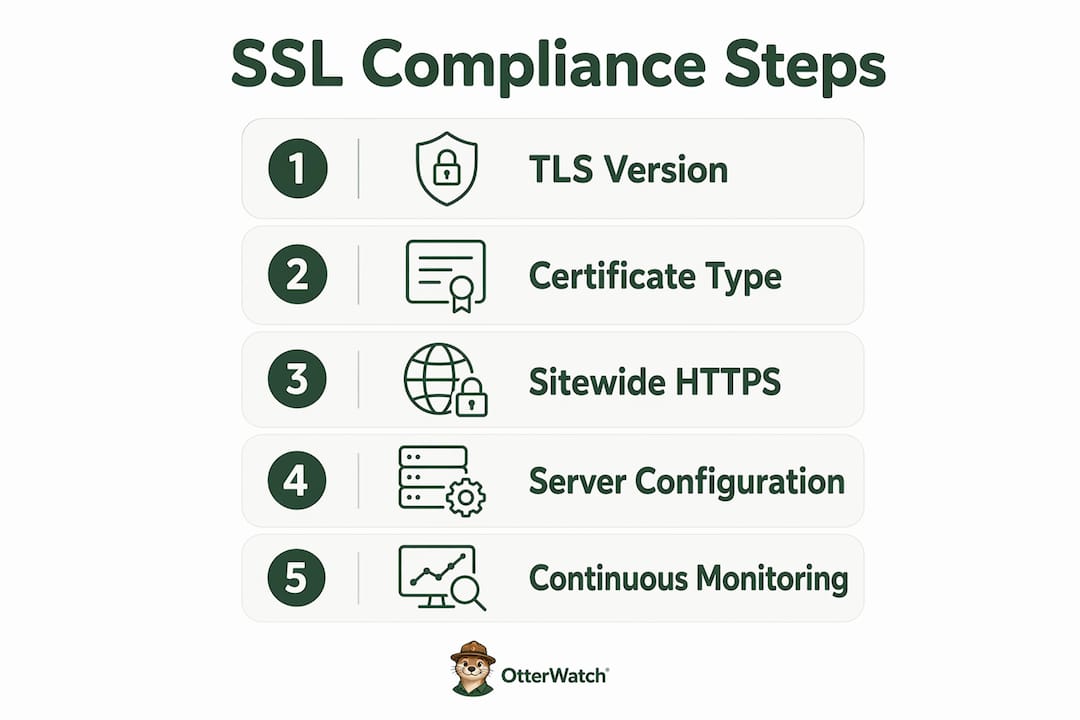
Proper e-commerce SSL compliance requires TLS 1.2 or higher, sitewide HTTPS, correct server configuration, and ongoing certificate monitoring, not just a certificate purchase.
| Point | Details |
|---|---|
| TLS version is mandatory | PCI DSS 4.0.1 requires TLS 1.2 minimum; TLS 1.0 and 1.1 are prohibited as of march 2025. |
| Certificate type does not affect encryption | DV, OV, and EV all use 256-bit encryption; choose based on validation needs, not price. |
| Sitewide HTTPS is non-negotiable | Mixed content errors on any page undermine security and customer trust, not just checkout failures. |
| SSL alone does not equal PCI compliance | Script inventory, MFA, vulnerability scans, and access controls are all required beyond a valid certificate. |
| Certificate expiry needs active monitoring | Let’s Encrypt certs expire every 90 days; verify auto-renewal and set manual alerts 30 days out. |
Recommended
- 90-day SSL certificates are coming — here’s what that actually means for you · Otterwatch
- SSL Expiration Consequences Explained for Site Managers · Otterwatch
- What Is an SSL Certificate? A Small Business Guide · Otterwatch
- Certificate Expiration Notification Explained for Site Owners · Otterwatch
Catch the next cert expiry before your users do.
Otterwatch checks your SSL certificates daily and emails you 30 days before they expire. Five sites free.
Start watching →