What Is Certificate Expiry Detection for IT Pros
By Nick Phillips, Founder
What Is Certificate Expiry Detection for IT Pros

TL;DR:
- Certificate expiry detection automates reading the "notAfter` field in SSL/TLS certificates and alerts teams before expiry to prevent browser rejections and outages. Full chain validation, multi-threshold alerts, and a complete certificate inventory are essential for reliable monitoring, as automation failures like silent renewal issues or expired intermediates can cause unnoticed outages. Building a culture with clear ownership, manual runbooks, and pairing monitoring with uptime checks ensures continuous protection against certificate-related failures.
Certificate expiry detection is the automated process of identifying SSL/TLS certificates that are approaching or have passed their validity deadline, triggering alerts before a site breaks. Without it, a certificate silently crosses its notAfter date and every browser in the world rejects the handshake outright. Chrome throws NET::ERR_CERT_DATE_INVALID; Firefox returns SEC_ERROR_EXPIRED_CERTIFICATE. Neither gives users a bypass option on HSTS-protected sites. For website administrators and IT professionals, certificate expiration monitoring is not optional hygiene. It is the difference between a routine renewal and a 2 a.m. outage call.
What is certificate expiry detection and how does it work?
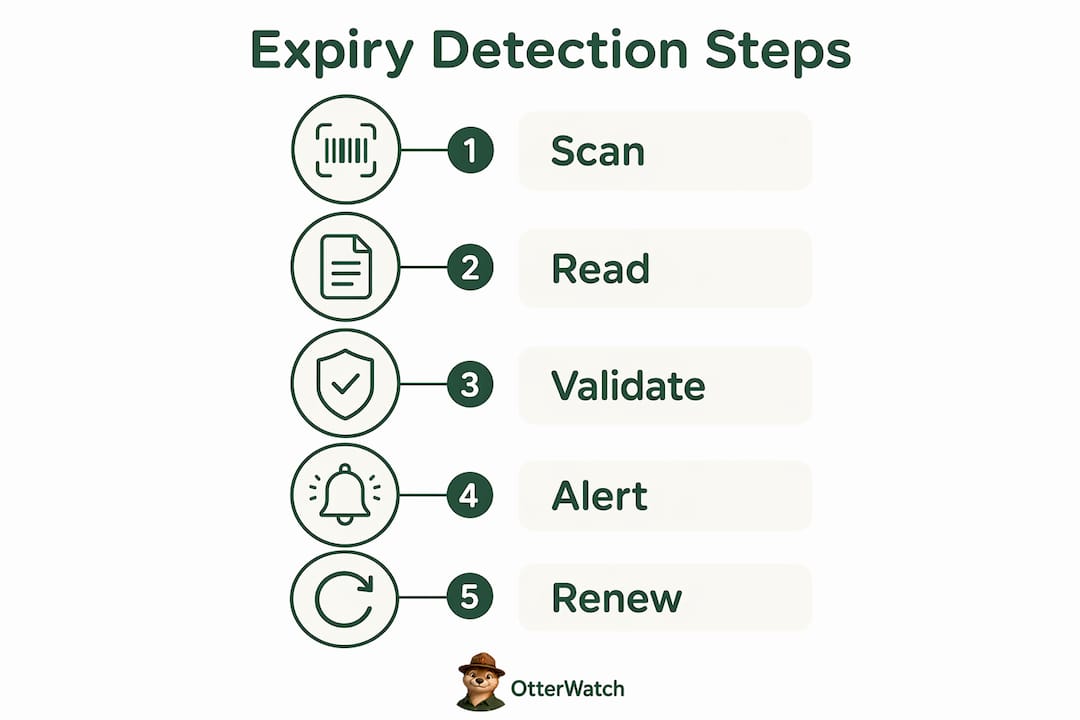
Certificate expiry detection reads the notAfter field embedded in every X.509 certificate and compares it against the current time. When the gap between now and that date drops below a configured threshold, the system fires an alert. That is the core mechanic, but the real complexity lives in the details.

A complete detection system checks more than just the leaf certificate. Expired intermediates cause full outages even when the leaf certificate is still valid, because clients cannot build a trusted chain to the root CA. Running openssl s_client with the -verify_return_error flag catches this. Without that flag, the tool may report a clean connection while an expired intermediate is quietly waiting to detonate.
Retrieving the certificate from a live server typically uses one of three approaches: a direct TLS handshake via openssl s_client, an API call to a monitoring platform, or a Certificate Transparency log query. Each method has tradeoffs. Direct handshakes give you the real-world certificate the server is actually serving, including any SNI-specific cert. API-based tools add scheduling and alerting on top. CT log queries surface certificates you may not even know exist on your infrastructure.
Alert thresholds matter as much as detection itself. Escalating alerts at 30, 14, 7, and 1 day before expiry give your team time to troubleshoot without panic. A 30-day notice is informational. A 7-day notice is urgent. A 1-day notice means someone needs to drop everything right now.
Pro Tip: Normalize all expiry date calculations to Unix timestamps. The date command behaves differently on GNU/Linux versus macOS BSD, and that discrepancy can produce cross-platform alert errors that either miss renewals or fire false positives. Unix timestamps eliminate the ambiguity entirely.
What tools handle certificate expiration monitoring at scale?
The monitoring tool market splits into two camps: general infrastructure platforms that include certificate checks as one feature among many, and dedicated certificate lifecycle management tools built specifically for this problem.
SolarWinds Server and Application Monitor, Datadog, and ManageEngine Applications Manager all include certificate expiry checks as part of broader infrastructure monitoring. They work well if you already use those platforms and want to consolidate alerting. The tradeoff is that certificate monitoring is not their primary focus, so edge cases like intermediate expiry or embedded certificate detection often require custom configuration.
Dedicated tools like TrackSSL focus entirely on certificate validity checks. They tend to offer cleaner alerting workflows and are easier to set up for teams that just need certificate coverage without a full observability stack. For a side-by-side look at how these options compare, the SSL monitoring tools comparison from Otterwatch breaks down the practical differences.
Automated renewal systems like Let’s Encrypt via the ACME protocol have changed the game for public-facing certificates. When they work, they work beautifully. The problem is that ACME-based renewal is not set-and-forget. DNS validation failures, rate limits, and infrastructure changes all cause silent renewal failures. The certificate appears managed, but it quietly expires anyway.
| Approach | Best for | Key limitation |
|---|---|---|
| Infrastructure platforms (Datadog, SolarWinds) | Teams with existing monitoring stacks | Certificate checks are secondary features |
| Dedicated cert tools (TrackSSL) | Teams focused purely on cert lifecycle | Limited broader infrastructure context |
| ACME automation (Let’s Encrypt) | High-volume public cert renewal | Fails silently without external monitoring |
| Dedicated SSL monitors (Otterwatch) | Admins wanting simple, focused alerting | Narrower scope by design |
Pro Tip: Even if you run Let’s Encrypt with Certbot or acme.sh, you still need an independent monitoring layer. The renewal script and the monitor should be separate systems. If the script fails, the monitor catches it. If they share the same failure point, you have no safety net.
What are the common pitfalls in certificate expiry detection?
The failure modes in certificate lifecycle management cluster into a few predictable categories, and most of them are avoidable with the right setup.
Auto-renewal failures are the most common. DNS validation errors, expired API tokens for DNS providers, and rate limit hits from Let’s Encrypt all cause renewals to fail without any obvious error surfacing to the team. The renewal automation requires monitoring as a safety net precisely because these failures are silent by default. A good write-up of exactly how this plays out in practice is available in the Otterwatch post on Let’s Encrypt silent failures.
Expired intermediates are a less obvious but equally damaging failure mode. Your leaf certificate might show 90 days remaining, but if an intermediate in the chain has expired, browsers reject the connection just as hard as they would a fully expired leaf. Full chain validation is the only way to catch this before users do.
Date parsing bugs in custom monitoring scripts trip up a lot of teams. The GNU date command on Linux and the BSD date command on macOS use different syntax for date arithmetic. A script that works perfectly in your CI pipeline may silently miscalculate expiry windows on a different OS. Normalizing to Unix timestamps solves this cleanly.
The cultural risk is the one that gets overlooked most often. Ignoring expiry alerts trains your team to treat browser security warnings as noise. Once that habit sets in, the risk extends beyond certificate expiry. Users and admins alike start clicking through warnings, which is exactly the behavior that man-in-the-middle attacks depend on. Expired certificates are a symptom of broken lifecycle processes, not just a scheduling problem.
Pro Tip: Monitor internal PKI endpoints and embedded certificates, not just your public-facing domains. Unmonitored internal certs hidden in load balancers, API gateways, and IoT devices cause outages that are harder to diagnose because they do not show up in standard external scans.
Best practices for reliable certificate validity checks
Getting certificate expiry detection right is less about picking the perfect tool and more about building a process that survives human error and infrastructure surprises.
-
Set multi-threshold alerts. Configure alerts at 30, 14, 7, and 1 day before expiry. The 30-day informational to 1-day critical escalation gives your team a graduated response path instead of a single panic-inducing alarm. Route the 30-day alert to a ticket. Route the 7-day alert to email. Route the 1-day alert to SMS or PagerDuty.
-
Validate the full chain, not just the leaf. Every certificate check should verify the leaf, all intermediates, and the chain’s path to a trusted root. A leaf-only check misses the class of failures that expired intermediates produce, which are indistinguishable from leaf expiry from the browser’s perspective.
-
Maintain a complete certificate inventory. Include public-facing domains, internal services, wildcard certificates, SAN certificates, and any embedded certificates in appliances or containers. You cannot monitor what you have not cataloged. Run a CT log search against your domains periodically to catch certificates you did not issue yourself.
-
Run daily scheduled scans plus continuous CT monitoring. Scheduled scans catch drift in existing certificates. CT monitoring catches new certificates issued against your domains, including potentially unauthorized ones. Together they cover both the renewal lifecycle and the issuance lifecycle.
-
Keep a manual renewal runbook. Emergency manual renewal capability is a non-negotiable part of certificate lifecycle management. Automation fails. When it does, your team needs a documented, tested procedure to renew manually without scrambling. Review and test that runbook at least once a year.
For a practical walkthrough of setting up escalated notifications, the SSL expiry notification guide from Otterwatch covers the configuration steps in detail.
Pro Tip: Pair your expiry detection with uptime monitoring on the same domain. A certificate renewal that deploys incorrectly may leave the site returning a 502 even though the certificate itself is now valid. Uptime checks catch that class of failure where cert checks alone cannot.
Key takeaways
Effective certificate expiry detection requires multi-threshold alerting, full chain validation, and a complete certificate inventory, because automation alone fails silently too often to be trusted without a monitoring safety net.
| Point | Details |
|---|---|
| Detection reads the notAfter field | Every X.509 certificate carries a notAfter date; expiry detection compares it against the current time and fires alerts at configured thresholds. |
| Full chain validation is required | Checking only the leaf certificate misses expired intermediates, which cause the same hard browser rejection as an expired leaf. |
| Automation fails silently | ACME and Let’s Encrypt renewals fail due to DNS errors, rate limits, and infrastructure changes without surfacing obvious errors. |
| Multi-threshold alerts prevent panic | Alerts at 30, 14, 7, and 1 day before expiry allow graduated response instead of a single critical alarm with no lead time. |
| Manual runbooks remain essential | Automated renewal must be paired with a tested manual renewal procedure to handle failures that automation cannot self-correct. |
The part most teams get wrong about certificate monitoring
I have watched teams invest real money in observability platforms and still get burned by an expired certificate. The tooling was there. The problem was that nobody owned the alert. A 30-day warning landed in a shared Slack channel, got a thumbs-up reaction from someone who assumed someone else would handle it, and then expired on a Tuesday afternoon.
The technology side of certificate expiry detection is genuinely solved. Reading a notAfter field and sending an email is not hard. What is hard is building a culture where those alerts get acted on every single time, by a named person, with a documented process. The teams that get this right treat a 30-day certificate alert the same way they treat a low-disk-space warning: it goes into a ticket, it gets assigned, and it gets closed.
I am also skeptical of the “just automate everything with Let’s Encrypt” approach as a complete solution. ACME automation is excellent and you should use it. But I have seen enough silent Let’s Encrypt failures to know that treating it as a fire-and-forget system is overconfident. The monitoring layer is not redundant. It is the check on the automation, and without it you are trusting a script with no fallback.
The trend toward 47-day and eventually 90-day maximum certificate lifetimes will make this worse before it gets better. Shorter lifetimes mean more frequent renewals, which means more opportunities for automation to fail. The teams that build solid monitoring habits now will handle that transition without incident. The teams that rely purely on automation will have a bad quarter.
— Nick Phillips
Keep your certificates covered with Otterwatch

Otterwatch watches your SSL certificates and sends you a plain, friendly heads-up well before anything expires. No dashboards to configure, no walls of red alerts. Otis, the park ranger otter behind Otterwatch, checks your certificates on a schedule and escalates quietly as the expiry date approaches. You can check any certificate for free right now with the Otterwatch SSL checker, no account required. For ongoing monitoring across multiple sites, the full Otterwatch platform covers up to five sites at no cost and adds uptime monitoring as a calm bonus alongside certificate tracking. Setup takes about two minutes.
FAQ
What is certificate expiry detection?
Certificate expiry detection is the automated process of reading the notAfter field in an SSL/TLS certificate and alerting administrators before the certificate becomes invalid. When a certificate expires, browsers reject the TLS handshake and display hard-block errors like NET::ERR_CERT_DATE_INVALID.
How do I detect certificate expiry on my server?
Run openssl s_client -connect yourdomain.com:443 </dev/null 2>/dev/null | openssl x509 -noout -dates to read the notAfter date directly from the live certificate. For ongoing monitoring, a dedicated tool handles scheduling and alerting automatically.
Why does automated renewal still require monitoring?
ACME-based renewal tools like Let’s Encrypt fail due to DNS validation errors, rate limits, and infrastructure changes, and those failures are silent by default. An independent monitoring layer catches the failure before the certificate actually expires.
What is full chain validation and why does it matter?
Full chain validation checks the leaf certificate, all intermediate certificates, and the path to a trusted root CA. Expired intermediates cause the same browser rejection as an expired leaf certificate, so checking only the leaf misses a significant class of failures.
How often should I scan for certificate expiry?
Daily scheduled scans cover existing certificates in your inventory. Pair that with Certificate Transparency log monitoring to catch newly issued certificates against your domains, including any you did not authorize yourself.
Recommended
- Certificate Expiration Notification Explained for Site Owners · Otterwatch
- Why do SSL certificates expire? · Otterwatch
- Why Short-Lived Certificates Need Monitoring in 2026 · Otterwatch
- Blog · Otterwatch
Catch the next cert expiry before your users do.
Otterwatch checks your SSL certificates daily and emails you 30 days before they expire. Five sites free.
Start watching →