5 Checks to Prevent Missed SSL Expiry Webhook Alerts for Small Teams
By Nick Phillips, Founder
5 Checks to Prevent Missed SSL Expiry Webhook Alerts for Small Teams
Yes, you can trust HTTPS webhooks for SSL-expiry alerts, but only if the whole chain is built right. That means TLS everywhere, a signing secret you actually verify, a receiver that acknowledges fast, retry and backoff handling on both ends, and a fallback path for when delivery still fails. Skip any one of those five and you’ll eventually get burned by a certificate nobody caught in time.
TL;DR:
- Proper Webhook SSL alerts require TLS 1.2 or higher, signed payloads, and validation of signatures to prevent spoofing.
- Efficient handling demands immediate acknowledgment, background processing, idempotency, and fallback methods like email or tickets.
- Alerts should be set at multiple lead times, such as 90, 30, and 7 days before expiry, with relevant fields like daysUntilExpiry and viewUrl included.
- Testing verification workflows and simulating retries are essential to ensure alerts reach the right person without false positives or missed notifications.
- Small teams can rely on services like Otterwatch that handle configuration, security, and scheduling complexities, providing simple, reliable SSL expiry alerting.
Table of Contents
- How Webhook SSL Alerts Get Delivered and What’s in the Payload
- Security Checklist for Webhook Receivers
- Building a Webhook Handler That Doesn’t Drop Alerts
- What Lead Time and Payload Fields Actually Matter
- Testing and Validating Your Webhook Setup
- Why Calm, Focused Alerts Beat Noisy Dashboards
- A Simpler Way to Get These Alerts Without Building Them Yourself
- Where to Read More on Webhook Security and Configuration
- Sources
- FAQ
How Webhook SSL Alerts Get Delivered and What’s in the Payload
A webhook SSL alert is just an HTTPS POST request your monitoring tool fires at your endpoint the moment a certificate condition trips, like crossing a lead-time threshold. Nothing more mysterious than that. The request needs TLS 1.2 or higher on your receiving end, and any sender worth using will refuse to follow redirects, since a redirect is a classic way to leak a signed payload to the wrong server.
The payload itself tends to follow a predictable shape, often modeled loosely on CloudEvents conventions. Expect an event type field, a certificate ID or serial number, the commonName and SAN list, notBefore and notAfter timestamps, a computed daysUntilExpiry, and a viewUrl that links back to a dashboard. Infisical’s webhook alert documentation shows this pattern well, with fields for expiry timing bundled alongside a signature header.
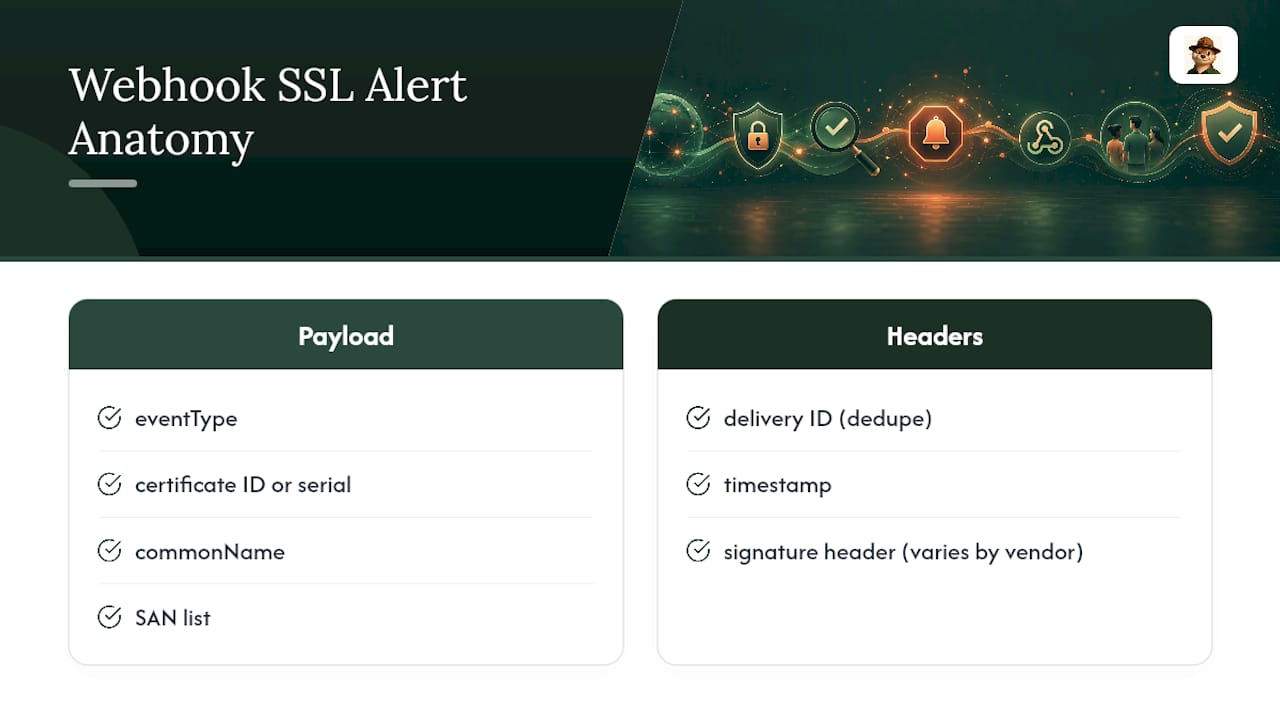
Headers matter as much as the body. Most senders attach a delivery ID (for deduplication), a timestamp, and a signature header, sometimes formatted as t=1706200000,v1=abc123... and sometimes as a custom header like x-infisical-signature. Don’t assume one format works everywhere. Read the specific vendor’s docs before you write your parser, because the difference between a timestamp baked into the signature versus a separate header changes how you verify it.
Security Checklist for Webhook Receivers
Most missed or spoofed alerts trace back to a receiver that skipped a basic control, not some exotic attack. Work through this list before your endpoint goes live:
- Enforce TLS 1.2 or better on the receiving URL, and reject any sender request that arrives over plain HTTP.
- Refuse to accept webhooks pointed at non-public or internal-only destinations. If a sender’s config lets you specify a callback, never allow it to resolve to internal infrastructure.
- Verify HMAC-SHA256 signatures on every request, and enforce a short timestamp tolerance to block replay attacks, a pattern GitGuardian’s webhook docs lay out clearly.
- Where the sender supports it, use identity-backed webhooks instead of a shared secret. Azure Monitor’s Secure Webhook action groups authenticate through Microsoft Entra ID, which removes the weakest link in most webhook setups: a secret sitting in an environment variable somewhere.
- Allowlist the sender’s published IP ranges when the vendor offers them, the way CertCentral’s webhook setup recommends during activation.
- Log every delivery attempt, and never echo highly sensitive payload fields back into logs or error messages. Snyk’s webhook security guide treats logging and data minimization as core, not optional.
Pro Tip: Store your signing secret in a proper secrets manager, not a config file, and rotate it on a schedule. Some senders will include both an old and new signature in the header during rotation so you can accept either briefly, but your verification code has to actually check for that or rotation will silently break your alerts.
Building a Webhook Handler That Doesn’t Drop Alerts
A webhook handler that does real work inline is a handler that eventually times out and loses a certificate-expiry notice. Structure it like this instead:
- Acknowledge immediately. Return a 200 or other 2xx status the moment you’ve validated the signature and queued the payload, before you do anything with the data. Anything slower risks the sender treating the delivery as failed.
- Push processing to a background worker. Parsing the certificate fields, updating a database, or notifying a team channel should happen after the acknowledgment, not before it.
- Key idempotency off the delivery ID or certificate serial number. Retries are guaranteed to happen, so your handler needs to recognize a duplicate delivery and skip reprocessing it.
- Keep delivery logs for at least 30 days. You want enough history to correlate a “missing” alert with an attempt the sender actually made but you failed to process.
- Expect fixed retry schedules with jitter. Most reliable senders retry multiple times over about a day, with exponential backoff and special handling for 429 responses, according to SecureAuth’s webhook documentation. After sustained failures, expect the endpoint to get automatically disabled.
- Build a dead-letter fallback for critical expirations. Email or a ticketing system as a backup channel means a webhook outage never turns into a certificate that silently expires. Practitioner guides on webhook security make this same point: treat delivery as best-effort, never guaranteed.
If a certificate does slip through despite all this, fixing an expired SSL certificate quickly is a good next stop.
What Lead Time and Payload Fields Actually Matter
One alert fired the day before expiration is nearly useless if your renewal process takes longer than that. Multi-tier lead times solve this better than a single threshold:
- Fire alerts at 90, 30, and 7 days before expiration, or let teams configure a custom
alertBeforevalue for certificates with unusual renewal timelines. - Include
daysUntilExpiry,notAfter, thecommonName/SAN list, and aviewUrlin every payload so the receiving system doesn’t need a separate lookup to act on it. - Add an owner contact field where your monitoring source supports it, so alerts route to the person who actually manages that certificate instead of a shared inbox nobody watches.
- Allow filtering by severity or event type, so a 90-day heads-up lands in a low-priority channel while a 7-day warning hits whoever’s on call.
Different SSL certificate expiry alert types exist for a reason: a renewal reminder and a “this is about to break production” alert shouldn’t look the same or land in the same place.
Testing and Validating Your Webhook Setup
Don’t wait for a real certificate to near expiration to find out your verification code is broken. Test it deliberately:
- Use the vendor’s test notification feature and signed sample payloads to confirm your signature verification actually passes on valid requests and fails on tampered ones.
- Write unit tests specifically for signature decoding, timestamp tolerance, and idempotent handling of duplicate delivery IDs.
- Simulate retries, 429 rate-limit responses, and a temporarily unreachable endpoint to see how the sender’s backoff behaves in practice.
- Set an internal alert on
webhook.disabledevents or a spike in failure rate, so you find out about a broken integration before a real expiry alert needs to get through.
Infisical’s docs mention keeping a stable test endpoint around specifically for this kind of CI validation, with its own rotated secret.
Why Calm, Focused Alerts Beat Noisy Dashboards
Most alerting tools are built for teams with a dedicated on-call rotation and time to tune dashboards. Solo maintainers and small teams don’t have that luxury, and a wall of red warnings trains people to ignore all of them, including the one that matters. Otterwatch exists for exactly this gap: it watches certificates first, checks uptime as a bonus, and sends one plain notice instead of a noise machine. Pair webhook alerts with a minimal fallback, like a monthly manual glance at your certificate list, and you’ve covered the gap between automated and forgotten.
— Nick Phillips
A Simpler Way to Get These Alerts Without Building Them Yourself
Everything above describes what a solid webhook setup requires: signed payloads, fast acknowledgments, retry handling, sensible lead times. Building and maintaining all of that yourself is real engineering work, and most small teams would rather spend that time on their actual product. Otterwatch handles the certificate-watching side of this equation directly, offering plain-language alerts instead of alarm-toned dashboards, and a setup built around the same lead-time thinking this article recommends.

Webhook and Slack integrations are on the near-term roadmap, built with the same signed-payload, fast-response approach covered here, so the security groundwork you just read about maps directly onto what’s coming. If you want to see where your current certificates stand right now, run them through the free SSL certificate checker. If you’d rather have Otis keep watch going forward, start monitoring your sites for free.
Where to Read More on Webhook Security and Configuration
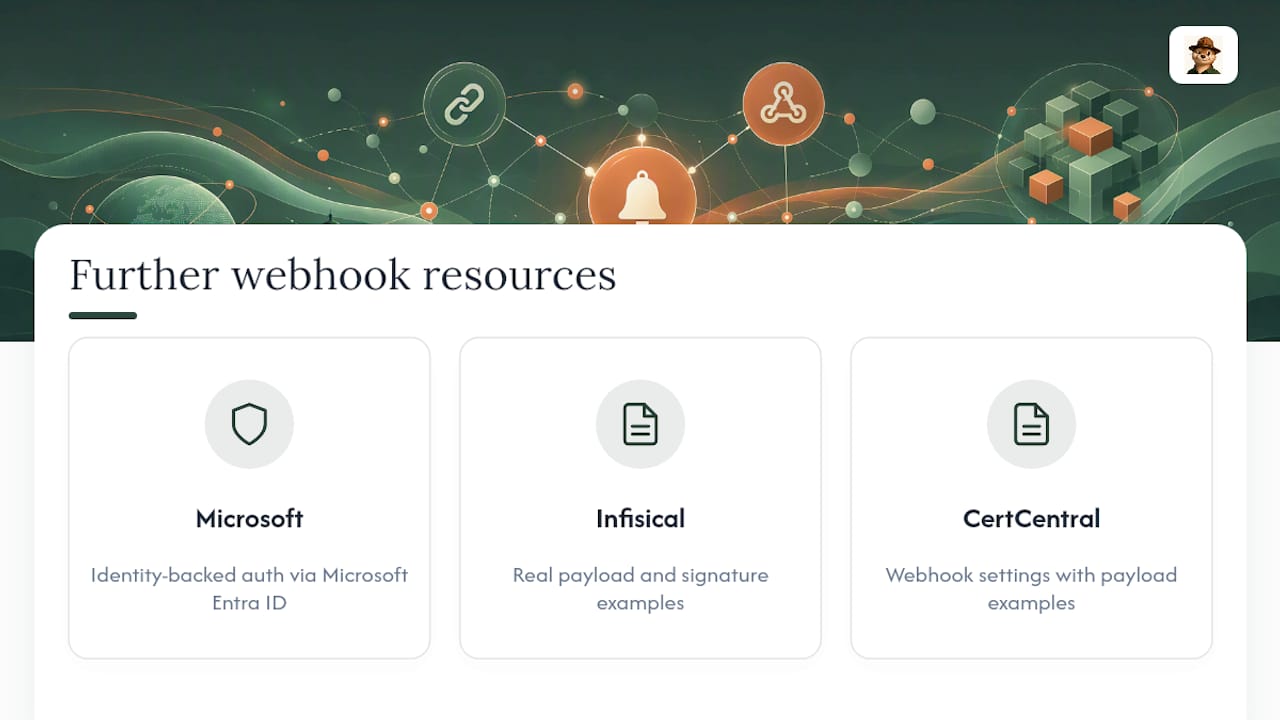
For deeper implementation details, Microsoft’s Secure Webhook documentation covers identity-backed authentication through Microsoft Entra ID. Infisical’s webhook alerting docs and CertCentral’s webhook settings guide both show real payload and signature examples worth studying before you write your own verification code.
Sources
- Webhooks | SecureAuth Agent Authority
- Custom webhook (GitGuardian documentation)
- IT Service Management Connector: Secure Webhook in Azure Monitor
- Webhooks alerts (Infisical docs)
- Creating secure webhooks (Snyk)
FAQ
What Is a Webhook SSL Alert?
It’s an HTTPS POST request your monitoring tool sends to your server the moment a certificate hits a defined condition, like approaching its expiration date, carrying a signed payload with the certificate’s details.
How Do I Verify a Webhook Is Genuine and Not Spoofed?
Verify the HMAC-SHA256 signature against your shared secret and check that the request timestamp falls within a tolerance window of about five minutes, as recommended in GitGuardian’s webhook setup guide.
How Many Times Will a Sender Retry a Failed Webhook?
Most reliable senders retry around eight times over roughly a day with exponential backoff, then automatically disable the endpoint after sustained failures, per SecureAuth’s webhook documentation.
What Fields Should an SSL Expiry Webhook Payload Include?
At minimum, include daysUntilExpiry, notAfter, the commonName and SAN list, and a viewUrl, so the receiving system can act without a follow-up lookup.
Does Otterwatch Support Webhook Alerts for SSL Expiry?
Otterwatch currently sends plain-language email alerts for certificate expiry and uptime, with plans to add Slack and webhook integrations in a future paid tier.
Recommended
- Small Teams: Set Up Certificate First Email Alerts (30/14/7/3/1 Days)
- SSL Certificate Expiry Alert Types: 2026 Guide
- How to Avoid SSL Expiration Warnings: 2026 Guide
- SSL Expiry Notification Setup: A Practical Guide
Catch the next cert expiry before your users do.
Otterwatch checks your SSL certificates daily and emails you 30 days before they expire. Five sites free.
Start watching →