Top 6 webstatus247.com Alternatives for 2026
By Nick Phillips, Founder
Top 6 webstatus247.com Alternatives for 2026

Monitoring website certificates and uptime without overload or complex dashboards remains a hassle for website owners and small teams. Many tools charge too much for small projects, force account creation, or lock advanced checks and privacy behind paid upgrades. This comparison covers price, required setup, and privacy for six monitoring services so you can pick a replacement that fits basic alerting with minimal distraction.
Table of Contents
Otterwatch
At a Glance
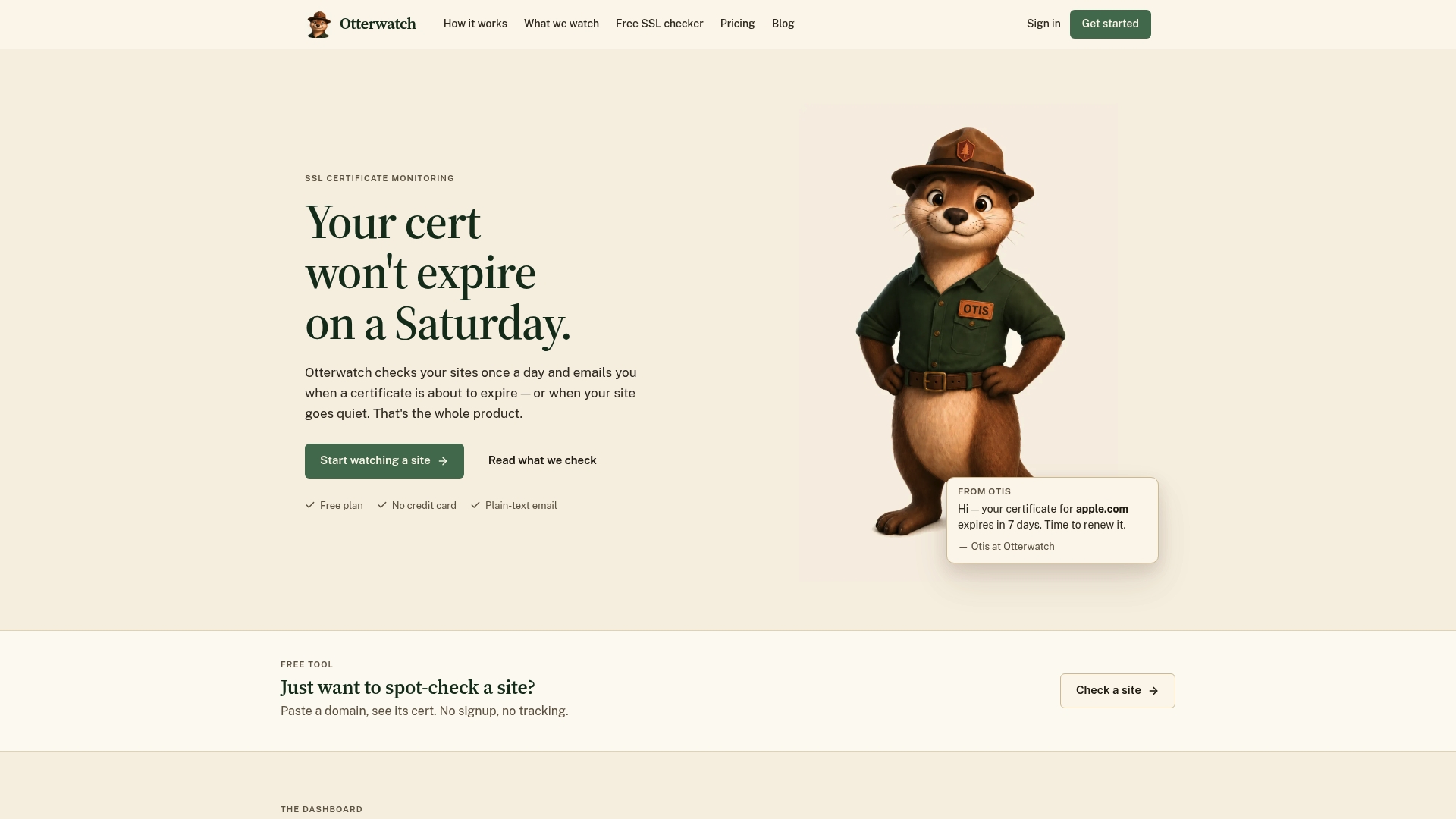
Otterwatch sends plain text email alerts when certificates are near expiry and when a site becomes unreachable. The service runs daily checks and offers a free plan that monitors up to five domains with no signup required. Otterwatch prioritizes privacy and avoids trackers and ads while also providing a quick, anonymous SSL checker you can use without creating an account.
Core Features
Otterwatch performs daily SSL certificate and HTTP reachability checks and reports chain validity, OCSP status, TLS version, HSTS, CAA records, and certificate transparency logs. The dashboard shows site status and expiry information in clear language so you can quickly eyeball which sites need attention. The product also includes a standalone SSL certificate checker that returns the same TLS detail without signup or tracking.
Key Differentiator
Provides a simple, privacy-focused daily SSL and reachability check with plain-language results, free forever with no signup or tracking. That focus places certificates first and treats uptime checks as a calm, secondary benefit. The project persona adds warmth: Otterwatch is run by Otis, a park ranger otter who sends plain, friendly heads up messages instead of alarm-heavy alerts.
Pros
The free plan requires no credit card and keeps monitoring limited to five sites at no cost, which makes initial setup frictionless. Alerts arrive as plain text email and avoid tracking or marketing, which reduces noise and preserves privacy. The checks go deeper than basic expiry dates by including OCSP, cert chain validation, TLS version, HSTS, CAA, and certificate transparency logs so you get actionable TLS detail without a complex dashboard.
Cons
- Limited to basic SSL and reachability checks on the free plan; advanced security features and multi-region testing require the upcoming Pro upgrade.
Who It’s For
Website owners and small teams who want anonymous, straightforward SSL and basic uptime monitoring will find Otterwatch useful. It fits operators who dislike large ops dashboards and prefer simple alerts they can read in an inbox. Individuals who occasionally need a no-signup SSL check will also appreciate the anonymous checker.
Unique Value Proposition
Daily checks plus a privacy-first delivery model. Otterwatch returns high-detail TLS diagnostics in plain language and sends those results as simple emails rather than pushing users into a large monitoring console. For small teams that want to stop worried calls about expired certificates, that workflow replaces noise with a clear, readable alert stream.
Real World Use Case
A small business owner adds five site domains to Otterwatch and receives daily status updates by email. When a certificate approaches expiration, Otterwatch sends a plain text warning well before it expires and shows the cert chain and OCSP status. The owner can renew the certificate with time to spare and avoid an outage.
Pricing
Otterwatch is free to start and remains free for monitoring up to five domains with no credit card or signup. The vendor states Pro plans are coming soon to add deeper security checks and expanded monitoring capabilities. The free tier covers basic SSL and reachability needs.
Website: https://otterwatch.dev
Oh Dear
At a Glance
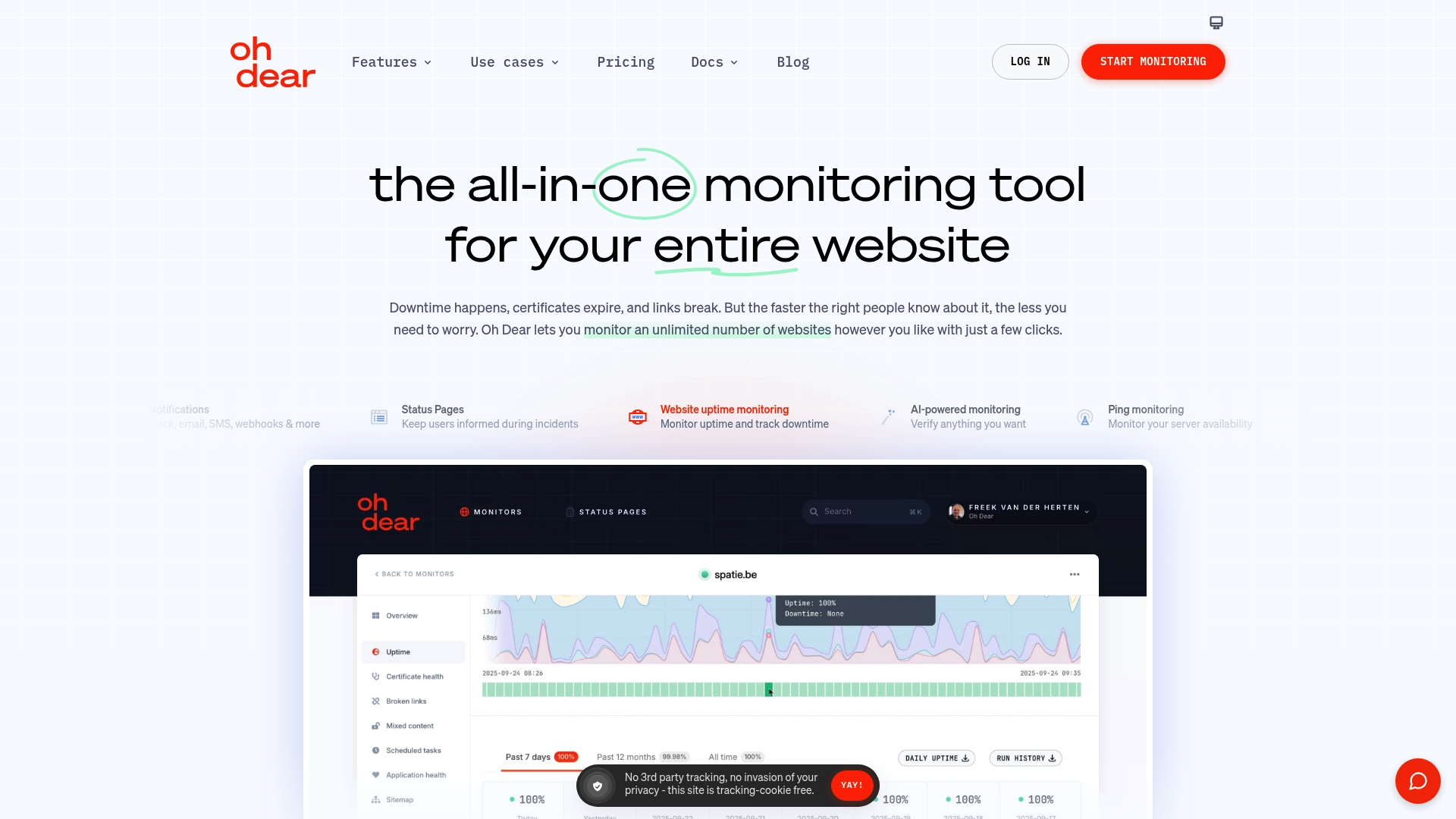
Oh Dear lets teams monitor unlimited websites with a single account and full feature parity across plans. The service includes status pages, SSL checks, uptime alerts, and a 10-day free trial with no payment details required. That makes it easy to test all features before committing.
Core Features
Oh Dear monitors website uptime, APIs, and endpoints while also checking ping and TCP ports. It offers application health checks for queues, storage, and cache, plus status pages and incident notifications. The platform exposes an API for automating checks and integrates with common alert channels.
Key Differentiator
Oh Dear verifies alerts from multiple geographic locations so teams see fewer false positives. All plans include the same feature set, with scaling handled by the number of monitored sites. The vendor pairs that coverage with EU-hosted data and enterprise security options.
Pros
Oh Dear confirms outages from several regions to cut down on false alarms and noisy alerts. Every plan unlocks the same checks and tools, which simplifies plan selection as teams grow. The product connects to common notification services and offers an API, status pages, and a trial that lets you exercise all features before paying.
Cons
- Pricing may feel high for single-site needs compared with basic uptime-only services.
- The broad feature set can overwhelm teams that only want a simple uptime check and alerting flow.
- Full use of the API and advanced configuration requires time to learn and read documentation.
When It May Not Fit
Oh Dear may not be the best match for solo site owners who only need a single uptime monitor and minimal alerts. Small projects with tight budgets could find the Mini plan more than they need. Teams that prefer a minimal UI or zero configuration might prefer a lighter tool.
Notable Integrations
Oh Dear integrates with popular notification channels and incident managers. It supports Slack, Email, SMS, Webhooks, Opsgenie, PagerDuty, Microsoft Teams, and Google Chat. Those connections let you route verified alerts into existing on-call and messaging workflows.
Who It’s For
Developers, sysadmins, marketers, and agencies that need multi-site monitoring and incident management will find Oh Dear suitable. Hosting providers and DevOps teams that monitor ports, APIs, and application health can adopt it as a single tool. Marketing teams tracking SEO and page speed benefit from the combined uptime and performance checks.
Real World Use Case
A marketing agency uses Oh Dear to track client site uptime, page speed, and SEO signals. Alerts land in Slack when performance drops, and the agency publishes status pages to keep clients informed during incidents. The team uses the API to automate onboarding for new client sites.
Pricing
Plans scale by site count with a 10-day free trial on all tiers. Prices start at €13/month for Mini (up to 5 sites), €22/month for Standard (up to 10 sites), €45/month for Plus (up to 25 sites), and €73/month for Pro (up to 50 sites). Higher tiers are available for larger fleets.
Website: https://ohdear.app
PingPing
At a Glance
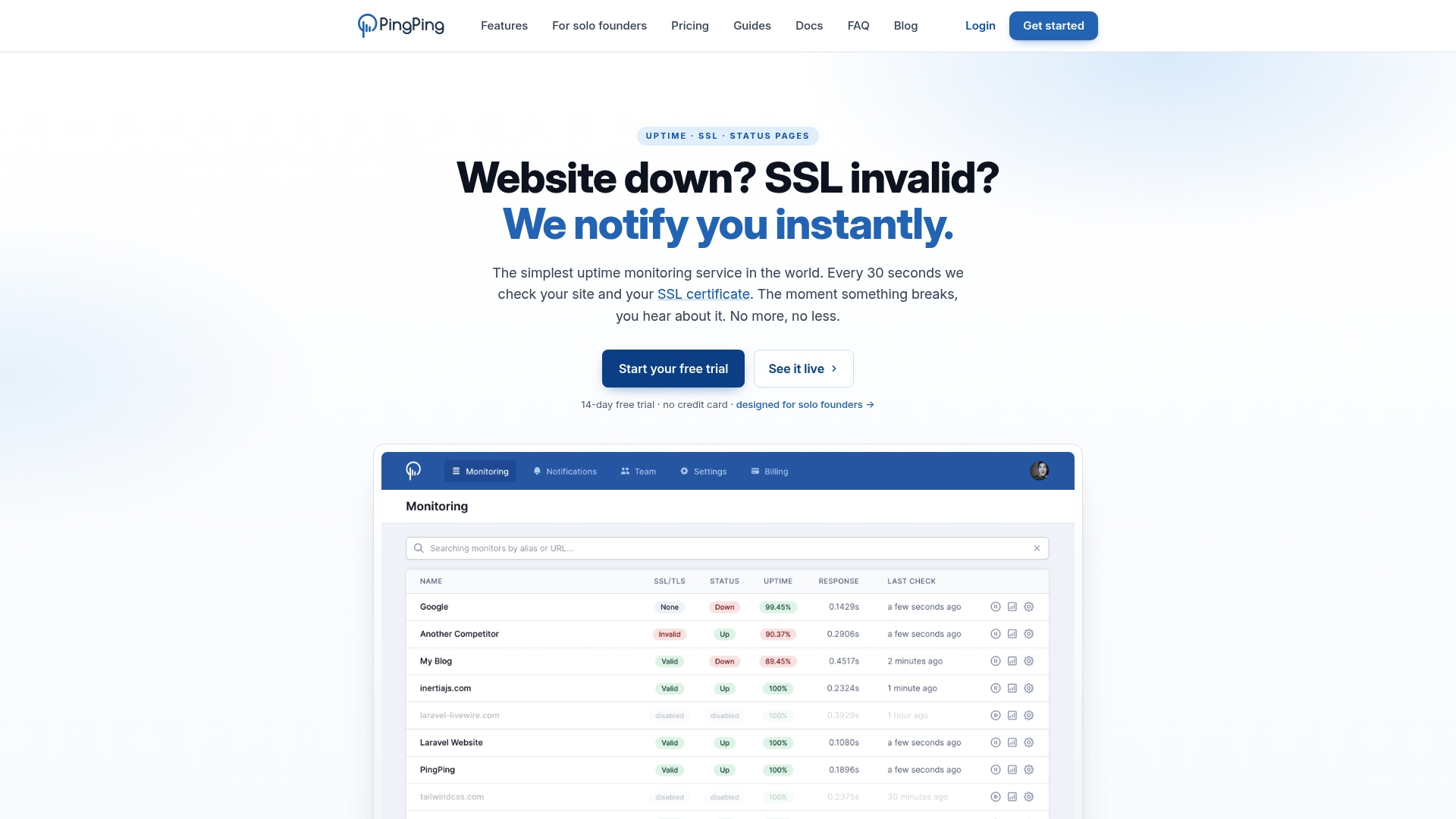
PingPing reports it checks sites every 30 seconds. The vendor advertises plans starting at €6 per month for monitoring up to five websites. That rapid polling and low entry price target solo founders and small teams that need quick outage and certificate alerts.
Core Features
That check interval applies to paid plans and comes with built in SSL certificate monitoring across tiers. PingPing provides multi language status pages with custom domains and unlimited team members on every plan. It also supports email, Slack, Discord, Telegram, webhooks, SMS via Vonage, and an API for automation.
Key Differentiator
The 30 second check frequency gives PingPing faster detection than services that probe less often. That short check gap reduces the time you might be unaware of a site outage. The service deliberately focuses on uptime and certificate alerts rather than adding server metrics or synthetic user tests.
Pros
Fast detection comes from every paid plan running checks every 30 seconds, so you see outages quickly. Pricing that starts at €6 per month for five sites keeps costs predictable for freelancers and small agencies. Unlimited team members and multi language status pages let you share incident details without buying extra seats.
Cons
- Limited to uptime and SSL certificate monitoring. No page speed or server resource checks are available.
- No advanced incident management or on call scheduling tools included for coordinating responders.
- Not intended as a full observability platform or replacement for real user monitoring or APM tools.
When It May Not Fit
If you need page speed metrics, server resource graphs, or synthetic user journeys, PingPing will not meet those needs. Large operations teams that require integrated on call schedules and incident workflows should look at a service with built in incident management. This product fits simple uptime and certificate monitoring, not broad telemetry stacks.
Notable Integrations
- Slack
- Discord
- Telegram
- Webhook
- SMS via Vonage
- API
Who It’s For
Solo founders, freelance developers, small SaaS teams, and agencies that need fast, reliable uptime alerts without complex setup will find this useful. Teams that need a low cost, easy to manage monitor for public websites will get value. It suits people who prioritize quick alerts over deep server metrics.
Real World Use Case
A freelance developer adds client sites to PingPing and connects Slack for notifications. When a site goes down the developer gets an instant alert and can restore service before clients notice extended downtime. The included SSL monitoring reduces the risk of expired certificates disrupting customer access.
Pricing
The vendor advertises pricing from €6 per month for monitoring up to five websites with paid plans using the 30 second check interval. Higher tiers were not listed in the product data.
Website: https://pingping.io
openstatus
At a Glance
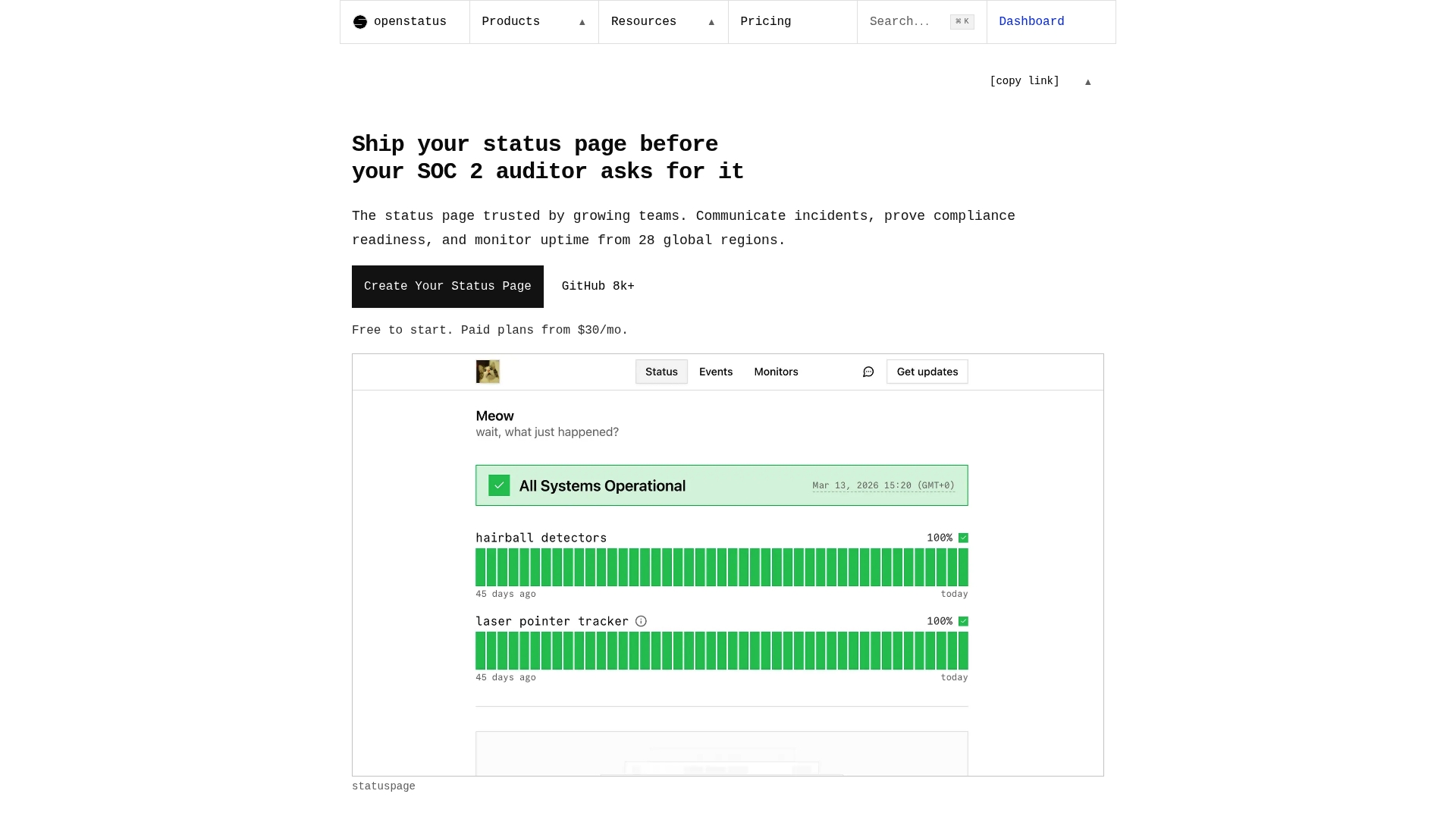
openstatus runs uptime checks from 28 global regions and ties those checks directly into a branded status page. It ships as open source with an option to self host or use the managed SaaS. The product targets teams that must publish transparent incident timelines and keep audit ready records for compliance.
Core Features
openstatus provides branded status pages with custom themes and custom domains, automatic incident detection from checks across 28 regions, and multi channel notifications via email, Slack, and Discord. It also supports monitoring as code through YAML, a CLI, Terraform, and OpenTelemetry exports for integration with CI and deployment pipelines. Teams can choose to run the software on their own infrastructure or run it as the vendor host.
Key Differentiator
openstatus combines open source code with multi region monitoring and a self hostable option focused on transparency and compliance. The platform links uptime checks and incident records to public status pages so teams have a single source of truth for audits and customer communication. That design narrows the product to buyers who want control over hosting and public incident evidence.
Pros
Open source licensing and the ability to self host give you full control over configuration, data residency, and branding, which matters for compliance workflows. The built in monitoring from multiple regions means incidents surface from external perspectives rather than only internal probes. Pricing is flat and predictable, with unlimited subscribers and team members included, which simplifies billing as adoption grows.
Cons
- Some third party reviews report limitations in enterprise level incident management compared with dedicated tools. This can affect organizations that need complex escalation policies.
- Self hosting requires technical skill for setup and maintenance, including infrastructure and CI integration work. Smaller teams may struggle with that overhead.
- Advanced on call workflows and detailed escalation features are fewer than those offered by specialized incident platforms.
When It May Not Fit
openstatus is not a match for organizations that need full incident response suites with engineered escalation trees and detailed on call routing. It also misses some enterprise automation that large operations teams expect for complex incident playbooks. If your team cannot commit engineering time to operate and maintain a self hostable system, the managed SaaS will still reduce operational work, but you may lack certain enterprise features.
Who It’s For
Technical teams, DevOps engineers, and SREs who want a status page they can host and customize fit this product well. Teams that must produce timestamped incident records for SOC 2 or similar audits will find the public timelines useful. Organizations that integrate monitoring into CI pipelines and prefer infrastructure control will gain the most.
Real World Use Case
A mid sized SaaS company self hosts openstatus on internal servers and ties it into their deployment pipeline using Terraform and the CLI. When a deployment causes degraded responses in one region, the multi region checks detect the issue and the public page updates automatically. Support sees fewer ticket spikes because customers can read the incident timeline and ETA without opening a ticket.
Pricing
openstatus is free to start with a limited set of monitors and pages. Paid plans begin at $30/month for additional monitors, pages, and features. The vendor advertises flat pricing that includes unlimited subscribers and team members, which keeps costs predictable as teams add viewers.
Website: https://openstatus.dev
UptimeRobot
At a Glance
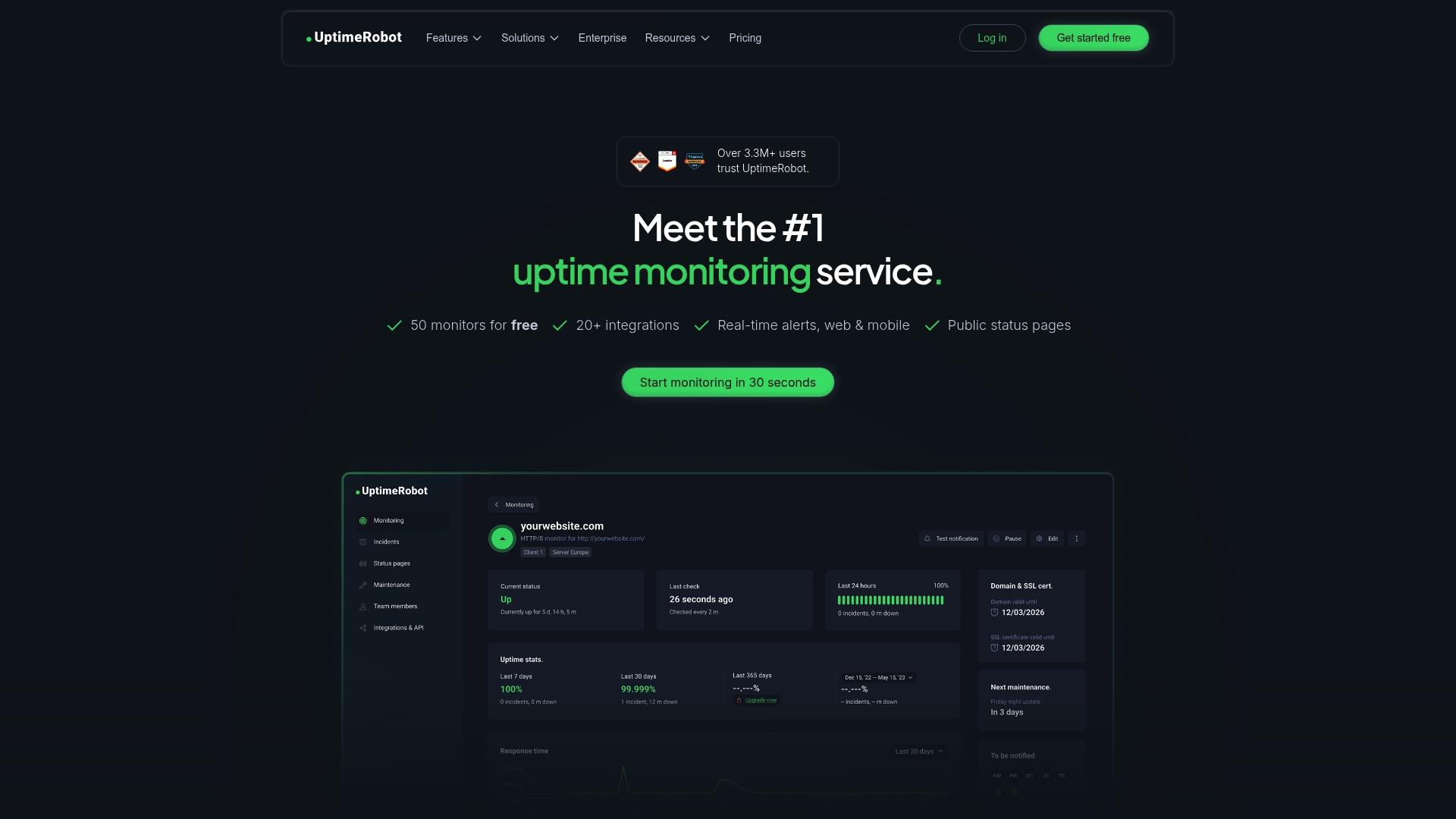
UptimeRobot reports over 3.3 million users. That scale shows up in a long feature list and a generous free tier aimed at developers and small teams. The service mixes uptime checks, SSL expiration alerts, DNS watches, and status pages into a single dashboard for monitoring web endpoints and APIs.
Core Features
UptimeRobot runs multiple check types including keyword, ping, port, cron job, API, and UDP checks. It offers multi location response time monitoring, SSL and domain expiration tracking, DNS monitoring, and website change detection tied to outage troubleshooting. The platform also exposes an API for custom integrations and provides incident management and status pages for customer communication.
Key Differentiator
UptimeRobot stands out for a friendly interface paired with a broad free tier and low cost scaling. That combination makes it attractive when you need many monitor types in one place rather than a certificate first workflow. Teams that want one tool to watch sites, APIs, and servers will find its scope useful.
Pros
The dashboard is simple to set up and read, so developers and IT staff can add checks quickly and start receiving alerts. Flexible alert channels allow delivery to Slack, Telegram, Microsoft Teams, SMS, and webhooks which suits mixed ops teams. The free tier supports many basic monitors and paid plans scale affordably as monitoring needs grow, while built in status pages help communicate availability to customers.
Cons
- The free plan limits the number of monitors and uses 5 minute checks, which slows detection for frequent failures.
- Faster check intervals and large monitor counts require higher paid plans, which raises costs for heavy users.
- Customer support response times vary, and some users report slow or inconsistent help.
When It May Not Fit
If you need a certificate first monitoring experience focused on early warning for expiry, UptimeRobot offers breadth over that narrow focus. Organizations that require the shortest possible check intervals for thousands of monitors will pay significantly more. Enterprises that expect a dedicated support SLA should confirm response terms before committing.
Notable Integrations
- Slack for channel alerts and incident notifications.
- Telegram, Discord, and Microsoft Teams for team delivery.
- Webhooks and Zapier for custom automation and workflow bridging.
- PagerDuty and Pushover for on call escalation.
Who It’s For
Developers, small and medium sized businesses, and IT teams that need reliable uptime and performance checks across websites, APIs, and infrastructure. It fits groups that want quick setup, multiple alert destinations, and simple status pages without a steep learning curve.
Real World Use Case
A developer configures UptimeRobot to watch critical API endpoints and public webpages with keyword and ping checks. Alerts go to Slack and PagerDuty so on call engineers see downtime immediately. Status pages update automatically to inform customers while engineers investigate.
Pricing
Free tier covers up to 50 monitors with 5 minute checks. Paid plans start at $9 per month for 10 monitors and scale up for additional monitors and shorter check intervals. Enterprise options are available for large deployments and custom needs.
Website: https://uptimerobot.com
Pingdom
At a Glance
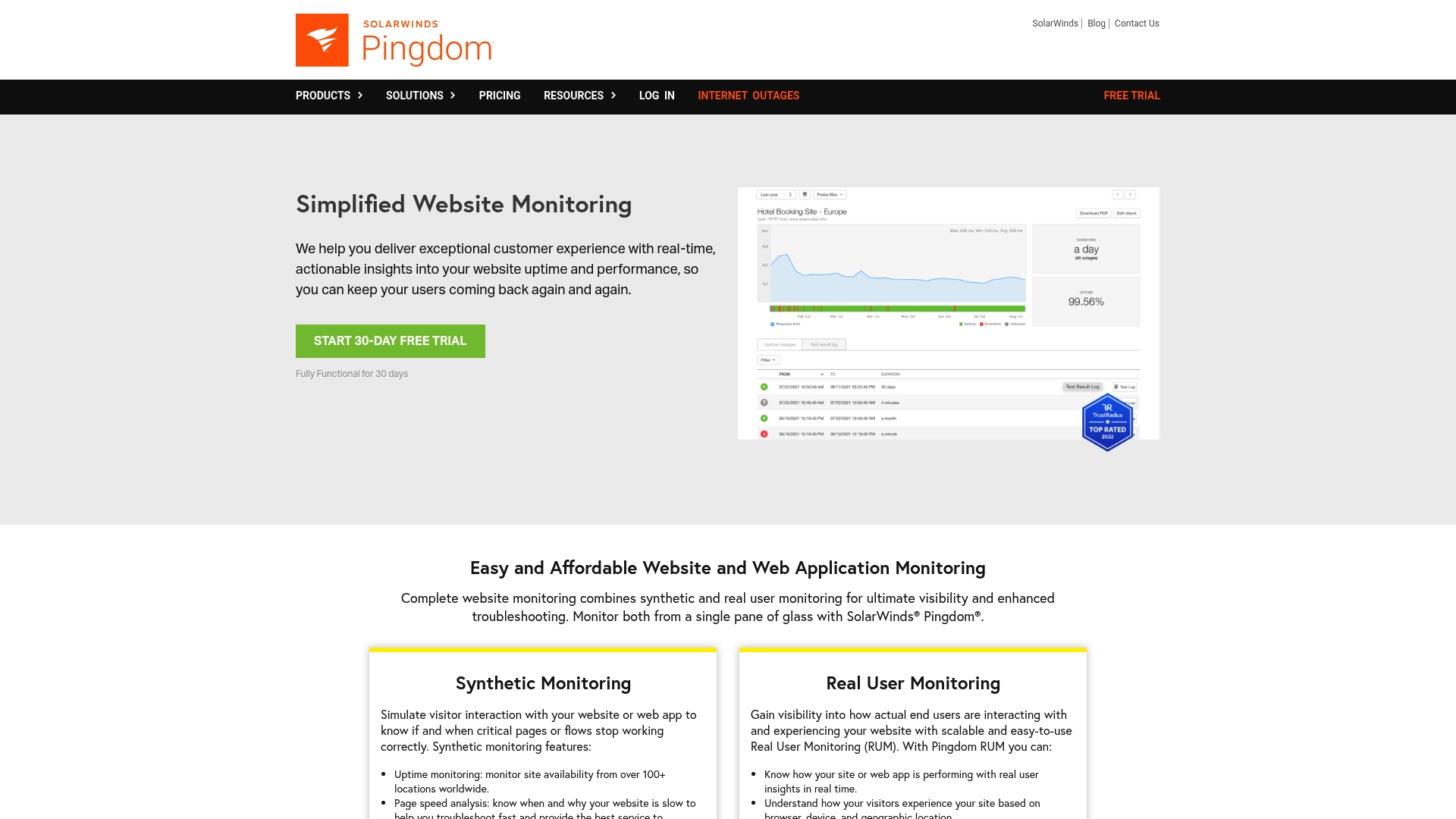
Pingdom’s marketing materials state a unified view of synthetic checks and real user monitoring, plus customizable alerts and public status pages. That combination groups uptime checks, page speed analysis, and user behavior metrics in one place. For teams that track both scripted transactions and actual user sessions, this reduces the need to stitch multiple tools together.
Core Features
Pingdom blends uptime monitoring, page speed analysis, and transaction checks into a single monitoring workflow. It also collects real user monitoring data such as a live map of user sessions and basic behavior metrics, which helps tie performance problems to affected regions. Alerting is configurable and you can publish status pages for external transparency.
Key Differentiator
Pingdom focuses on showing synthetic and real user signals side by side. That capability lets you compare scripted transaction failures with what real visitors experience. For teams that must correlate performance regressions with actual user impact, that single-pane view speeds diagnosis and communication.
Pros
Pingdom delivers broad monitoring coverage that covers uptime, scripted transactions, and real user metrics in the same product. Its alerting options and public status pages make incident communication straightforward for customer facing teams. The platform also supports many integrations, which helps feed alerts and metrics into existing incident and reporting workflows.
Cons
- Some reviews note pricing becomes complex and can grow costly as you add more checks or regions.
- Several users report a steep learning curve for the initial setup and advanced configuration.
- The interface can feel dense for teams that only want a minimal certificate or simple uptime watcher.
When It May Not Fit
If your primary need is focused SSL certificate expiry monitoring and minimalist alerts, Pingdom will add unnecessary complexity. If you manage hundreds of domains on a tight budget, that pricing complexity may make costs hard to predict. If you want a tool that a single nontechnical person configures quickly, the setup and options here may slow you down.
Who It’s For
This product fits web developers, digital marketers, and hosting providers who need combined uptime and real user visibility. It also fits operations teams at enterprises that must report uptime and performance to stakeholders. Teams that already run incident tooling and want to route detailed alerts into those systems will find the integrations helpful.
Real World Use Case
A media company runs scripted transaction checks from multiple global regions while collecting real user session data to spot regional slowdowns. The team receives alerts when a transaction fails and posts a public status page to keep advertisers informed. That workflow reduced frantic Slack threads and gave clear status updates to external partners.
Website: https://pingdom.com
Comparison of alternatives
Comparing website monitoring providers reveals specific strengths across the main contenders, where privacy-focused simplicity distinguishes Otterwatch.
Privacy and Alert Customization
Otterwatch champions a simplistic approach, providing email alerts in plain text to emphasize privacy and ease. Compare this to services like UptimeRobot and PingPing, which integrate data endpoints and use graphical dashboards that may introduce complexities for privacy-focused users. Oh Dear’s advanced alerting setup aids organized scalability but involves a steeper learning curve, highlighting the balancing act between simplicity and feature diversity.
Scalability and Integration
Oh Dear and UptimeRobot offer notable scalability for monitoring multiple sites and customizable integrations with extensive tooling, ideal for larger teams or organizations. Pingdom further extends this with real-user monitoring and performance insights. However, these services tend to prioritize feature depth over cost efficiency, whereas tools like PingPing offer affordable plans tailored to simpler requirements, making them suitable for smaller operations.
Best fit
- Users desiring straightforward, privacy-focused SSL/TLS monitoring will find Otterwatch’s no-signup, free-tier service.
- Specialist organizations needing synthetic interaction monitoring and user-experience correlation should consider Pingdom.
- Larger teams needing broad monitoring capabilities with scalable pricing and API integrations might see UptimeRobot as a dependable option.
- Technical teams or those adhering to compliance requirements will appreciate openstatus’s self-hosting features combined with open-source software options.
- Advanced multi-site monitoring with tools suiting large operational workflows makes Oh Dear a practical choice.
Our pick
For users prioritizing privacy and comprehensible outputs in their website monitoring solutions, Otterwatch stands out as the premier option. Its emphasis on delivering TLS diagnostics via plain text email and in a privacy-focused manner makes it particularly beneficial for small businesses and individual users. However, larger organizations may prefer Oh Dear or UptimeRobot for their more extensive feature sets and integration capabilities. For those desiring a straightforward, no-fuss tool for essential monitoring, Otterwatch is in its practicality.
Assessing SSL and uptime monitoring platforms helps identify those delivering clear diagnostics with privacy-conscious workflows.
| Platform | Unique Focus | Best Suited For | Pricing | Limitation |
|---|---|---|---|---|
| Otterwatch | Privacy-first certificate and reachability checks | Small teams, casual users | Free, up to 5 domains | Limited to basic checks on the free plan |
| Oh Dear | Multi-location and full-feature monitoring suites | Developers, sysadmins, agencies | €13/month, up to 5 sites | Overwhelming for simple use cases |
| PingPing | Rapid 30-second uptime and SSL detection | Freelancers, SaaS teams | €6/month, up to 5 sites | Limited breadth beyond uptime and certificate monitoring |
| openstatus | Open source multi-region monitoring with CI tools | DevOps teams needing self-hosting | $30/month for added features | Requires self-hosting for full control |
| UptimeRobot | Versatile uptime checks and status communication | Developers, SMBs, IT teams | $9/month, up to 10 monitors | Slower detection on free tier |
| Pingdom | Combined synthetic checks and real user monitoring | Enterprises, operations teams | Price not published | Complex setup and costly scaling |
How to Simplify SSL and Website Monitoring Without Extra Noise
Many site owners and small teams face noisy dashboards and too many alerts from bulky monitoring tools. Otterwatch solves that by focusing on what matters most: watching your SSL certificates closely while quietly checking site availability. It sends you plain text email alerts long before certificates expire, helping you avoid the common risk of unexpected outages.
Otterwatch is free to start with five sites monitored at no cost and requires no signup. Its privacy-first approach means no tracking or flashy alarms, just clear, calm updates from Otis, a park ranger otter. This makes it ideal for operators who want to skip complex interfaces and get straightforward SSL and uptime insights.
See how Otterwatch fits your needs. Check out Otterwatch and start monitoring your sites the friendly way today.
FAQ
What features does Otterwatch provide for SSL monitoring?
Otterwatch offers daily SSL certificate and HTTP reachability checks, including cert chain validation and OCSP status. This detailed information helps you stay proactive about your site’s security and avoid outages from expired certificates. Start by adding your domains to monitor their status effectively.
How does Otterwatch compare to Oh Dear for monitoring needs?
Oh Dear allows teams to monitor unlimited websites and offers a 10-day free trial, which could benefit larger teams needing extensive monitoring. Otterwatch excels with its privacy-focused service, delivering plain text alerts for up to five domains without requiring any signup. Choose based on whether your primary need is for a broader monitoring platform or a straightforward, privacy-oriented service.
Can I use Otterwatch for SSL monitoring without signing up?
Yes, Otterwatch provides SSL monitoring without requiring registration or payment for up to five domains. This feature allows you to quickly check your site’s certificate status while prioritizing your privacy. Simply start using the service to stay informed without any commitment.
What is the pricing model for Otterwatch in comparison to PingPing?
Otterwatch is free for monitoring up to five domains, whereas PingPing starts at €6 per month for the same number of sites with rapid checking intervals. If you’re looking for a no-cost option with essential monitoring features, Otterwatch may be the right fit for you.
How often does Otterwatch check for updates on my site’s certificate status?
Otterwatch conducts daily checks on your SSL certificates and site reachability. This frequency ensures that you receive timely alerts and can act before any potential issues arise. By staying on top of these updates, you can avoid service interruptions due to expired certificates.
Recommended
- Top 5 sitehawk.io Alternatives 2026 · Otterwatch
- 10 Best SSL Certificate Monitoring Tools in 2026 · Otterwatch
- UptimeRobot vs pingping.io vs TrackSSL vs Certimon vs SSLreminder 2026 · Otterwatch
- SSL certificate monitoring tools, honestly compared · Otterwatch
Catch the next cert expiry before your users do.
Otterwatch checks your SSL certificates daily and emails you 30 days before they expire. Five sites free.
Start watching →