Top 5 sitehawk.io Alternatives 2026
By Nick Phillips, Founder
Top 5 sitehawk.io Alternatives 2026

Picking a website uptime and SSL monitoring tool that sends clear, timely alerts without tracking or complicated dashboards takes more work than it should. Many options lock advanced features behind expensive plans or flood users with extra alerts and unnecessary interface clutter. This comparison covers monitoring frequency, notification channels, feature limits, and privacy controls so developers and teams can pick the right tool without wasted trials.
Table of Contents
Otterwatch
At a Glance
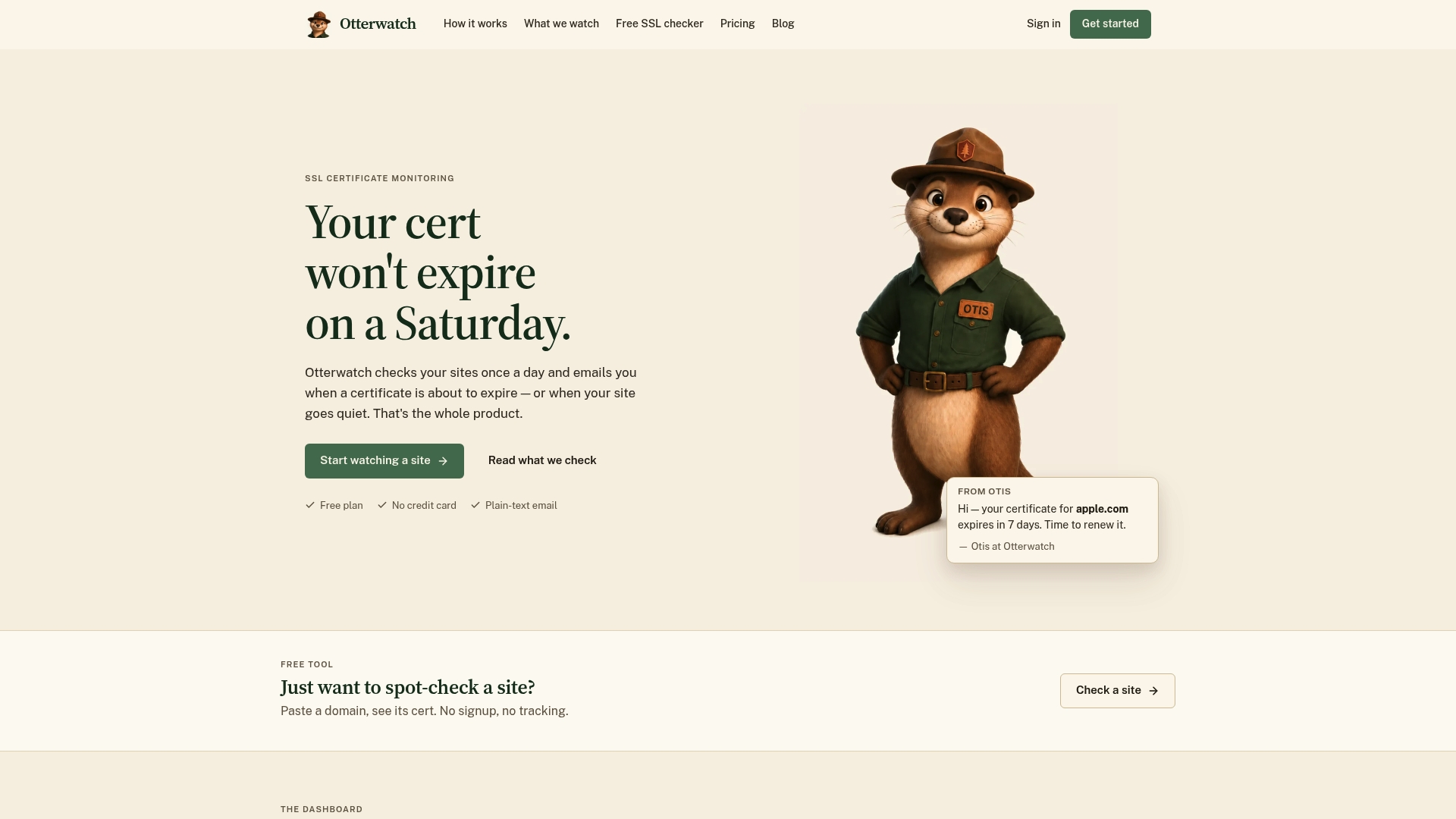
Otterwatch reports a free plan that monitors 5 sites and performs daily SSL and reachability checks. It often appears on lists of sitehawk.io alternatives for people who want privacy first and minimal setup. The service uses plain, friendly alerts instead of noisy dashboards.
Core Features
Otterwatch runs daily SSL certificate and reachability checks and sends plain updates by email. The dashboard shows full certificate snapshots and validation details without clutter or extra settings. You can run checks without signing up and there are no ads or tracking.
Key Differentiator
The stand out capability is plain-text email alerts combined with full certificate details and no tracking. That design targets site owners who prefer clear, readable messages and minimal telemetry. The product emphasizes certificate status first and uptime checks as a quiet secondary check.
Pros
The interface stays focused on certificate health, which reduces alert noise and makes it faster to read and act on messages. The vendor reports a free tier that covers five sites and does not require a credit card for basic monitoring. Privacy matters here because Otterwatch does not track or serve ads and its alerts use plain language from the Otis mascot rather than alarm language.
Cons
- Free plan lacks advanced features like cert change detection and CT issuance monitoring, which are listed as coming soon.
Who It’s For
This fits website administrators and small business owners who need dependable certificate expiry alerts and a simple uptime check. It suits people who do not want to manage complex rules or dashboards and who avoid analytics tracking. Developers running a handful of sites will find the no signup check mode useful for quick verification.
Unique Value Proposition
Plain-text alerts and check-only use remove two setup tasks at once. You do not need to create an account to run checks, and alerts include full certificate snapshots so you can quickly eyeball the cert chain and SAN entries. That approach lowers the friction to start monitoring and keeps sensitive site metadata out of analytics systems.
Real World Use Case
A small e-commerce owner adds primary and regional domains to Otterwatch and receives simple email warnings before certificates expire. The owner reads the certificate snapshot, copies the renewal link, and schedules a replacement during low traffic windows. The result is continuous trust for customers without a complex monitoring stack.
Website: https://otterwatch.dev
UptimeRobot
At a Glance
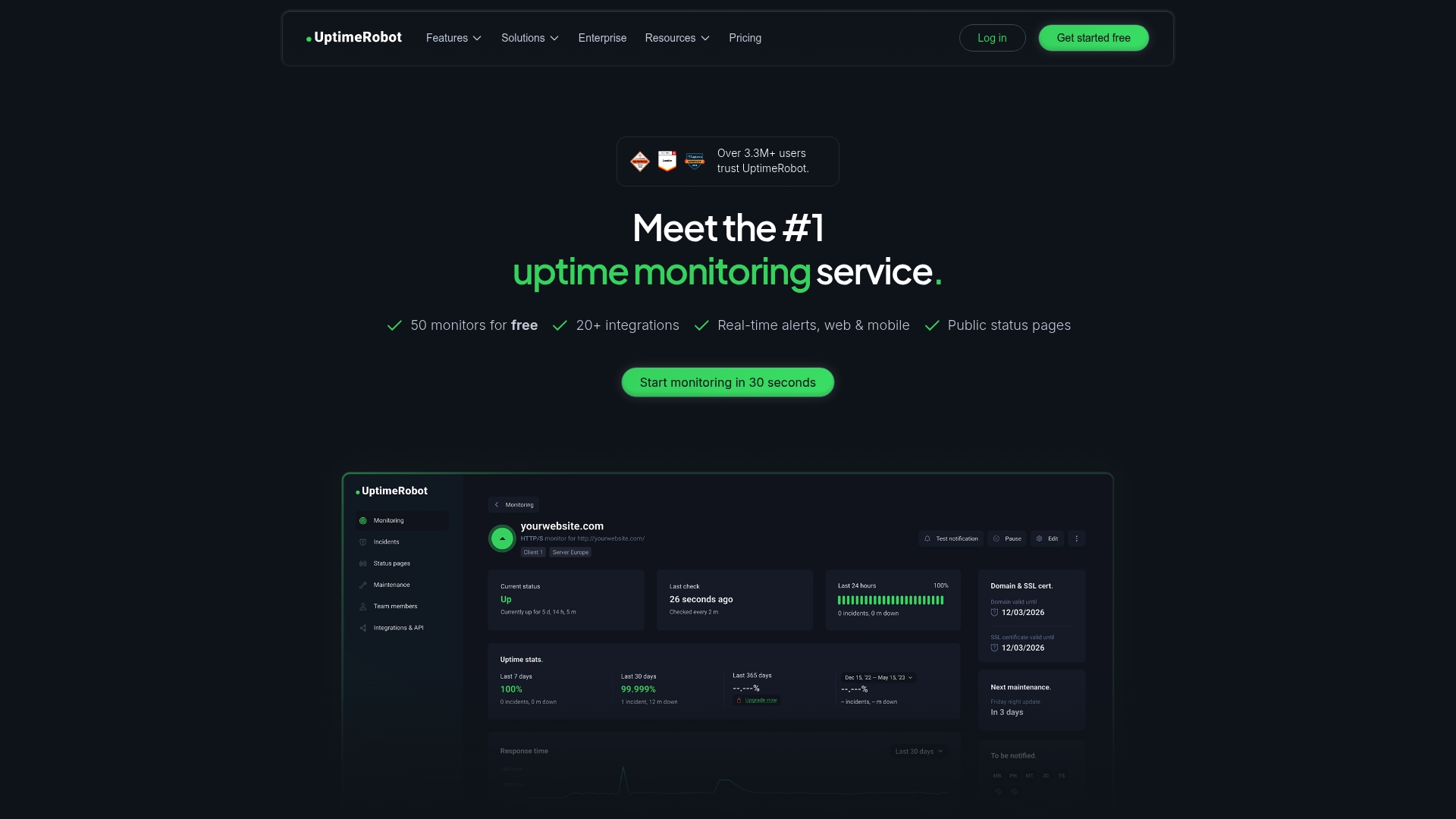
UptimeRobot reports over 3.3 million users. The service includes a free tier that supports 50 monitors, which is unusually generous for simple uptime checks. That combination makes it easy to start monitoring public sites, servers, APIs, and cron jobs quickly.
Core Features
UptimeRobot monitors websites and endpoints and it also watches for specific keywords on pages. The service offers ping checks, port checks, and cron job monitoring in real time. It adds public status pages, incident management tools, role based access, response time alerts, and an API for automation.
Key Differentiator
The clearest difference is the mix of an approachable interface with checks from multiple locations and broad integration support. The free 50 monitor tier lets small teams monitor many endpoints without immediate cost. The API and integration list let you route alerts into existing workflows.
Pros
Setup is fast and you can have monitors running within minutes. The free tier with 50 monitors gives small projects and many internal services immediate coverage. Checks from multiple locations and response time alerts help you detect regional outages and slowdowns. Public status pages and strong integrations make customer communication and incident notification practical.
Cons
- Some advanced features require paid plans, which can be necessary for faster check intervals or larger monitor counts.
- False positives can occur if you do not fine tune thresholds and retry logic, causing extra noise.
- Very large scale enterprise needs may demand additional customization or higher tier plans to match complex architectures.
When It May Not Fit
If you need checks every 30 seconds, that interval is available only on enterprise plans and may raise cost. If you need deep synthetic transactions or advanced scripting inside checks, UptimeRobot may feel limited. Organizations that require very detailed customization for tens of thousands of monitors will find the platform less flexible without enterprise arrangements.
Notable Integrations
UptimeRobot links to common alert and chat platforms to fit existing tooling. Supported integrations include:
- Slack
- Telegram
- Webhooks
- Discord
- Microsoft Teams
- PagerDuty
- Pushbullet
- Google Chat
Who It’s For
Developers, DevOps teams, IT support staff, and small to medium sized businesses will get the most value. People who want inexpensive monitoring that plugs into Slack or PagerDuty will appreciate the workflow fit. Teams that need a public status page and simple incident notifications will find it useful.
Real World Use Case
A SaaS company monitors critical web applications from multiple regions and sends alerts to Slack and email. The team uses public status pages to keep customers informed during incidents. That setup reduces reactive support load and improves transparency with customers.
Pricing
There is a free tier with 50 monitors for basic needs. Paid plans add more monitors and advanced features for larger teams. Faster check intervals and enterprise grade options are available on higher level plans.
Website: https://uptimerobot.com
PingPing
At a Glance
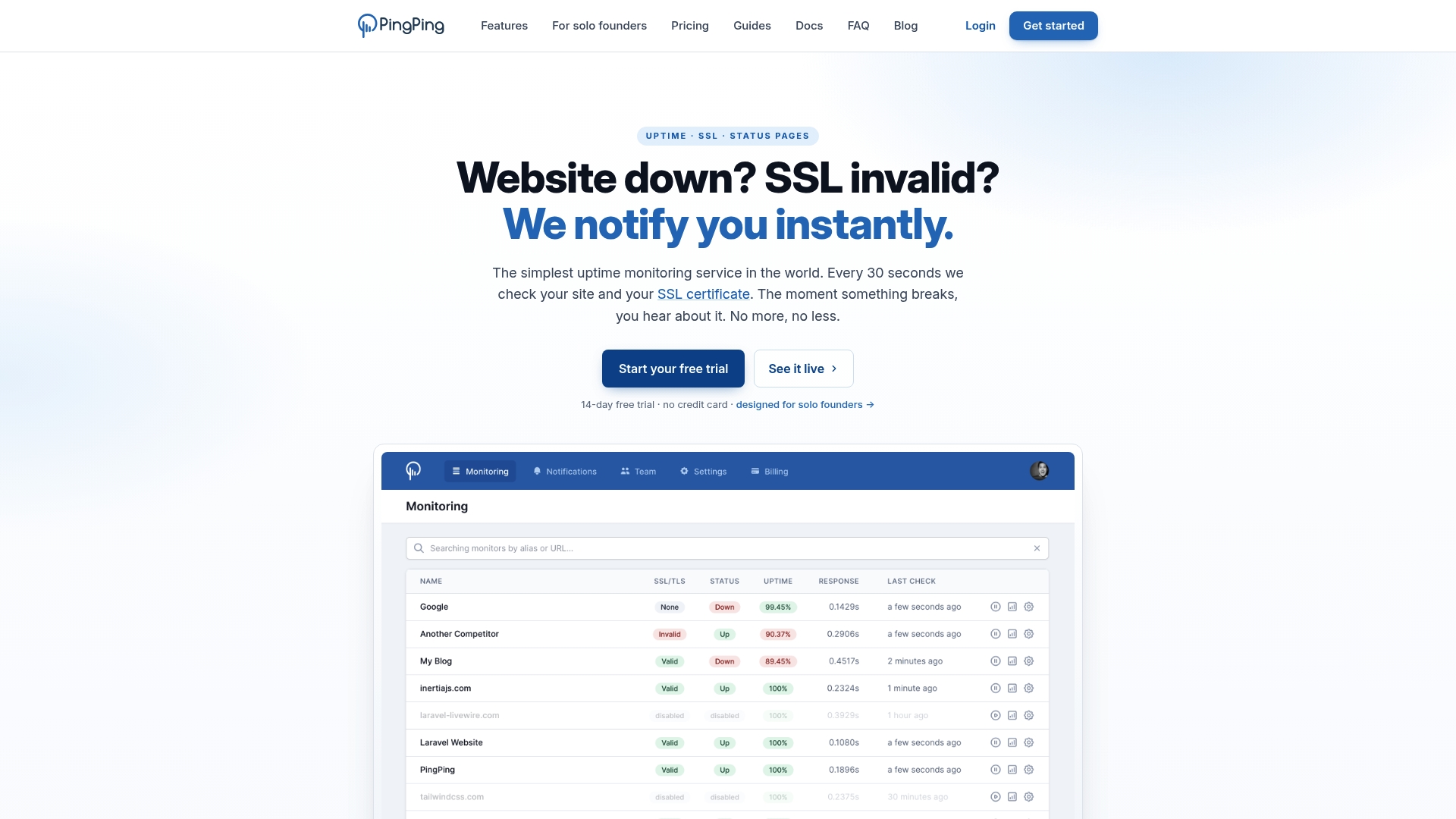
PingPing reports 30 second checks on paid plans and a starting price of €6/month for five sites. The service focuses on fast outage detection and SSL certificate alerts with multi region verification to reduce false positives. It targets solo founders and small SaaS teams that want minimal setup and clear notifications.
Core Features
PingPing runs frequent uptime checks, monitors SSL certificate health, and publishes public or private status pages with custom domains. The product includes a full REST API for scripting, multi region verification to confirm outages, and instant notifications via email, Slack, Discord, Telegram, SMS, and webhooks. Setup is described as quick, allowing a site to be monitored in under 30 seconds.
Key Differentiator
The single angle that stands out is the combination of that check interval and broad notification coverage at a low entry price. That interval plus multi region verification means alerts usually represent confirmed outages rather than single location blips. This makes PingPing a narrower alternative to multi feature incident platforms, aimed at speed and simplicity rather than deep diagnostics.
Pros
PingPing delivers fast detection and straightforward alerts out of the box, which reduces mean time to awareness for small teams. The platform includes SSL monitoring, status pages, and a full API without tiered feature gates, so developers can script checks or wire alerts into existing workflows. Multi region verification helps avoid false alarms, and the notification list covers common developer channels including Slack and SMS.
Cons
- Limited to uptime and SSL monitoring without incident management or log analysis.
- No advanced performance testing such as synthetic transactions or deep waterfall analysis.
- No free plan; only a 14 day free trial is available.
When It May Not Fit
Buyers needing complex incident workflows, on call scheduling, or long term performance metrics should look elsewhere. Large teams requiring enterprise features like synthetic user journeys or centralized log correlation will find PingPing too narrow. Organizations that need a free always on tier will be blocked by the lack of a free plan.
Notable Integrations
PingPing connects to common notification and automation endpoints. Integrations include Email, Slack, Discord, Telegram, Webhooks, and SMS via Vonage. The full REST API also lets you build custom integrations and push alerts into internal systems.
Who It’s For
Solo founders, small SaaS teams, and developers who need quick, reliable uptime and SSL alerts will get the most value. The product fits teams that prioritize rapid detection and clear notification channels over detailed performance telemetry. It also suits projects where simple status pages and API access matter.
Real World Use Case
A solo developer adds his SaaS app to PingPing and configures Slack and email alerts. PingPing checks the site every 30 seconds and verifies outages from multiple regions before alerting. He receives immediate, actionable notices when SSL expiry or downtime occurs and can respond before paying customers notice.
Pricing
Pricing starts at €6/month for monitoring five websites and scales to plans that handle up to 250 sites. All plans include the same feature set with no extra fees, and a 14 day free trial is available for full feature access.
Website: https://pingping.io
Oh Dear
At a Glance
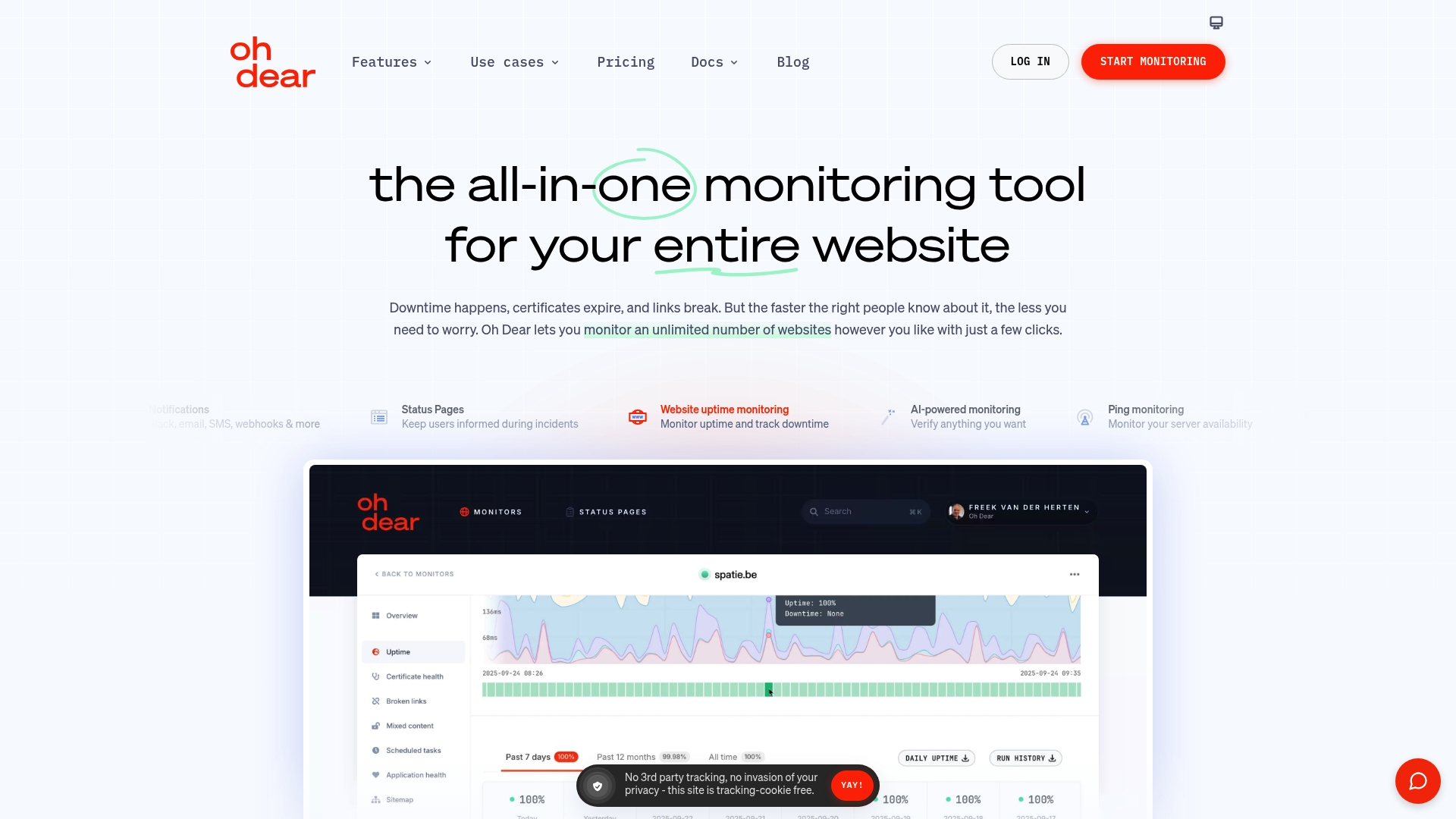
Monitors an unlimited number of websites while verifying alerts from multiple global locations. That setup reduces false positives by rechecking outages before sending notifications. The service also watches SSL certificates, DNS, broken links, and blacklist status in one place.
Core Features
Oh Dear combines uptime checks from global locations with SSL certificate monitoring and certificate expiration alerts. It scans for broken links and mixed content, tracks DNS and domain expiry, and runs performance checks with Lighthouse scores. The platform also supports API endpoint validation, scheduled task monitoring, and public or private status pages.
Key Differentiator
Oh Dear focuses on verified, diagnostic-rich monitoring rather than raw signal volume. It rechecks failures from several locations before notifying your team, which cuts down on false alarms. The platform bundles security checks like IP whitelisting, reverse monitoring, and blacklist monitoring with deep request diagnostics for faster troubleshooting.
Pros
You get a single interface that covers uptime, SSL, DNS, link health, and performance, which simplifies multi-site operations. Verified alerts from multiple locations help you trust that a notification reflects a real problem. Diagnostics include request traces, Lighthouse scores, and port scans that make root-cause work faster. The product supports unlimited sites and team members, which fits agencies managing many clients, and it offers multiple notification channels so the right person sees alerts on Slack, Teams, SMS, or via Webhooks.
Cons
- Pricing may be higher for very small teams or individual site owners who need only basic checks.
- Some advanced capabilities require technical setup or higher-tier plans, adding setup time for nontechnical teams.
- Several features rely on external third-party services, which can limit functionality if those services change.
- Deep API integrations and custom scripting are not available on every plan.
When It May Not Fit
This product is not the best match for a solo site owner on a tight budget who only needs basic uptime pings. It also misses the mark for teams that require local agent monitoring inside private networks. Finally, if you need extensive custom scripting on the cheapest plan, you will outgrow available features.
Notable Integrations
- Slack
- SMS
- Webhooks
- Telegram
- Discord
- Microsoft Teams
- Pushover
Who It’s For
Oh Dear suits web agencies, IT teams, and organizations that manage many websites and need consolidated monitoring and incident workflows. It fits teams that want verified alerts and detailed diagnostics. It also appeals to groups that publish public or private status pages for clients.
Real World Use Case
A web agency running 50 client sites uses Oh Dear to watch uptime, SSL expirations, and broken links. The team receives verified alerts on Slack and posts public status updates for clients. Detailed diagnostics reduce time to repair and keep clients informed without internal firefighting.
Pricing
Plans start at €13/month for the basic tier. The vendor offers a free trial for 10 days that includes all features so you can test checks and notification channels before committing.
Website: https://ohdear.app
Datadog
At a Glance
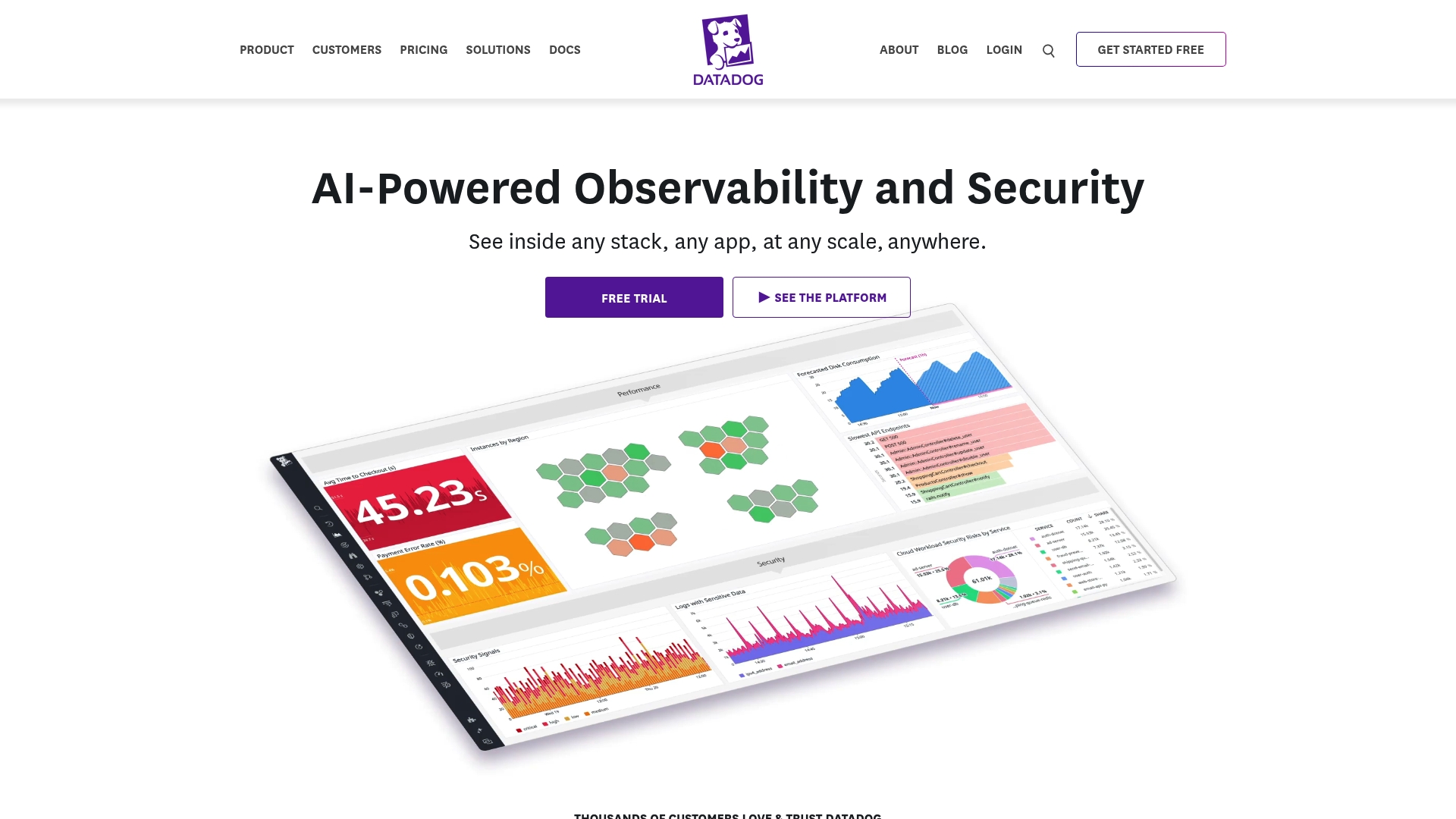
According to the company, Datadog has been recognized as a leader in observability and AIOps by Forrester and Gartner. The platform combines infrastructure monitoring, application performance, logs, security, and an AI layer called Bits AI. That bundle gives teams a single pane of visibility across cloud and on premises environments.
Core Features
Datadog centralizes infrastructure monitoring and visualization with metric graphs and service maps that you can annotate. It pairs application performance monitoring with log management and real user and synthetic monitoring to trace problems from browser to backend. Bits AI adds automated investigation help, code remediation suggestions, and custom AI agents for routine tasks.
Key Differentiator
Datadog stands out by linking metrics, traces, logs, and security telemetry inside the same platform. That linkage lets you pivot from a failing service to the related logs and security alerts without jumping tools. For teams that require correlated context from infrastructure to application and automated investigative assistance, this unified stack is the main attraction.
Pros
Datadog supports a wide array of technologies, so you can instrument cloud providers, container platforms, and enterprise systems without separate tools. Its AI features reduce time spent chasing alerts by offering automated context and remediation suggestions in chat and notebooks. The platform scales to large environments and provides role based access control, dashboards, and orchestration integrations that operations teams expect.
Cons
-
Complex platform with a steep learning curve for new users.
-
Cost can be significant for smaller organizations or those with basic monitoring needs.
-
Broad feature set may overwhelm teams seeking simple monitoring tools focused on a handful of sites.
When It May Not Fit
Small teams on tight budgets who need basic SSL monitoring or lightweight uptime checks will likely find Datadog expensive. Startups and solo operators may face long onboarding and significant configuration work. Teams that prefer a minimal alert stream and few configuration steps should consider a lighter tool.
Notable Integrations
-
AWS
-
Azure
-
Google Cloud
-
Kubernetes
-
OpenShift
-
SAP
-
Oracle Cloud
-
OpenTelemetry
Who It’s For
Large enterprise teams and cloud service providers running complex, multi cloud environments will get the most value from Datadog. Security operations teams that need telemetry correlation across apps and infrastructure will find the security modules useful. DevOps groups running CI CD pipelines and feature flags will benefit from integrated traces and code level insights.
Real World Use Case
A multinational financial services firm uses Datadog to monitor their multi cloud infrastructure and keep critical transaction flows available and performing well. They run APM, logs, and security modules to maintain compliance and detect anomalous activity. The team uses these signals together to reduce mean time to recovery for incidents.
Pricing
Datadog offers a free tier. Paid plans vary by product module and usage, with per module billing for many features. Enterprise pricing and custom contracts are available for large organizations.
Website: https://datadoghq.com
Comparison of alternatives
Otterwatch.dev presents a direct solution for website monitoring, standing out among alternatives by applying clear alerts combined with privacy-centric operations. Competing options suit varying scales and demands, offering wider coverage or diagnostic consolidation.
Monitoring simplicity
Otterwatch.dev prioritizes SSL validity alerts into clear snapshots and simple setups. In contrast, PingPing emphasizes broad machine API/quick-trigger outreach reminiscent task groups needing intensive regional multi-check press resolutive expedite queries overheard detail refinement more inclined complex enterprise user. Datadog leverages centralized diagnostic broad-endpoints overseeing preventive system retain follow AI-level Smart telemetry utilizing triggers escalation,<|endoftext|>.
Website uptime and SSL health monitoring services vary in features suited for different needs. The table below compares their offerings:
| Product | Key Feature | Best Suited For | Pricing | Limitation |
|---|---|---|---|---|
| Otterwatch | Plain-text alerts, no tracking | Small business owners, simple use | Free for 5 sites | Lacks advanced features like cert change detection |
| UptimeRobot | 50 free monitors, API for integrations | Small teams needing incident tools | Free tier offered | False positives possible without fine tuning |
| PingPing | 30-second checks, multi-region verification | Solo founders, small SaaS teams | €6/month | Limited to SSL and uptime tracking |
| Oh Dear | Verified alerts from global checks | Agencies managing multiple sites | €13+/month | Higher initial cost for small owners |
| Datadog | Unified monitoring of multiple services | Large enterprise teams | Price not published | Complexity may hinder smaller operations |
Choosing a sitehawk.io Alternative That Simplifies SSL and Uptime Monitoring
Many website administrators and small business owners find themselves overwhelmed by complex monitoring tools that focus heavily on dashboards and noisy alerts. Otterwatch offers a calmer approach by prioritizing SSL certificate health while quietly tracking uptime. Its plain-text email alerts give you detailed certificate snapshots to quickly spot issues like expiring certificates or SAN mismatches without confusing jargon or tracking.
Otterwatch is free to start with coverage for five sites and requires no credit card. This makes it ideal for developers and teams who want straightforward, privacy-focused monitoring without managing complicated rules. Visit Otterwatch to see how simple monitoring can protect your sites before problems arise and to set up your first SSL checks today.
FAQ
How does Otterwatch maintain its focus on SSL certificate monitoring?
Otterwatch focuses exclusively on SSL certificate health and reachability checks. The interface is designed to reduce alert noise, making it faster to read and act on messages. This simplicity allows site administrators to monitor their certificates without distractions.
What is the difference between UptimeRobot and Otterwatch?
UptimeRobot offers a generous free tier that supports 50 monitors, which is beneficial for small teams. Otterwatch, on the other hand, excels in providing plain-text email alerts and full certificate details, targeting users who prefer minimal setup with straightforward notifications.
Can I use Otterwatch for multiple sites?
Yes, Otterwatch supports monitoring up to 5 sites on its free plan without requiring a credit card. This makes it a convenient option for small business owners who need dependable certificate expiry alerts with no commitment.
Does Otterwatch track website usage or show ads?
No, Otterwatch does not track user activity or serve ads. This focus on privacy makes it attractive for users who want to avoid unnecessary data collection while monitoring their site’s health.
Is Otterwatch suitable for developers managing multiple domains?
Yes, developers can run checks on multiple domains without signing up. Otterwatch’s no-signup check mode makes it easy for them to quickly verify certificate status before committing to regular monitoring.
Recommended
- 10 Best SSL Certificate Monitoring Tools in 2026 · Otterwatch
- SSL certificate monitoring tools, honestly compared · Otterwatch
- Otterwatch — SSL & uptime monitoring, kept boring on purpose
- UptimeRobot vs pingping.io vs TrackSSL vs Certimon vs SSLreminder 2026 · Otterwatch
Catch the next cert expiry before your users do.
Otterwatch checks your SSL certificates daily and emails you 30 days before they expire. Five sites free.
Start watching →