Stop Guessing: 5 Checks to Confirm One SSL Covers Www and Apex for Ops
By Nick Phillips, Founder
Stop Guessing: 5 Checks to Confirm One SSL Covers Www and Apex for Ops

A single certificate almost always covers both example.com and www.example.com, since most modern DV certificates list both in the SAN field automatically. Pick one hostname as canonical, redirect the other to it with a single 301 (no chains), and force HTTPS everywhere. If your DNS or CDN needs a hostname to point at rather than a bare IP, and your provider doesn’t support aliasing, lean toward www.
TL;DR:
- Most modern DV certificates automatically include both apex and www hostnames in the SAN list, covering both with a single certificate.
- Wildcard certificates only cover one subdomain level and require additional SAN entries to secure the apex domain.
- DNS restrictions prevent CNAME records at the apex, making redirects or DNS flattening necessary if the apex needs to point to a CDN or hosting platform.
- Always verify your SAN coverage, redirect chains, and TLS configurations after DNS or cert changes to prevent security and performance issues.
- Choosing
wwwor apex as your canonical hostname depends on infrastructure needs, with the key focus on proper redirects, SAN management, and automated renewal monitoring.
Table of Contents
- Www vs Apex SSL: What SANs and Wildcards Actually Cover
- Why You Can’t Point the Apex Where You Want
- How to Redirect and Canonicalize Without Breaking Anything
- When Apex and www Drift Apart, Bad Things Happen
- Checklist: Confirm Coverage Before You Trust It
- Where Otterwatch Fits Into Verification
- A Pragmatic Rule for Picking Canonical
- Stop Guessing Whether Your Cert Covers Both Hostnames
- Sources
- FAQ
Www vs Apex SSL: What SANs and Wildcards Actually Cover
The technical term for what you’re dealing with here is SAN coverage, short for Subject Alternative Name, and it’s what actually decides whether one certificate handles both your apex domain and its www version. The “www vs apex SSL” question really comes down to a single field inside the certificate: the SAN list.
When a certificate authority issues a standard single-domain DV certificate, it typically drops both example.com and www.example.com into that SAN field without you asking. This has become common enough that most hosting platforms and ACME clients (Certbot, Caddy’s built in issuer, and similar tools) request both names by default the moment you point a domain at them. That’s why a single certificate commonly covers both hostnames without any extra configuration from you.
Wildcard certificates work differently, and this trips people up constantly. A wildcard like *.example.com covers any single-level subdomain, including www.example.com, blog.example.com, and shop.example.com. It does not cover the bare apex example.com unless the certificate explicitly adds it as a second SAN entry alongside the wildcard. Reading more on wildcard versus SAN certificates is worth it before you assume a wildcard has you fully covered.
A few situations where coverage quietly breaks:
- You requested a cert through raw command-line tooling and only specified one hostname, skipping the SAN prompt entirely.
- Your hosting platform issues certs automatically but only re-provisions after DNS propagates, leaving a gap on the newer hostname.
- You migrated CDNs and the new provider’s automated issuance didn’t carry over the old SAN list.
Why You Can’t Point the Apex Where You Want
DNS forces part of this decision, whether you like it or not. RFC 1034 prohibits a CNAME record at the zone apex because the apex must also carry SOA and NS records, and a domain name can’t mix a CNAME with other record types. That’s not a quirky vendor limitation. It’s baked into the DNS specification itself, which is exactly why so many CDNs tell you to use www instead of the bare domain.
If you need the apex to behave like a CNAME (pointing at a CDN edge or a platform like a hosting service), you have three real options:
- Redirect the apex to www at the DNS or web server level, and let www carry the CNAME to your CDN.
- Use ALIAS, ANAME, or CNAME flattening if your DNS provider supports it. These are proprietary features (not part of the DNS standard) that resolve a CNAME target to an IP address behind the scenes, effectively faking apex CNAME behavior.
- Get a static IP from your CDN and set a plain A record at the apex, which works if the provider offers stable IPs. Some registrar and CDN combinations force this path when the registrar doesn’t support apex aliasing.
Quick decision rule: if your DNS provider doesn’t support ALIAS or flattening and your CDN insists on hostname based routing, use www as canonical. It’s the path of least resistance.
How to Redirect and Canonicalize Without Breaking Anything
Once you’ve picked a canonical hostname, the redirect logic matters more than people assume. A 301 permanent redirect from the non-preferred host to the preferred one is standard, but the mistake that causes real damage is chaining: redirecting HTTP to HTTPS on the old host, then HTTPS-apex to HTTPS-www in a second hop. That’s two round trips before the browser even loads your page. Combine both rules into one redirect wherever your server config allows it, so http://example.com jumps straight to https://www.example.com in a single response.
Cookie scoping is the other operational difference that rarely gets mentioned. A cookie set on the apex domain (example.com) is sent with every request to every subdomain, including static asset requests to something like static.example.com, which adds unnecessary overhead on high-traffic sites. Cookies set on www.example.com stay scoped to that host, which is part of why large sites with CDN-heavy architectures often favor www.
After you settle on a canonical host:
- Update your sitemap and canonical tags to reference only the chosen hostname.
- Re-verify the property in Search Console (or your search tool of choice) under the canonical version.
- Check analytics filters and any hardcoded absolute URLs in your codebase.
Pro Tip: Test your redirect chain with the site fully cold, not from a browser that already has the page cached. Cached redirects can mask a broken chain for weeks before a real user hits it.
When Apex and www Drift Apart, Bad Things Happen
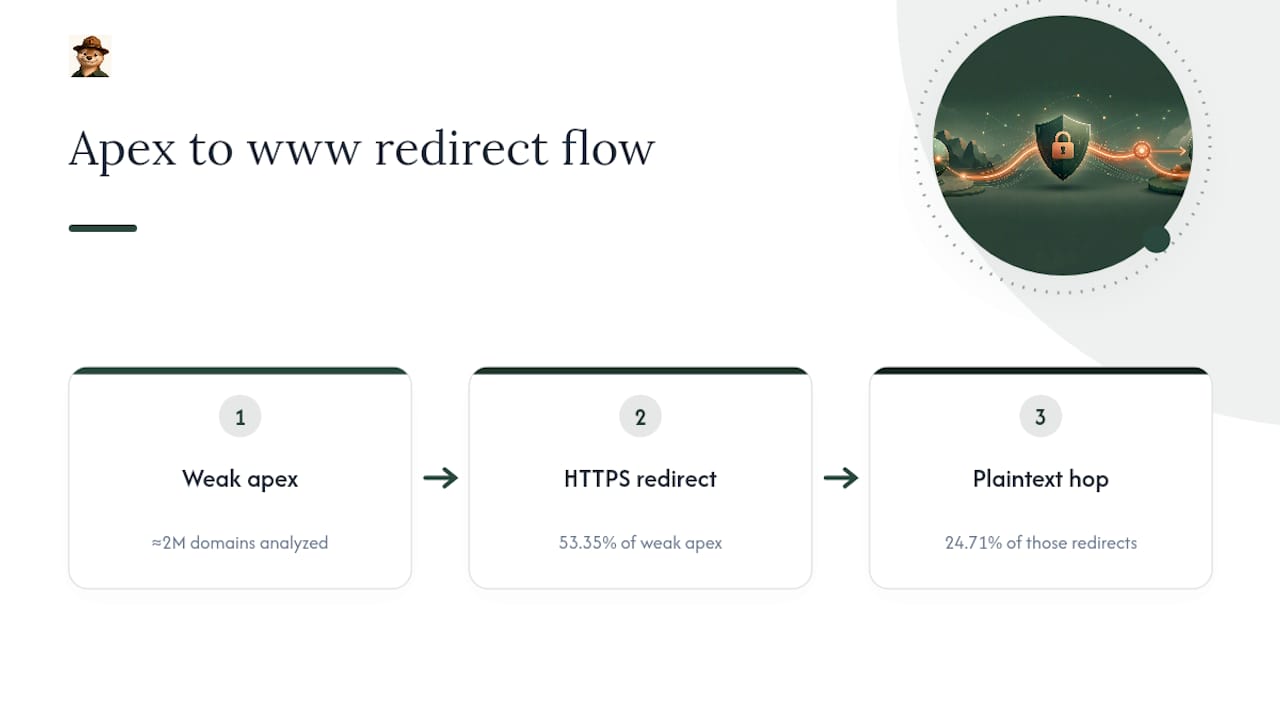
Letting apex and www diverge is where things quietly go wrong. An analysis of nearly two million domains found that apex domains tend to carry weaker TLS configurations than their www counterparts, and the redirects meant to hide that weakness often introduce a new one.
Of the plain domains with TLS weaknesses in that study, 53.35% redirected to a www version over HTTPS, but 24.71% of those redirects passed through a plaintext HTTP hop first, briefly exposing the connection before the browser ever reached the secure endpoint.
That plaintext hop is exactly the kind of thing a quick glance at a padlock icon won’t catch. Other common failure modes look mundane until they cause an outage: a load balancer serving the apex from a different backend than www, with only one of the two holding a current certificate; a SAN list that was accurate at issuance but never updated after adding a new hostname; or a cert that simply expired on one host while auto-renewal quietly succeeded on the other.
Triage is straightforward once you know what to look for. Confirm both hostnames terminate TLS on servers with the same, current certificate. Check that every redirect endpoint (not just the final destination) presents a valid cert before it forwards the request. Replace any plaintext intermediate hop with a direct HTTPS-to-HTTPS redirect. If you’re chasing a specific error, the common causes of certificate mismatches are worth a scan.
Checklist: Confirm Coverage Before You Trust It
Run these checks after any DNS change, cert renewal, or CDN migration, not just once at launch.
- Check the SAN list. Run
openssl x509 -in cert.pem -noout -textand look for theSubject Alternative Namefield, or click the padlock in your browser to view the same list. - Trace the redirect chain. Run
curl -I https://example.comand follow everyLocationheader by hand. You want exactly one hop to your canonical host, all over HTTPS. - Run a TLS scanner against both hostnames to compare cipher support, protocol versions, and expiry dates side by side.
- Confirm your issuance method matches your cert type. Wildcard certs require DNS-01 validation through Let’s Encrypt’s ACME protocol, while single-hostname certs can usually use the simpler HTTP-01 challenge.
- Set up automated expiry monitoring so you’re not doing this check manually every few months and forgetting the one time it matters most.
Where Otterwatch Fits Into Verification
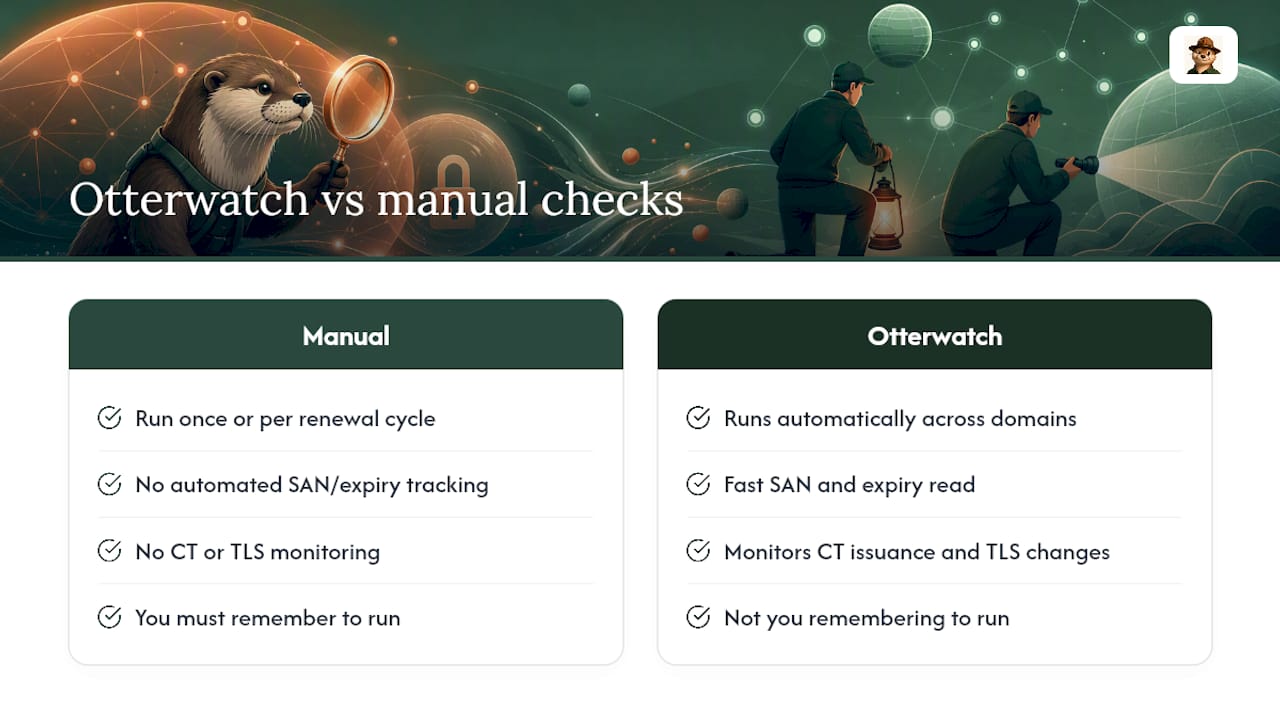
Running these checks by hand once is fine. Running them every renewal cycle, on every domain you manage, is how things slip. Otterwatch’s free SSL checker gives you a fast SAN and expiry read on any domain, and its monitoring layer tracks certificate transparency issuance and TLS changes automatically, so you’re not the one remembering to run openssl before a deadline.
A Pragmatic Rule for Picking Canonical
Choose your canonical host based on infrastructure, not preference: if your DNS or CDN needs hostname-based pointing, or cookie scoping matters at your scale, go with www. Otherwise, example.com is simpler and just as safe. Whichever you pick, back it with one clean redirect, consistent SANs, and automated monitoring instead of a manual habit you’ll eventually skip.
— Nick Phillips
Stop Guessing Whether Your Cert Covers Both Hostnames
Guessing which hostnames your certificate actually covers is how sites end up with a broken padlock on the one version nobody tested. Some services check both, track expiry dates for you, and send a plain heads up well before renewal day instead of a red-alert email at the last minute.

Run your domain through the free SSL checker right now and see exactly what’s in your SAN list and how many days you have left. If it looks good, set up monitoring on up to five domains at no cost, and upgrade later if you need deeper certificate transparency tracking or team alerts across more sites. For DNS or CDN configuration questions that go beyond certificates, a host like NexonixHost can help sort out apex aliasing from the infrastructure side.
Sources
- Does “www.” mean better transport layer security? — IACR ePrint 2019/941
- Do you need two certificates for www and non-www? — CompareCheapSSL
FAQ
Why is www no longer used on some sites?
Many sites drop www for a shorter, cleaner-looking URL, but the choice has no effect on search rankings and comes down to DNS flexibility and personal preference.
Is it better to have www or not?
Neither is inherently better; www helps with CDN routing and cookie scoping at scale, while a bare apex domain is simpler for smaller sites with no CDN requirements.
Should www be an A record or a CNAME?
www should generally be a CNAME pointing at your CDN or hosting provider’s hostname, since subdomains (unlike the apex) are allowed to carry CNAME records under DNS standards.
How do I redirect an apex domain to www?
Set a single 301 redirect rule at your web server or DNS provider that sends example.com straight to https://www.example.com, combining the HTTPS enforcement and hostname redirect into one hop to avoid chaining.
Does one SSL certificate cover both example.com and www.example.com?
Yes, in most cases: standard single-domain DV certificates typically include both hostnames in the SAN field by default, and you can confirm this with Otterwatch’s free SSL checker.
Recommended
- SSL Debugging Checklist for Developers: 2026 Guide
- Wildcard vs SAN certificates — which one do you actually want?
- Signs Your SSL Certificate Is Failing: 8 Clear Warnings
- SSL Certificate Types Explained for Website Owners
Catch the next cert expiry before your users do.
Otterwatch checks your SSL certificates daily and emails you 30 days before they expire. Five sites free.
Start watching →