What Is a Certificate Authority? A Small Business Guide
By Nick Phillips, Founder

A certificate authority (CA) is a trusted organization that issues digital certificates binding a verified identity to a public key, enabling browsers to trust HTTPS servers. Without CAs, your browser would have no reliable way to confirm that the website asking for your credit card number is actually who it claims to be. Think of a CA as the internet’s notary public: it checks your credentials, stamps your certificate, and tells every browser in the world that you are who you say you are. Organizations like DigiCert, Let’s Encrypt, and Sectigo operate as public CAs, while companies like CyberArk help enterprises manage certificates internally.
What is a certificate authority and how does it verify your site?
The verification process starts when a website owner generates a Certificate Signing Request (CSR). A CSR is a block of encoded text containing the site’s public key and identifying information, which gets submitted to a CA for review. The CA then validates that request before issuing a signed certificate.
CAs offer three levels of validation, each with increasing rigor:
- Domain Validation (DV): The CA confirms you control the domain, typically by having you add a DNS record or upload a file to your server. This is the fastest and cheapest option, and it is what Let’s Encrypt provides for free.
- Organization Validation (OV): The CA verifies domain control and also confirms the legal existence of the organization behind the domain. This takes a few days and requires business documentation.
- Extended Validation (EV): The most thorough check. The CA verifies domain control, legal identity, physical address, and operational status. EV certificates were historically associated with a green address bar in browsers, though most browsers have since removed that visual indicator.
Registration Authorities (RAs) support CAs by handling the front-end identity verification steps, approving or denying certificate requests before passing them to the CA for final issuance. The CA retains full responsibility for signing and trust management. Think of the RA as the intake desk and the CA as the signing authority.
Once validation passes, the CA signs your certificate using its own private key. That signature is what browsers check when a visitor lands on your site.
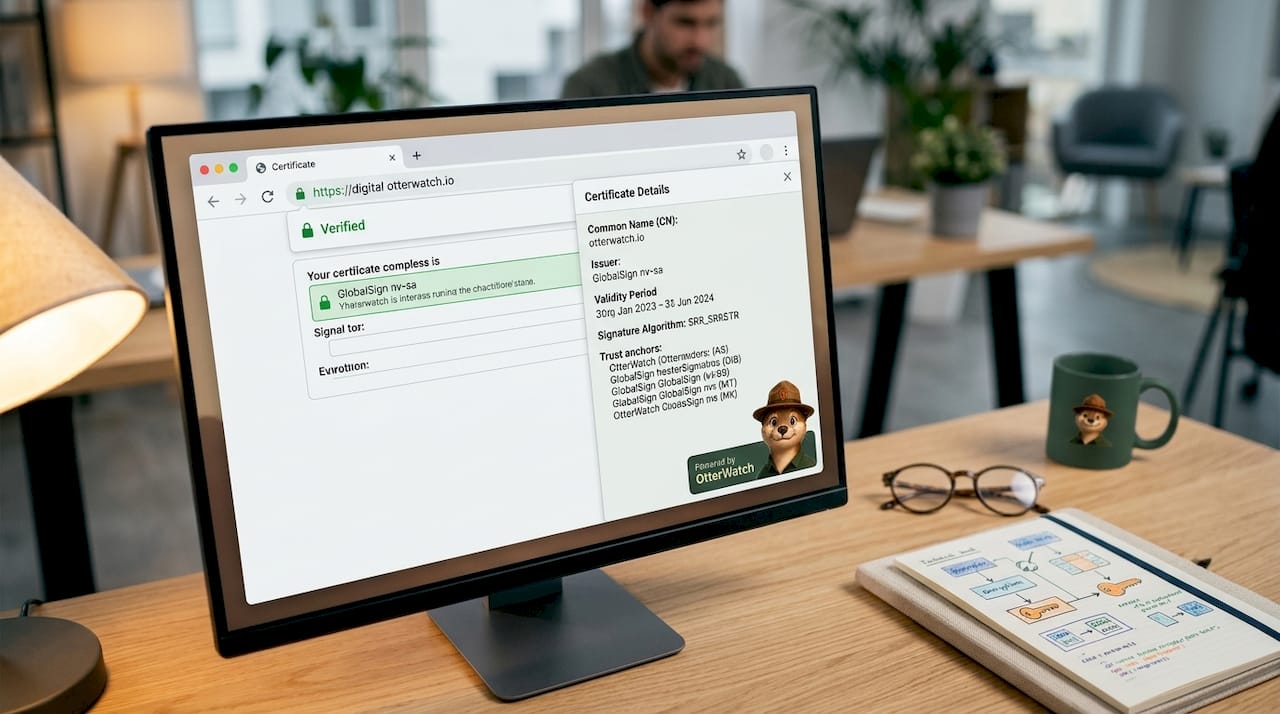
Pro Tip: For a personal blog or small informational site, a DV certificate from Let’s Encrypt is perfectly fine. If you collect payments or handle sensitive customer data, consider an OV certificate from a provider like DigiCert or Sectigo to give visitors stronger assurance of your identity.
How do browsers decide which certificate authorities to trust?
Browsers do not trust every CA in the world by default. Each browser and operating system ships with a built-in list of approved root certificates called a trust store. Mozilla Firefox maintains its own trust store; Apple, Microsoft, and Google maintain theirs. A CA must apply to be included in these programs and meet strict security requirements to get listed.
The trust model works in layers:
- Root CA: The top-level authority. Root certificates are kept offline in highly secure facilities because compromising one would undermine trust across millions of websites.
- Intermediate CA: A CA that sits between the root and your website’s certificate. Intermediate CAs do the day-to-day work of issuing certificates, keeping the root isolated from risk.
- Leaf certificate: The certificate installed on your server. This is what your visitors’ browsers actually read.
Browsers only accept certificates that chain up to a trusted root CA in their trust store. If any link in that chain is missing or broken, the browser throws a warning. Self-signed certificates fail this check entirely because no recognized CA has vouched for them, which is why browsers display security warnings on sites using them.
The HTTPS padlock appears because a CA has verified the site’s identity and issued a TLS certificate that browsers recognize. That padlock signals an encrypted connection protecting data exchanged between the user and the site.
Here is a quick comparison of certificate types by trust level:
| Certificate type | Issued by | Browser trust | Common use |
|---|---|---|---|
| Self-signed | Site owner | No (triggers warning) | Internal testing only |
| DV (Let’s Encrypt) | Public CA | Yes | Blogs, small sites |
| OV (DigiCert, Sectigo) | Public CA | Yes | Business websites |
| EV (DigiCert) | Public CA | Yes | E-commerce, finance |
For help with installing a CA-issued certificate correctly on your server, Otterwatch has a practical walkthrough for small site owners.
How do certificate authorities manage certificate lifecycles?
Issuing a certificate is not a one-time event. CAs manage the full lifecycle: issuance, renewal, and revocation.
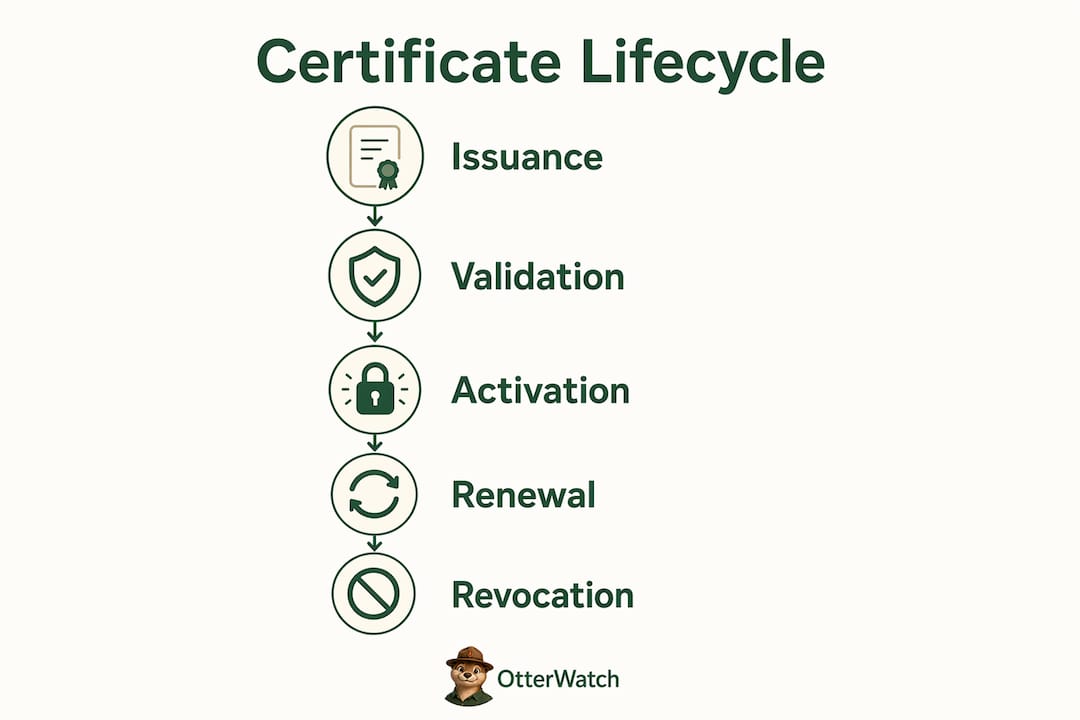
Expiration and renewal are the parts most small business owners feel directly. Certificates do not last forever, and the allowed lifespan is getting shorter. The CA/Browser Forum mandates that maximum public TLS certificate lifetimes will reduce to 47 days by 2029. Previously, certificates could last up to 398 days. This shift means manual renewal processes will become unsustainable, and automation through tools like ACME protocol clients (used by Let’s Encrypt) will become the practical standard. You can read more about why certificate lifespans keep shrinking and what that means for your renewal workflow.
Revocation is how CAs pull the plug on a certificate before it expires. Two main mechanisms handle this:
| Mechanism | How it works | Speed |
|---|---|---|
| OCSP (Online Certificate Status Protocol) | Browser queries CA’s OCSP responder in real time | Fast, but depends on responder availability |
| CRL (Certificate Revocation List) | Browser downloads a list of revoked certificate serial numbers | Slower, larger file, but works offline |
Revocation checking confirms that a certificate has not been compromised or withdrawn since it was issued. OCSP responders must stay available and responsive; if they go down, browsers may fall back to CRLs or, in some configurations, skip the check entirely. That fallback behavior is a known weak point in the current system.
Pro Tip: Set a calendar reminder or use automated monitoring to track your certificate’s expiration date. With lifespans heading toward 47 days, missing a renewal window will become much easier to do accidentally.
Why does the certificate authority matter for your small business?
A CA-issued certificate does three concrete things for your business website. It encrypts the connection between your visitor and your server. It proves to browsers that your site is legitimate. And it prevents the “Not Secure” warning that Chrome and Firefox display on sites without valid HTTPS. That warning alone drives visitors away before they read a single word.
The risks of getting this wrong are real:
- An expired certificate causes browsers to block visitors with a full-screen warning page, not just a small alert.
- A misconfigured certificate chain can produce the same result even if your certificate itself is valid and current.
- A self-signed certificate on a public-facing site signals to visitors (and search engines) that security is not a priority.
- Choosing the wrong certificate type, such as a single-domain certificate when you run multiple subdomains, creates coverage gaps. A wildcard vs SAN certificate comparison can help you pick the right fit.
Public CAs charge fees for issuing certificates and operate under strict standards governed by the CA/Browser Forum. That fee and oversight structure is what makes their certificates trustworthy. Free options like Let’s Encrypt are fully legitimate public CAs; the difference is automation and support, not trust level.
For most small businesses, a DV certificate from Let’s Encrypt (automated via your hosting provider) covers the basics. If you run an e-commerce store or handle medical or financial data, an OV certificate from DigiCert or Sectigo adds a layer of verified identity that more cautious visitors will appreciate.
Common misconceptions about certificate authorities that trip people up
A few beliefs about CAs cause real problems when left uncorrected.
The padlock does not mean a site is safe. The HTTPS padlock means the connection is encrypted and the domain has a CA-issued certificate. It does not mean the site is free of malware, honest, or legitimate. Phishing sites routinely obtain DV certificates because domain control is easy to prove. The padlock is a necessary condition for trust, not a sufficient one.
A valid certificate can still break trust. Misconfigured certificate chains or missing intermediate certificates cause browsers to reject certificates even when the underlying cert was issued by a fully trusted CA. Proper server configuration is not optional. After installing any certificate, test it with a tool like SSL Labs’ SSL Test to confirm the full chain is in order.
Self-signed certificates are fine for internal use, not for public sites. Developers use self-signed certificates on local machines and internal networks all the time. Putting one on a public website is a different matter entirely. Self-signed certificates lack a recognized CA vouching for them, so every browser your visitors use will display a warning.
Pro Tip: After any certificate installation or renewal, run a quick check through SSL Labs or Otterwatch’s free SSL checker to confirm your cert chain is complete and your expiration date is correct. It takes two minutes and catches the most common post-installation mistakes.
Key takeaways
A certificate authority is the trust backbone of HTTPS: without a recognized CA signing your certificate, no browser will treat your site as secure.
| Point | Details |
|---|---|
| CAs verify identity before issuing certificates | Validation levels (DV, OV, EV) determine how thoroughly the CA checks your identity. |
| Browser trust stores control which CAs are accepted | Only certificates chaining to a root CA in the browser’s trust store avoid security warnings. |
| Certificate lifespans are shrinking fast | The CA/Browser Forum is reducing maximum validity to 47 days by 2029, making automation necessary. |
| Revocation keeps the system honest | OCSP and CRLs let CAs invalidate compromised certificates before they expire. |
| Misconfiguration breaks trust even with valid certs | A missing intermediate certificate causes the same browser warning as an expired or untrusted cert. |
What I’ve learned watching small businesses manage certificates
I have seen the same pattern repeat more times than I can count. A small business owner gets their site set up, the hosting provider installs a certificate, and then nobody thinks about it again until a visitor sends a panicked message saying the site looks broken. By that point, the certificate expired days ago and Google has already flagged the site in search results.
The honest truth is that most small business owners do not need to become PKI experts. You do not need to memorize the difference between OCSP and CRL behavior in edge cases. What you do need is a clear picture of when your certificate expires and a reliable way to know before it becomes a problem.
What I find genuinely underappreciated is the chain of trust piece. People focus on getting a certificate and forget that the intermediate certificate also needs to be installed correctly. A certificate from DigiCert or Sectigo sitting on a server with a broken chain is functionally useless. The browser does not care that you paid for a premium cert. It cares that the chain is complete.
The move toward 47-day certificate lifespans is going to force a lot of businesses to either automate renewals or deal with more frequent outages. That is not a bad thing in the long run. Shorter lifespans mean compromised certificates cause less damage. But it does mean the days of setting a yearly calendar reminder and calling it done are numbered. Automation and monitoring are no longer optional extras. They are the baseline.
— Otis
Keep an eye on your certificates without the stress
Understanding how certificate authorities work is the first step. The second step is making sure you never miss a renewal.

Otterwatch watches your SSL certificates and sends you a plain, friendly heads-up well before they expire. No dashboards to learn, no walls of red alerts. You get a calm notification when action is needed and silence when everything is fine. Uptime monitoring comes along for the ride at no extra cost. You can check any certificate right now for free, and Otterwatch monitors up to five sites at no cost to start. If you want to understand the importance of SSL certificates for your site’s security posture, that is a solid place to dig in further.
FAQ
What does a certificate authority actually do?
A certificate authority verifies the identity of websites, organizations, or individuals and issues digitally signed certificates that browsers use to establish trust. The CA signs each certificate with its private key, allowing browsers to confirm authenticity through the chain of trust.
What is the difference between a certificate authority and a registration authority?
A registration authority (RA) handles the front-end identity verification and approves or denies certificate requests, while the CA retains final responsibility for signing and issuing the certificate. The RA supports the CA but cannot issue certificates independently.
Why do browsers warn about self-signed certificates?
Browsers warn about self-signed certificates because they do not chain up to a trusted root CA in the browser’s trust store. Without a recognized CA vouching for the certificate, the browser has no way to verify the site’s identity.
How long does an SSL certificate last?
Currently, public TLS certificates can be valid for up to 398 days, but the CA/Browser Forum is reducing the maximum lifespan to 47 days by 2029. Shorter lifespans limit the damage if a certificate is ever compromised.
Do I need to pay for a certificate authority certificate?
Not necessarily. Let’s Encrypt is a free, publicly trusted CA that issues DV certificates at no cost, typically automated through your hosting provider. Paid options from DigiCert or Sectigo offer OV and EV certificates with higher validation levels and dedicated support.
Recommended
- SSL Certificate Installation Explained for Small Sites · Otterwatch
- Blog · Otterwatch
- Domain Certificate Mismatch Causes: 2026 Fix Guide · Otterwatch
- Otterwatch — SSL & uptime monitoring, kept boring on purpose
Catch the next cert expiry before your users do.
Otterwatch checks your SSL certificates daily and emails you 30 days before they expire. Five sites free.
Start watching →