Certificate Expiration Check Script: A Practical Guide
By Nick Phillips, Founder
Certificate Expiration Check Script: A Practical Guide

TL;DR:
- Automated certificate expiration monitoring queries SSL/TLS certificates, calculates days remaining, and triggers alerts before expiry to prevent site downtimes. It requires tools like OpenSSL, curl, jq, and scheduling systems, and must verify the full certificate chain and SANs for accuracy. Relying solely on renewal automation is risky; dedicated monitoring scripts provide essential visibility and early warnings.
A certificate expiration check script is an automated program that queries SSL/TLS certificates on one or more domains, calculates days remaining until expiry, and triggers alerts before a certificate lapses. The industry term for this practice is automated certificate expiration monitoring, and it sits at the intersection of security operations and site reliability engineering. Without it, a forgotten renewal can take your site offline in seconds, kill search rankings, and break API integrations that depend on valid TLS handshakes. The tools most commonly used to build these scripts are OpenSSL, Bash, PowerShell, and curl, and each one gives you a different level of control over what you check and how you alert.
What to prepare before writing a certificate expiration check script
Getting your environment right before you write a single line saves hours of debugging later. Here is what you need in place.
Tools to install or verify:
- OpenSSL (version 1.1.1 or later): the core engine for querying certificate fields from the command line
- curl: useful for API-based checks and for testing connectivity before the script runs
- jq: parses JSON output from tools like certinfo or API-based SSL checkers, so you can filter on specific fields like "days-remaining
orissuer` - PowerShell 7+ (Windows or cross-platform): the preferred environment for Windows-based certificate validity scripts
- cron (Linux/macOS) or Windows Task Scheduler: the scheduling layer that makes checks automatic rather than manual
What to understand about certificate structure:
Beyond the expiration date, a well-written script checks the Subject Alternative Names (SANs), the full certificate chain, and the issuer. Checking only the leaf cert is insufficient. Missing intermediate certificates cause browser errors even when the leaf certificate itself is perfectly valid. Your script needs to pull and verify the entire chain.

Prepare your domain list:
Create a plain text file, one domain per line, with no trailing slashes or protocol prefixes. This becomes the input your loop reads. If you manage more than ten domains, group them by renewal source (Let’s Encrypt, DigiCert, internal CA) so your alerting logic can route notifications to the right team.
Pro Tip: Scripts running inside containers should mount certificate files read-only using the :ro volume flag, and always set the TZ environment variable to match the host timezone. A timezone mismatch between container and host is one of the most common sources of false expiration alerts.
How to write and run a basic certificate expiration check script
The simplest working Bash script uses openssl s_client to open a TLS connection and openssl x509 to parse the certificate’s notAfter field. Here is a step-by-step breakdown.
Step 1: Query the certificate
DOMAIN="example.com"
EXPIRY=$(echo | openssl s_client -servername "$DOMAIN" \
  -connect "$DOMAIN":443 2>/dev/null \
  | openssl x509 -noout -enddate \
  | cut -d= -f2)
The -servername flag sends the SNI header, which is required for servers hosting multiple certificates on one IP address. Without it, you may get the wrong certificate back.
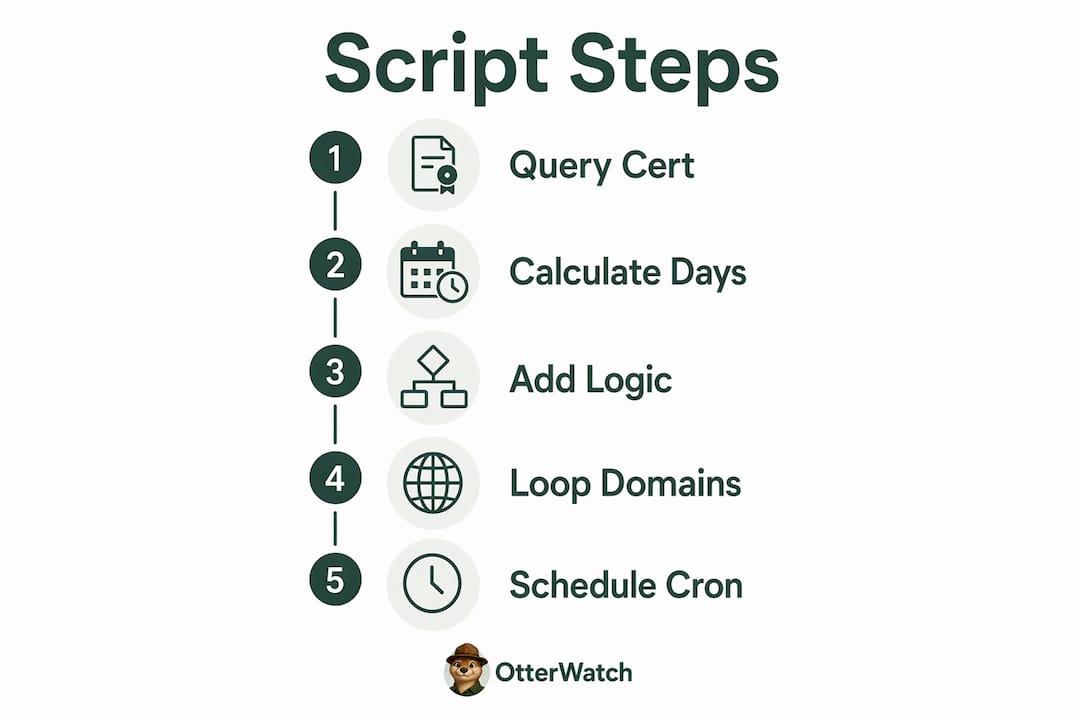
Step 2: Calculate days remaining
EXPIRY_EPOCH=$(date -d "$EXPIRY" +%s)
NOW_EPOCH=$(date +%s)
DAYS_LEFT=$(( (EXPIRY_EPOCH - NOW_EPOCH) / 86400 ))
Step 3: Add threshold logic and exit codes
Standard exit code conventions define 0 as OK, 1 as warning (fewer than 30 days remaining), and 2 as critical (fewer than 7 days or already expired). Following POSIX conventions here means your script plugs directly into Nagios, Zabbix, or any CI/CD pipeline without a custom wrapper.
if [ "$DAYS_LEFT" -le 7 ]; then
  echo "CRITICAL: $DOMAIN expires in $DAYS_LEFT days"
  exit 2
elif [ "$DAYS_LEFT" -le 30 ]; then
  echo "WARNING: $DOMAIN expires in $DAYS_LEFT days"
  exit 1
else
  echo "OK: $DOMAIN expires in $DAYS_LEFT days"
  exit 0
fi
Step 4: Loop over multiple domains
Many IT teams schedule daily checks at 8AM using cron, looping through a domain list and logging errors for auditing. The loop is straightforward:
while IFS= read -r DOMAIN; do
  # run the check block above for each $DOMAIN
done < domains.txt
Step 5: Schedule with cron
0 8 * * * /usr/local/bin/cert-check.sh >> /var/log/cert-check.log 2>&1
On Windows, the PowerShell equivalent uses [System.Net.Security.SslStream] to retrieve the certificate and $cert.NotAfter to get the expiry date. Windows Task Scheduler then runs the script on whatever cadence you set.
Pro Tip: Add 2>/dev/null to your openssl s_client call to suppress the verbose handshake output. Without it, your log files fill up fast when you are checking dozens of domains daily.
How to use advanced scripting techniques and integrate with monitoring systems
Once your basic script works, the next step is making its output machine-readable and wiring it into your existing monitoring stack.
Producing JSON output for downstream tools
Modern monitoring scripts output objects with fields like days-remaining, issuer, and chain-length, then trigger alerts for certificates with fewer than 14 days left. Structuring your output as JSON means any downstream tool, from a Slack webhook to a Grafana dashboard, can consume it without custom parsing.
echo "{\"domain\":\"$DOMAIN\",\"days_remaining\":$DAYS_LEFT,\"issuer\":\"$ISSUER\"}"
Pipe that through jq to filter, sort, or extract specific fields. For example, jq 'select(.days_remaining < 14)' instantly surfaces only the certificates that need attention.
Integrating with Nagios, Zabbix, and GitHub Actions
The table below shows how exit codes and output formats map to three common integration targets.
| Platform | Expected exit codes | Output format | Trigger mechanism |
|---|---|---|---|
| Nagios | 0, 1, 2 (POSIX) | Single-line text | Active check or NRPE |
| Zabbix | 0 (success), nonzero (fail) | JSON or plain text | External check item |
| GitHub Actions | 0 (pass), nonzero (fail) | Any (logged) | Step in workflow YAML |
The certinfo CLI tool, written in Rust, emits JSON and POSIX exit codes natively. It can also inspect certificates that browsers reject, which makes it useful for monitoring internal or self-signed certificates that your standard openssl s_client call might skip.
Verifying the full certificate chain and SANs
Complete certificate validation includes chain verification and cryptography checks, not just the expiration date. Add -showcerts to your openssl s_client call to pull the full chain, then verify each certificate in the chain individually. For SANs, parse the output of openssl x509 -noout -ext subjectAltName and confirm the domain you are checking actually appears in the list.
For API-based certificate checks, services like Apixies accept a curl command with an API key and return a JSON response with validity status and days to expiration. This approach works well when you cannot install OpenSSL on a restricted host or when you want to offload the TLS handshake entirely.
Common mistakes and troubleshooting tips for certificate check scripts
A few recurring problems trip up even experienced engineers. Knowing them in advance saves a painful production incident.
Timezone mismatches cause false positives. If your script runs in UTC but your certificate’s notAfter field is parsed in a local timezone, you can get alerts days early or miss an expiry entirely. Always normalize to UTC in both the date calculation and the environment variable. Timezone and renewal failures are two of the most common reasons a script appears to work in testing but misbehaves in production.
Checking only the leaf certificate. This is the single most common mistake. Your domain’s leaf cert may show 60 days remaining while an intermediate certificate in the chain expired last week. Browsers will reject the connection regardless of what the leaf cert says. Always verify the full certificate chain.
Assuming renewal means success. With certificate lifetimes shrinking to 90 days, the risk has shifted from forgetting to renew to automation failures in the renewal process itself. A Let’s Encrypt certbot job can fail silently due to a DNS propagation issue, a rate limit, or a changed file path. Your monitoring script must verify the new certificate is actually in place after a renewal runs, not just that the renewal job exited cleanly.
Pro Tip: Run your script with the least privilege necessary. If it only needs to read certificate files and open outbound TCP connections on port 443, do not run it as root. Use a dedicated service account with read-only access to the cert directory.
Hitting API rate limits. If you use an external API for certificate checks, batch your requests and add a sleep between calls. Most providers enforce per-minute or per-hour limits, and a script that hammers the API will get blocked mid-run, leaving half your domains unchecked with no error in the log.
Key takeaways
A certificate expiration check script is only as reliable as the checks it performs: verify the full chain, use POSIX exit codes, and confirm renewals actually succeeded rather than just ran.
| Point | Details |
|---|---|
| Check the full chain | Leaf cert checks alone miss intermediate failures that browsers will reject. |
| Use POSIX exit codes | Codes 0, 1, and 2 let your script integrate with Nagios, Zabbix, and CI/CD without wrappers. |
| Normalize timezones | Set TZ to UTC in both your script and container environment to prevent false alerts. |
| Verify renewal success | Confirm the new certificate is live after each renewal, not just that the renewal job ran. |
| Automate at 90-day cadence | Shrinking certificate lifetimes make daily automated checks the minimum viable practice. |
Why I stopped trusting renewal jobs and started trusting monitoring
The conventional wisdom used to be: set up certbot, add a cron job, and forget about it. That worked when certificates lasted two years. It does not work anymore. With 90-day certificates becoming the norm, and proposals on the table to push that to 47 days, the failure window is much tighter. I have seen teams get burned not because they forgot to renew, but because their renewal automation broke quietly. A DNS record changed, a firewall rule blocked the ACME challenge, or a file permission shifted after a server migration. The certbot job ran, exited 0, and the certificate never actually updated.
The lesson I keep coming back to is this: treat your renewal automation and your monitoring script as two completely separate systems. One renews; the other verifies. If they are the same script, a single failure takes out both your safety net and your alerting at once. I also recommend keeping your monitoring scripts as simple as possible. A 30-line Bash script you understand completely is more reliable than a 300-line framework you copied from GitHub and never fully read. Add JSON output and POSIX exit codes from day one, even if you are not integrating with anything yet. You will want them the moment you scale beyond five domains. For teams managing dozens of certificates, the SSL certificate monitoring tools comparison is worth reading before you commit to a scripting approach versus a managed service.
— Nick Phillips
Skip the script if you just need reliable alerts
If you manage a handful of sites and the scripting overhead is not worth it, Otterwatch does the certificate watching for you without any setup beyond entering your domain.

Otterwatch’s free SSL certificate checker runs an immediate check on any domain and shows you days remaining, chain status, and SAN coverage in one view. The full monitoring service watches up to five sites at no cost, sends you a plain notification well before expiry, and checks uptime at the same time. No dashboards to configure, no exit codes to debug. If you want to keep scripting but add a reliable backup layer, Otterwatch’s monitoring platform runs alongside your existing scripts without conflict.
FAQ
What does a certificate expiration check script actually do?
It connects to a domain over TLS, reads the certificate’s notAfter field, calculates days remaining, and returns an exit code or alert based on configurable thresholds. Most scripts check daily and alert at 30 days and again at 7 days.
How do I check SSL expiration date from the command line?
Run echo | openssl s_client -connect yourdomain.com:443 2>/dev/null | openssl x509 -noout -enddate to retrieve the expiration date directly. Add -servername yourdomain.com if the server uses SNI to serve multiple certificates.
What exit codes should a certificate validity script use?
POSIX exit code conventions define 0 as OK, 1 as warning (typically fewer than 30 days), and 2 as critical (fewer than 7 days or already expired). These codes allow direct integration with Nagios, Zabbix, and GitHub Actions.
Why is checking only the leaf certificate a problem?
The leaf certificate may still be valid while an intermediate certificate in the chain has expired. Browsers validate the full certificate chain and will reject the connection regardless of the leaf cert’s status, causing site outages that your script would not have caught.
How often should I run an automated certificate expiration check?
Daily is the minimum, especially with 90-day certificate lifetimes now standard. Schedule your cron job or Task Scheduler task to run once per day and log all output so you have an audit trail if a renewal fails silently.
Recommended
- SSL Expiry Notification Setup: A Practical Guide · Otterwatch
- How to check an SSL certificate’s expiration date (5 ways) · Otterwatch
- Blog · Otterwatch
- Otterwatch — SSL & uptime monitoring, kept boring on purpose
Catch the next cert expiry before your users do.
Otterwatch checks your SSL certificates daily and emails you 30 days before they expire. Five sites free.
Start watching →